Still have questions?
Come chat with us and we will get back to you as soon as possible!

Nuno Paiva
Game Integration Specialist @ Shockbyte
How to Add Admins to Your Enshrouded Server
Admins on your Enshrouded server can kick and ban players, open any chest, and build anywhere in the world. Enshrouded doesn't use admin commands or an admin list. Instead, you create an Admin Permission Group with its own password, and anyone who joins with that password gets admin permissions.
You can set up your Admin group from the Settings tab on the Shockbyte Panel in a few minutes.
#Setting Up Your Admin Group
-
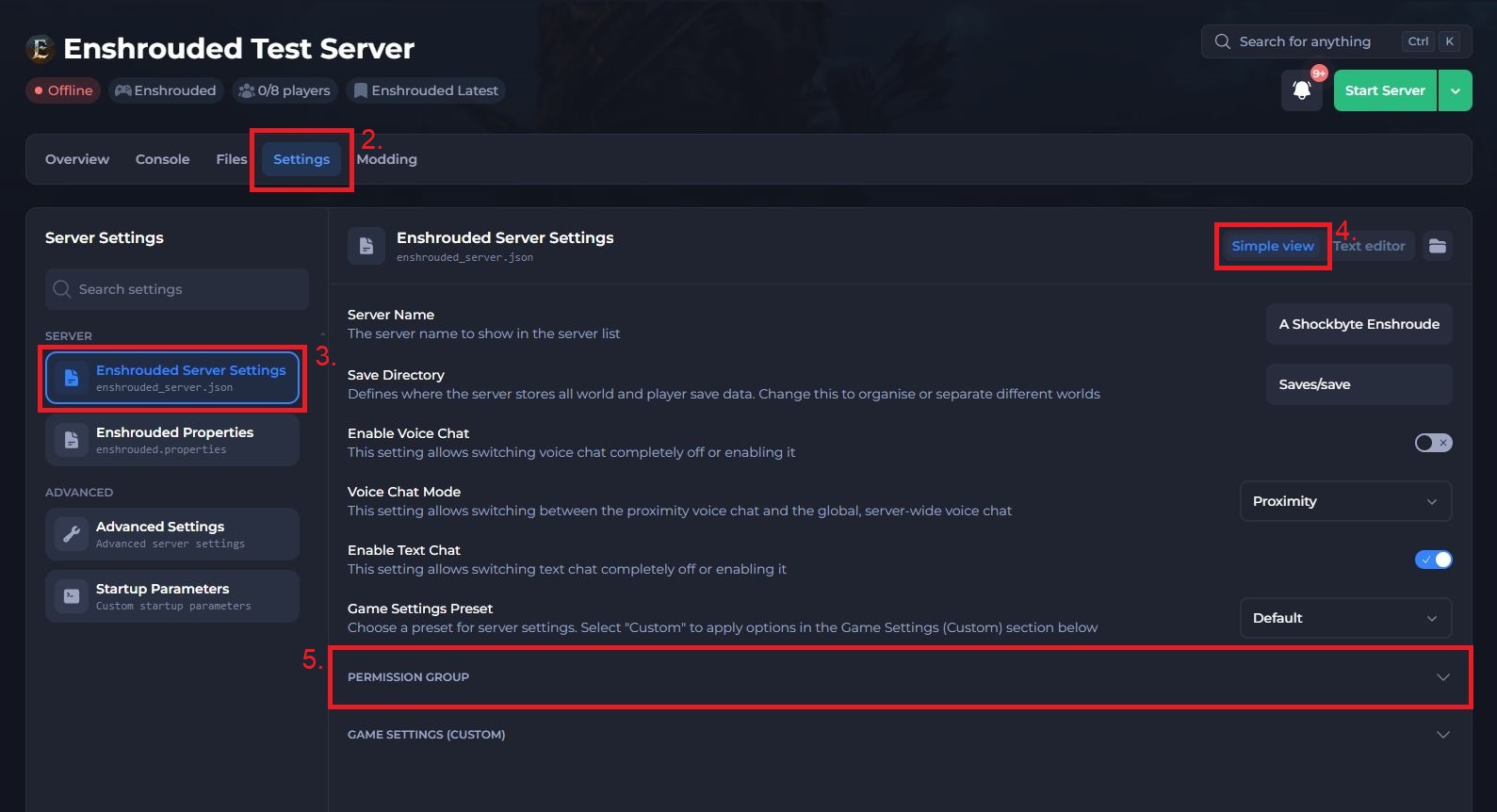
Navigate to the Shockbyte Control Panel and open your Enshrouded server.
-
Click Stop to shut down your server and open the Settings tab.
-
Under Server, select Enshrouded Server Settings.
-
Make sure Simple view is selected in the top right.
-
Scroll down and click Permission Group to expand the section.
-
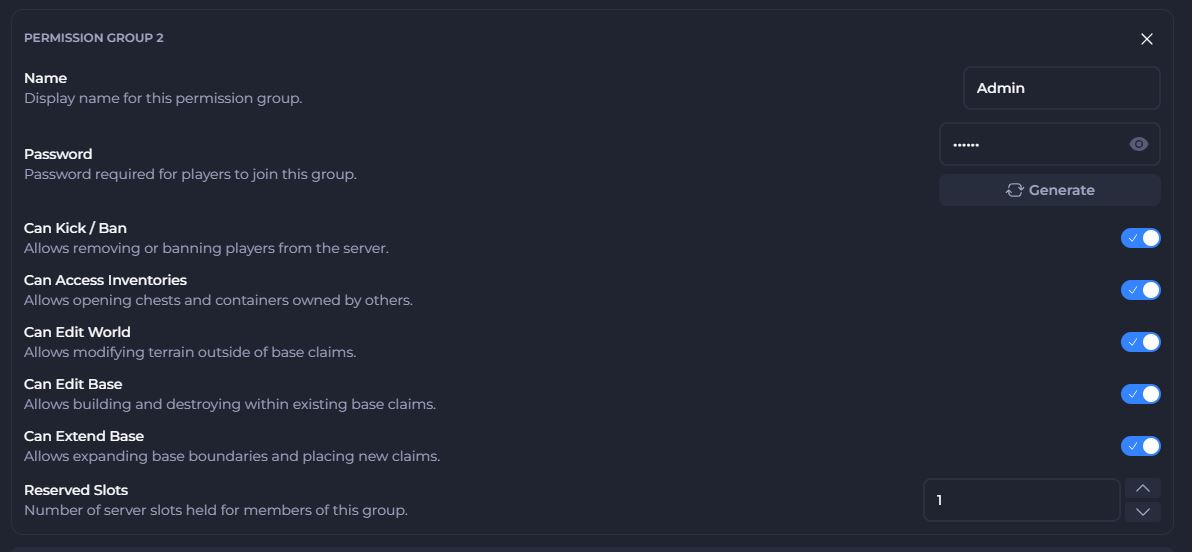
Find Permission Group 2 (Admin) and update its settings:
- Enter Admin in the Name field.
- Click Generate to create a secure password, or enter your own. Click the eye icon to show the password so you can copy it.
- Turn on Can Kick / Ban, Can Access Inventories, Can Edit World, Can Edit Base, and Can Extend Base.
- Set Reserved Slots to 1 or more, so your admins can join when the server is full.
- Save your changes.
- Click Start Server to start your server with the new settings.
Important
Anyone with the Admin password can kick and ban players on your server. Share it only with people you trust, and make sure it differs from every other group's password.
#Joining as an Admin
Send the Admin password to each person you want to make an admin. They join your server like this:
-
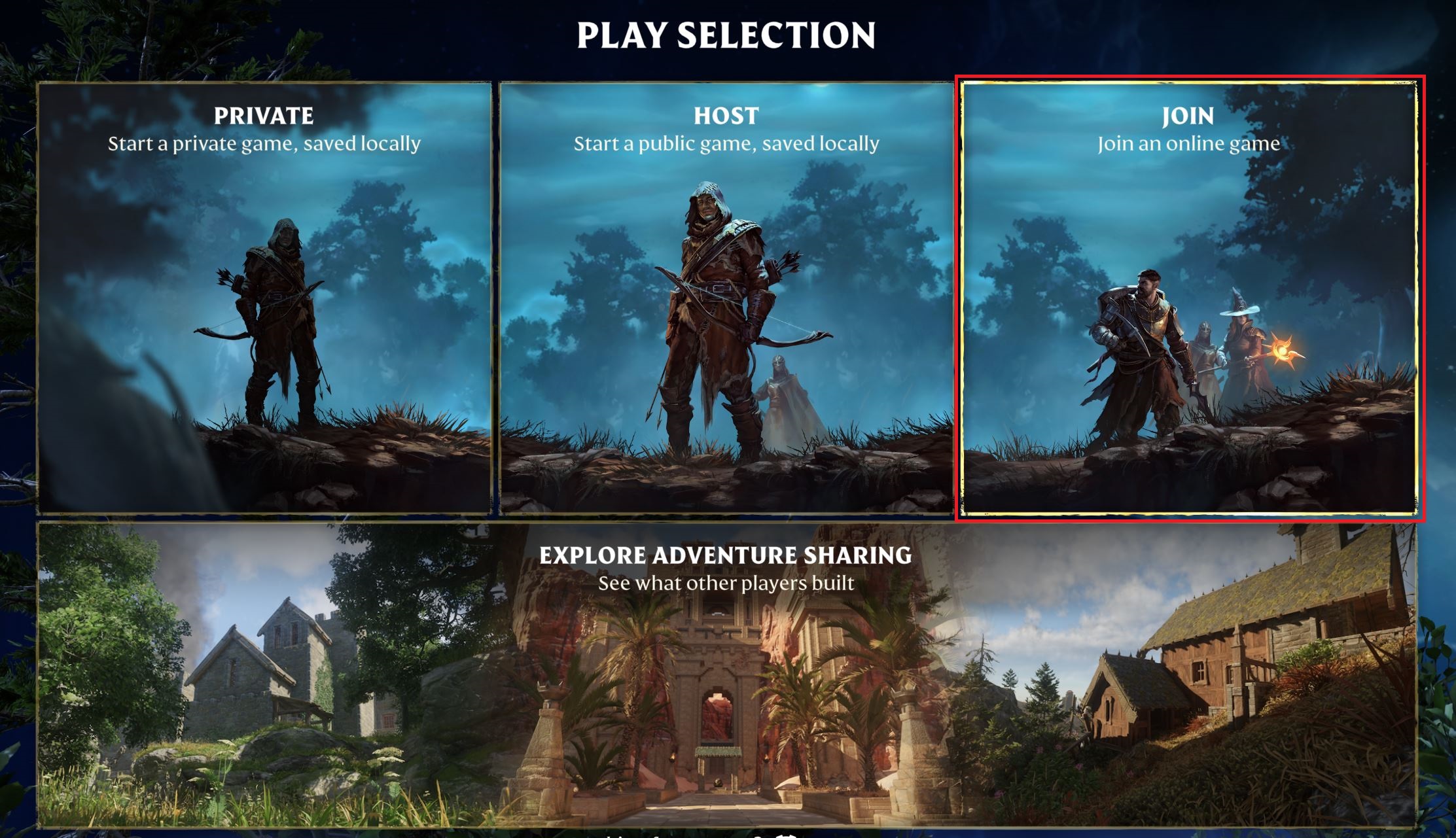
Launch Enshrouded and click Play, then select Join from the main menu.
-
Select the Dedicated Servers tab, then search for your server's name.
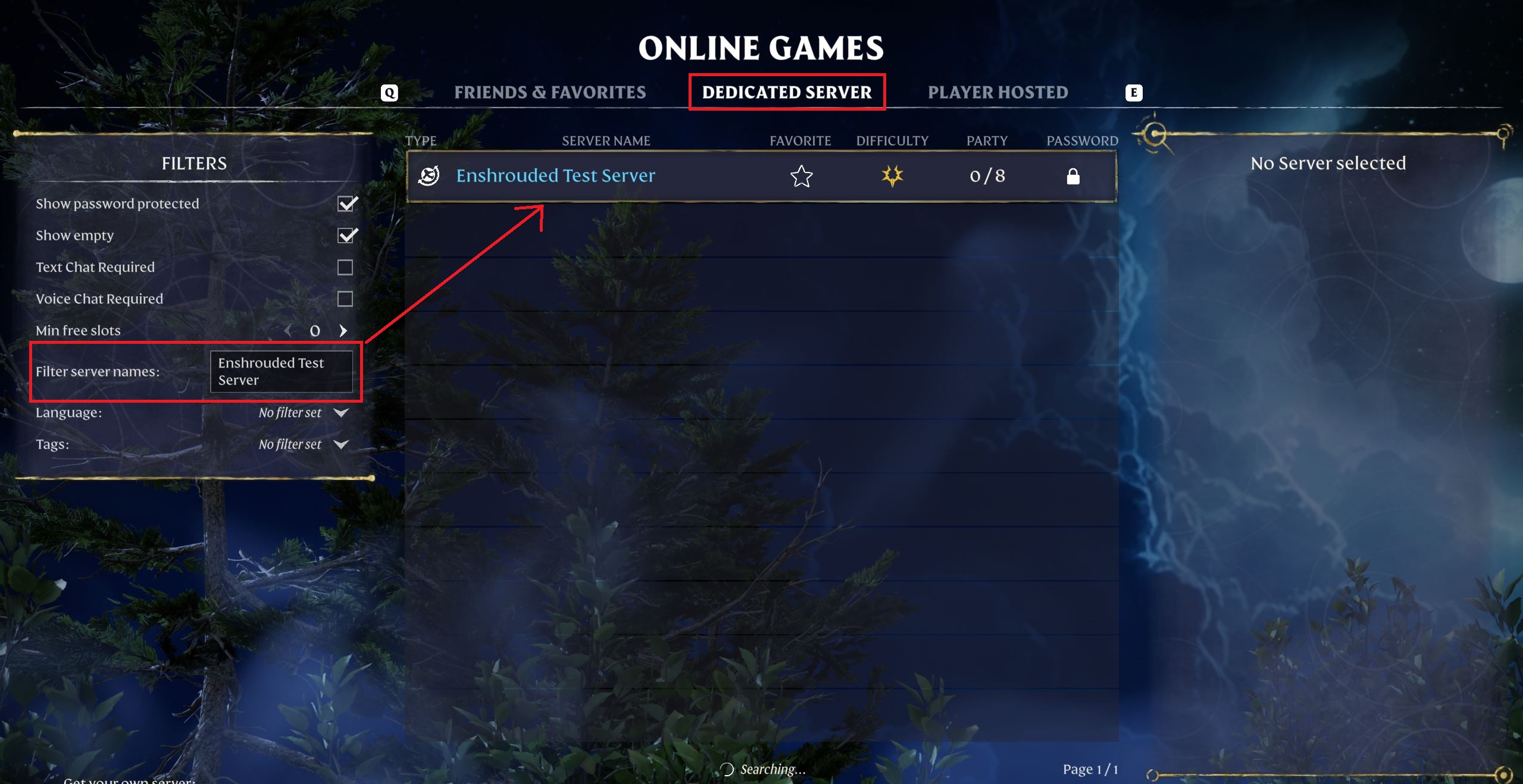
-
Select your server and enter the Admin password when the game asks for it.
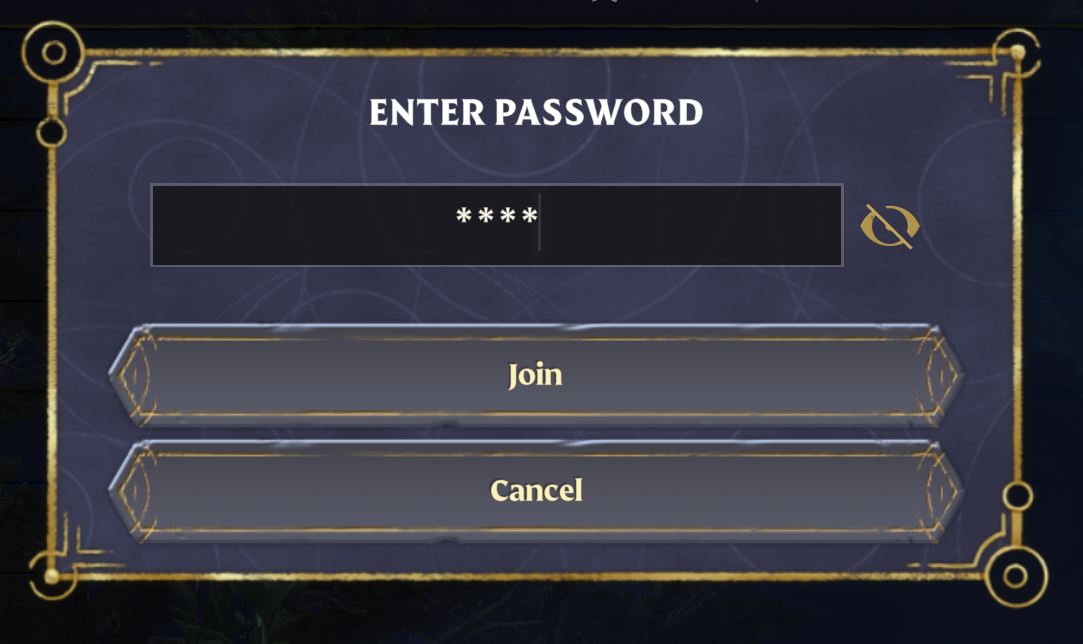
If a player is already on your server with a different password, ask them to leave and rejoin with the Admin password.
#Removing an Admin
You can't remove a single player from the Admin group. To remove admin access, change the Admin group's password, restart your server, and send the new password only to the admins you want to keep.
Note
Enshrouded 1.0 lets players who host from inside the game client promote and demote players in-game. Dedicated servers don't support this, so the password a player joins with always decides whether they're an admin.
For more control over what each group can do, including adding groups for friends or guests, see our guide on How to Change the Permission Group Settings on Your Enshrouded Server.
If you still need help, contact our support team and we'll take a look for you.