Table Of Contents
Configuring RolesStill have questions?

Shockbyte
Support Team
How to Configure Roles & Privileges on your Vintage Story Server
Vintage Story server owners are able to define multiple different roles, each with unique privileges such as different spawns, land claim limits and much more.
Below you can find a table of configurable privileges and a short description of what they do.
| Option | Description |
|---|---|
| DefaultRoleCode | The default role that is given to new players when they join the server. |
| Name | The displayed name of the role. |
| Description | A description of the role shown in the game. |
| DefaultSpawn | A unique spawn point for the role. This replaces the default spawn. |
| DefaultGameMode | The roles default game mode. 0 - Guest, 1 - Survival, 2 - Creative, 3 - Spectator. |
| Color | The colour of the role name in chat. |
| LandClaimAllowance | Volume allowed in cubic meters for the land claims of each player who has this role. |
| LandClaimMinSize | The smallest cuboid a player of this role may claim. |
| LandClaimMaxAreas | The max quantity of non-adjacent areas a player may claim. |
#Configuring Roles
Roles can be configured in your server's serverconfig.json under the Files tab.
-
Access your Control Panel and Stop your server.
-
Navigate to the Files tab, then go to
server_data > serverconfig.jsondirectory.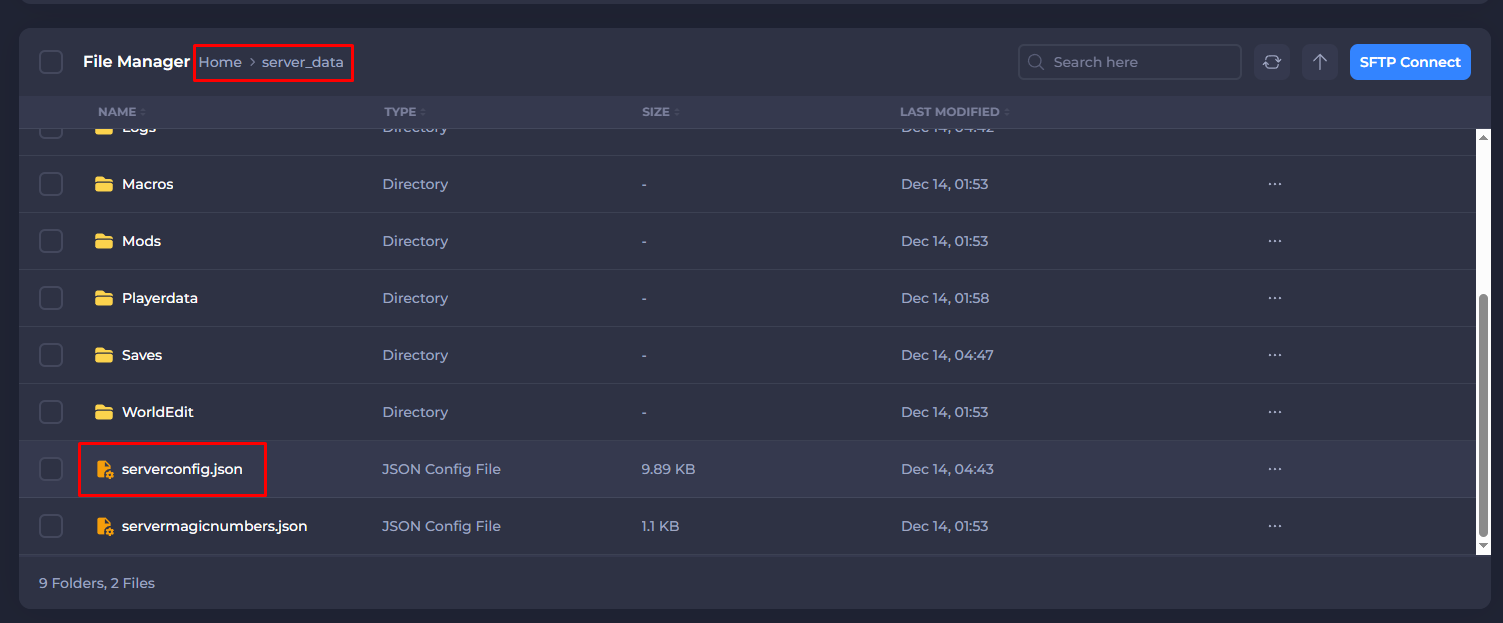
-
Scroll to the
Rolessection, and you can make any desired changes to each respective role. -
Once finished, save your changes and then Start your server.
If you require any further assistance, please contact our support at: https://shockbyte.com/billing/submitticket.php