Table Of Contents
Deleting a ProspectStill have questions?
Come chat with us and we will get back to you as soon as possible!

Ruben B
Partnership Manager

How to Delete a Prospect on your Icarus Server
Icarus
·Nov 9, 2024
·2 min read
After playing on your Icarus server you may decide to delete a prospect file from your server for many reasons. It isn't recommended to delete the active Prospect unless you have first started a new one.
#Deleting a Prospect
To delete a Prospect on your Icarus server, you will need to delete its JSON file from your server FTP.
- Access your control panel and Stop your server.
- Navigate to Files.
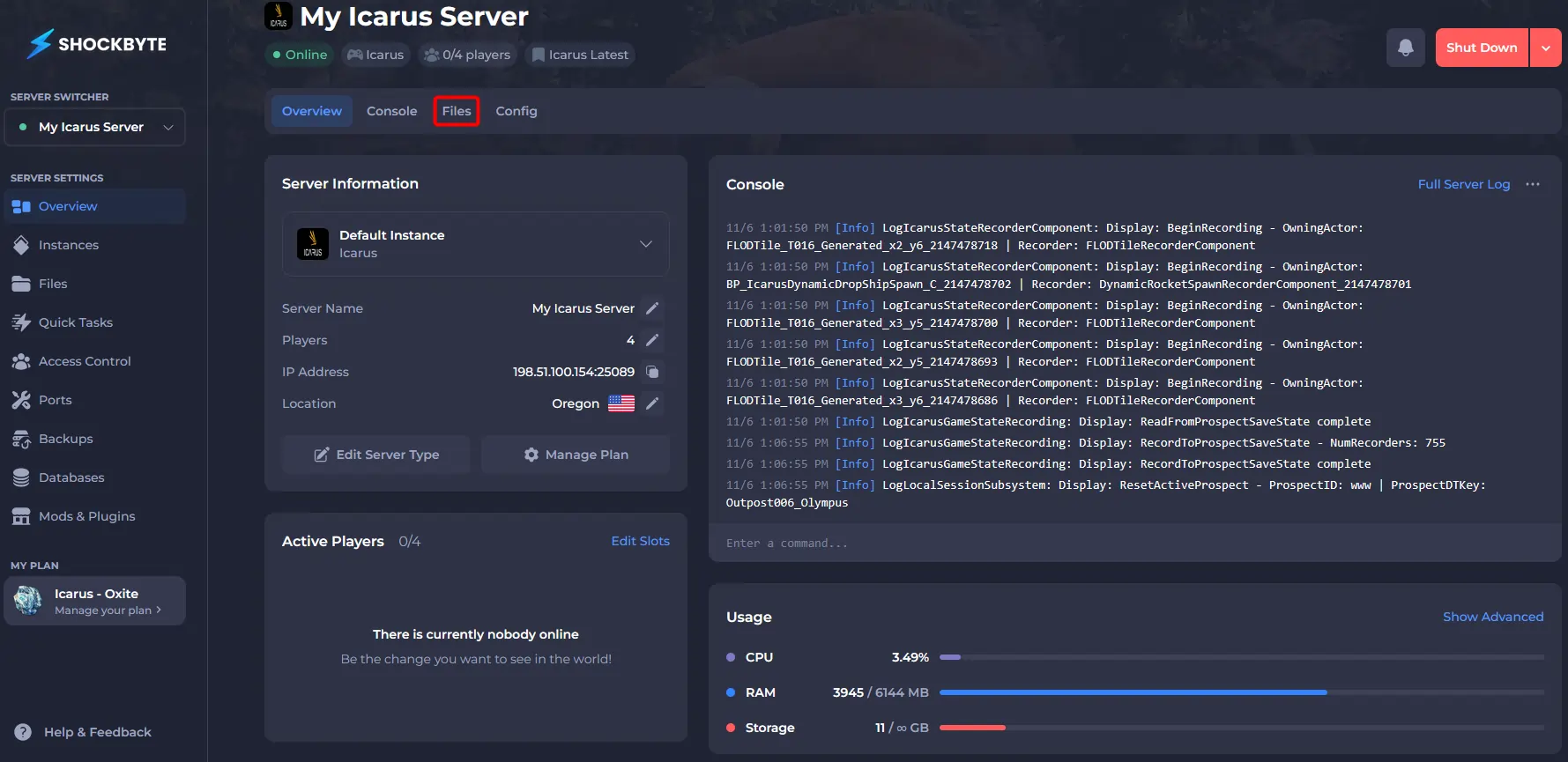
- Navigate to
/Saved/PlayerData/DedicatedServer/Prospects/.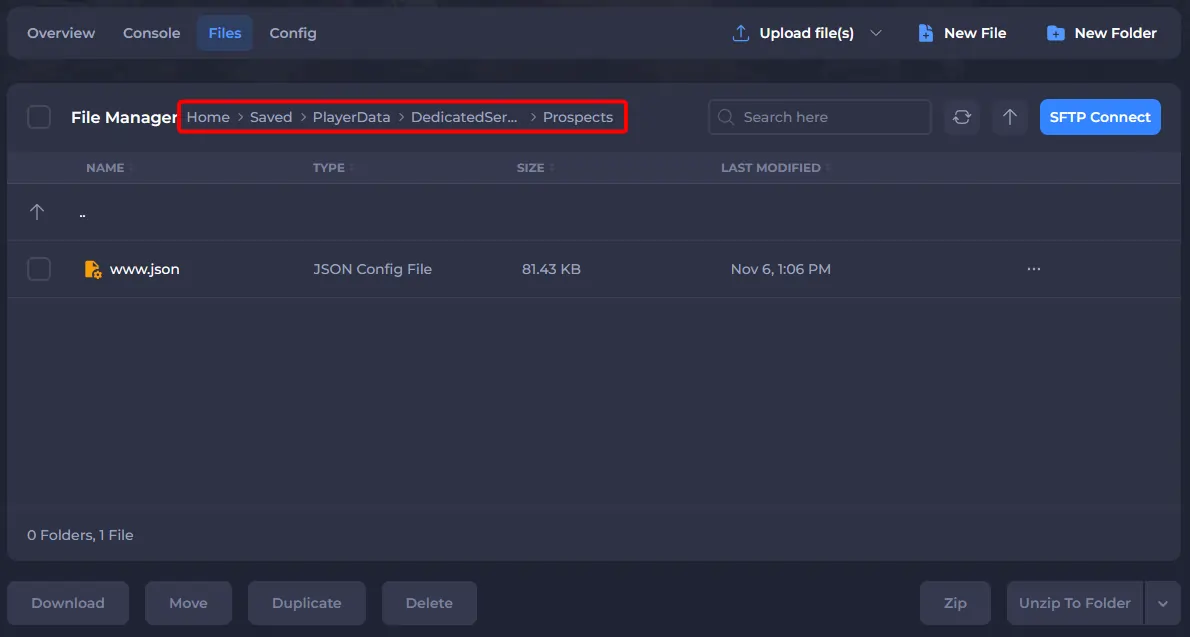
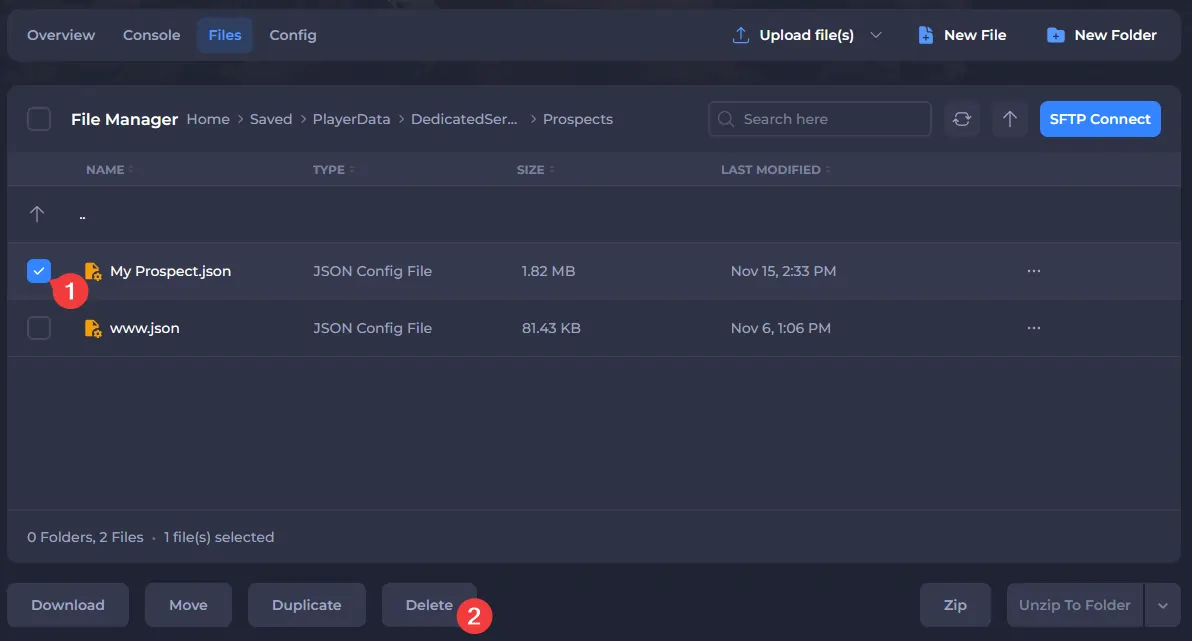
- Select the box(es) next to the Prospect(s) you'd like to remove, and click Delete. Click on the filename for more details about each saved Prospect.
- Start your server.
After your server starts, the deleted prospect should no longer appear in the server lobby.
To learn more about Icarus server hosting, you can browse our library of Knowledgebase articles here.