Table Of Contents
Locating Workshop Mod FilesStill have questions?
Come chat with us and we will get back to you as soon as possible!

Jay Miller
Game Engineer

How to Install Workshop Mods on your ARMA 3 Server
ARMA 3 has Steam Workshop integration which means there are many free mods available to expand the content available on your ARMA 3 server.
#Locating Workshop Mod Files
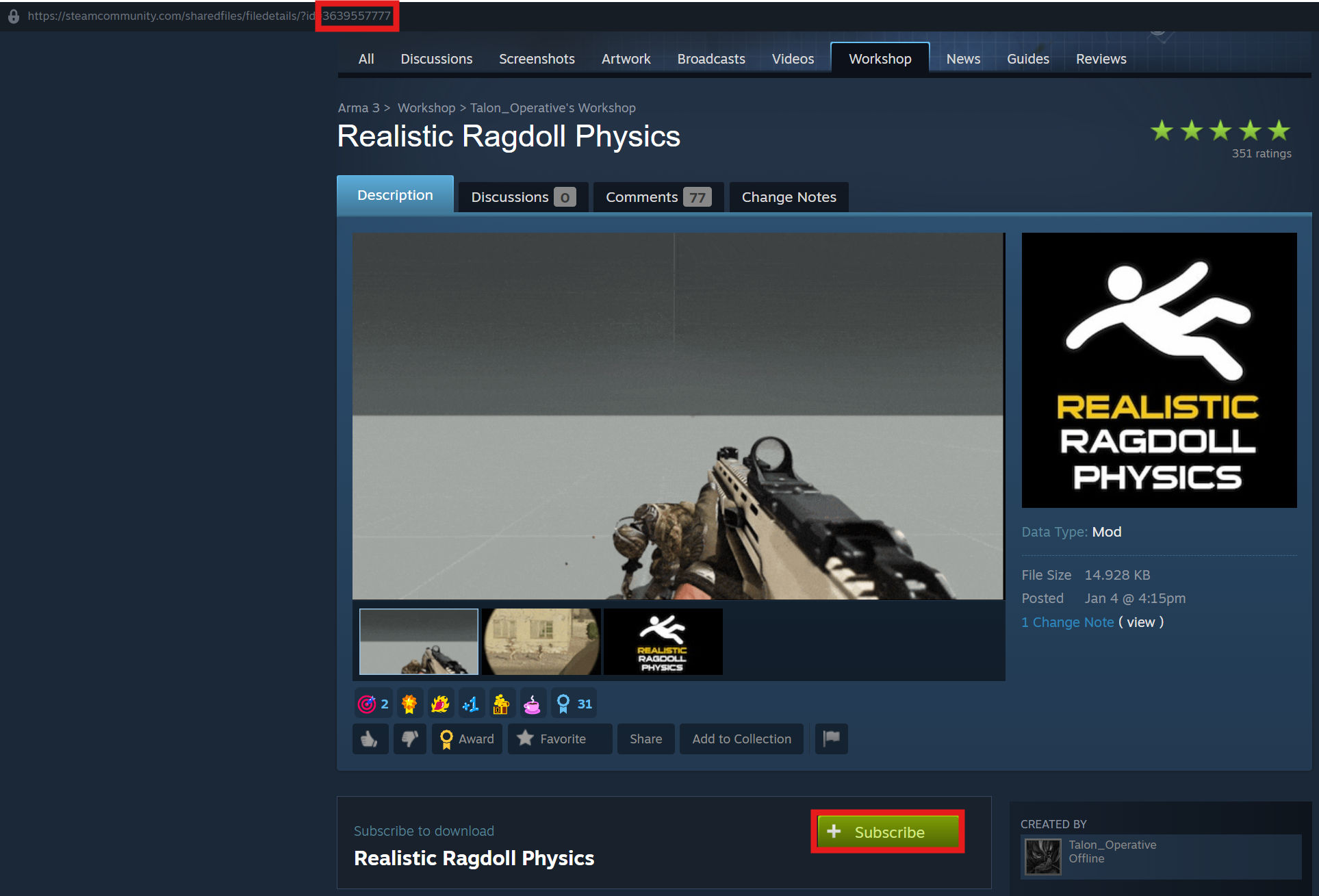
Using the Steam Workshop page for ARMA 3, you are able to download your desired mods. For this example, we will be using the Realistic Ragdoll Physics mod.
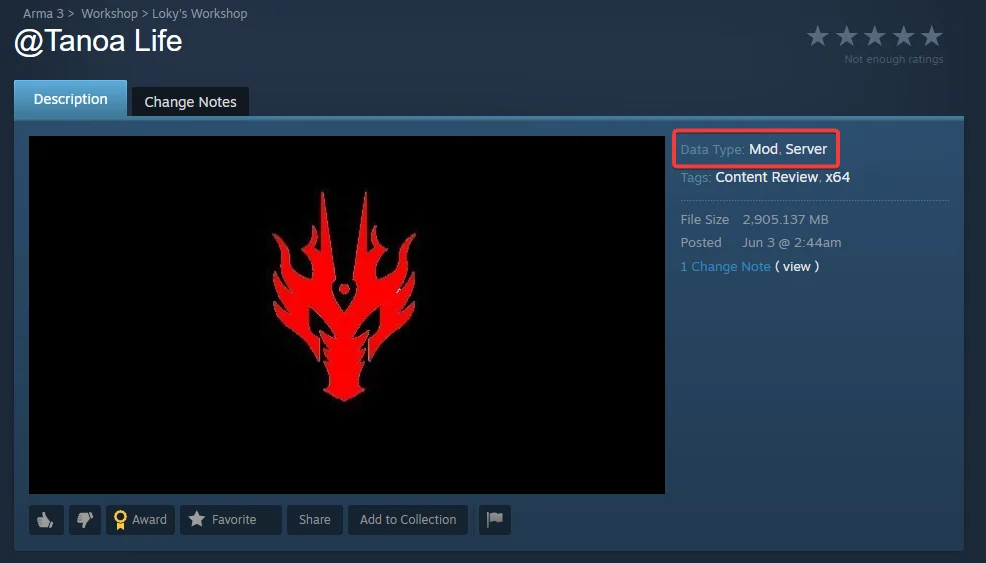
Note
Mods tagged with both Mod and Server on the workshop are server mods and should be added to the Server Mods List field in the Config area.
-
Navigate to your desired mod's workshop page. Subscribe to the mod and let it download to your client.
-
Make note of the mod's ID (can be found in the top left of the Steam client/the URL) and copy it.
-
Access your Control Panel and Stop your server.
-
Navigate to the Config tab and locate the the
Mods ListandWorkshop Mod IDssettings.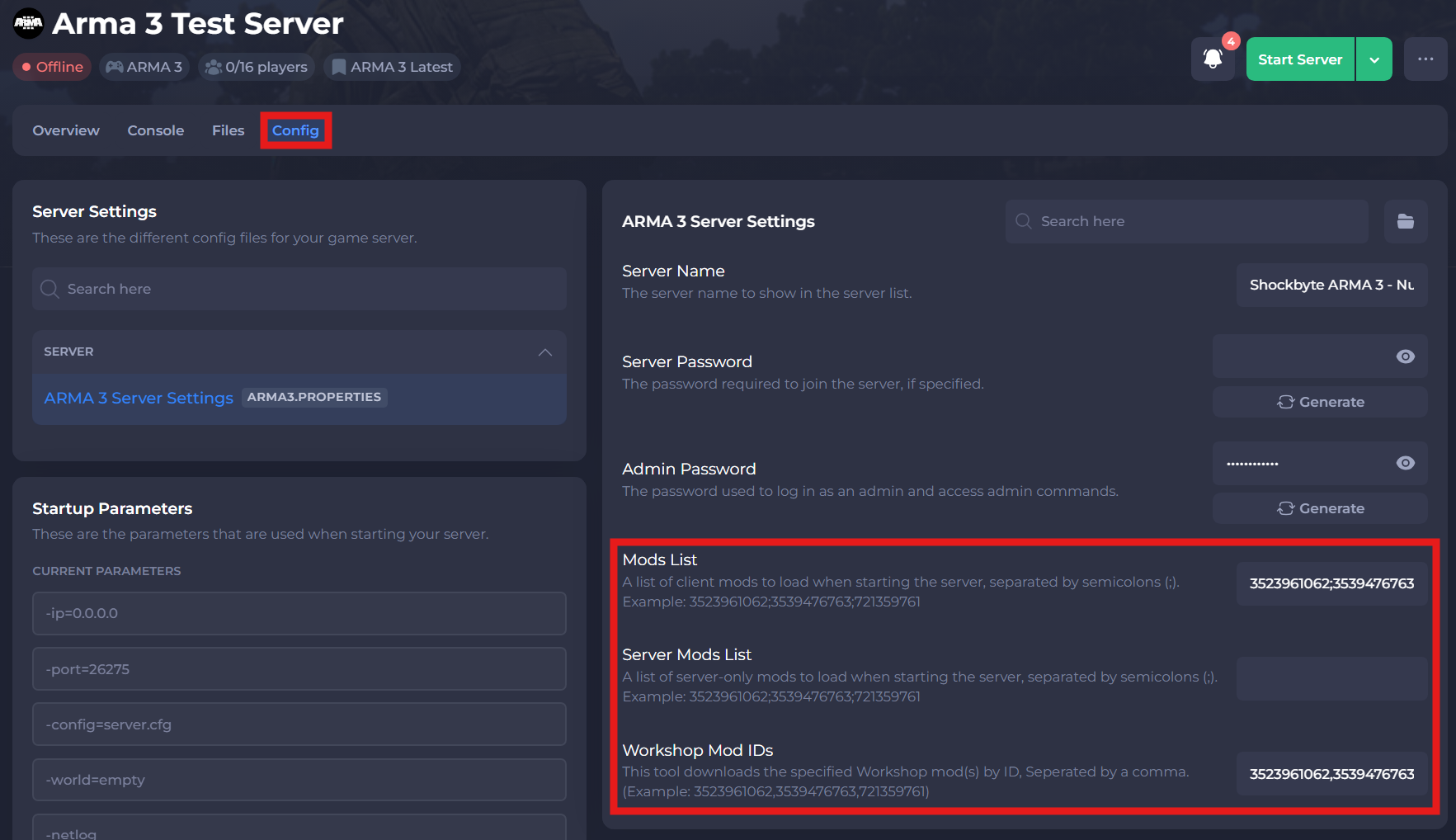
-
Depending on the type of mod, place the IDs into their designated fields.
-
Save and restart your server to ensure the new changes apply.
If you require any further assistance, please contact our support at: https://shockbyte.com/billing/submitticket.php