Table Of Contents
How to Reset a Modded Map to a Default MapStill have questions?
Come chat with us and we will get back to you as soon as possible!

Shockbyte
Support Team
How to Reset Your Project Zomboid Map
Project Zomboid
·Nov 10, 2024
·2 min read
If you own a Project Zomboid server, you may wish to fully reset your map to try a new update, install mods, or even just have a fresh start. Luckily, the process is relatively simple.
#How to Reset a Modded Map to a Default Map
If you have a modded map installed but you’d like to revert back to a default one, follow these steps:
-
Access your Control Panel and Stop your server.
-
Navigate to the Config tab and locate the
Server Map,Workshop Items, andModsfields and remove the desired items from each of them.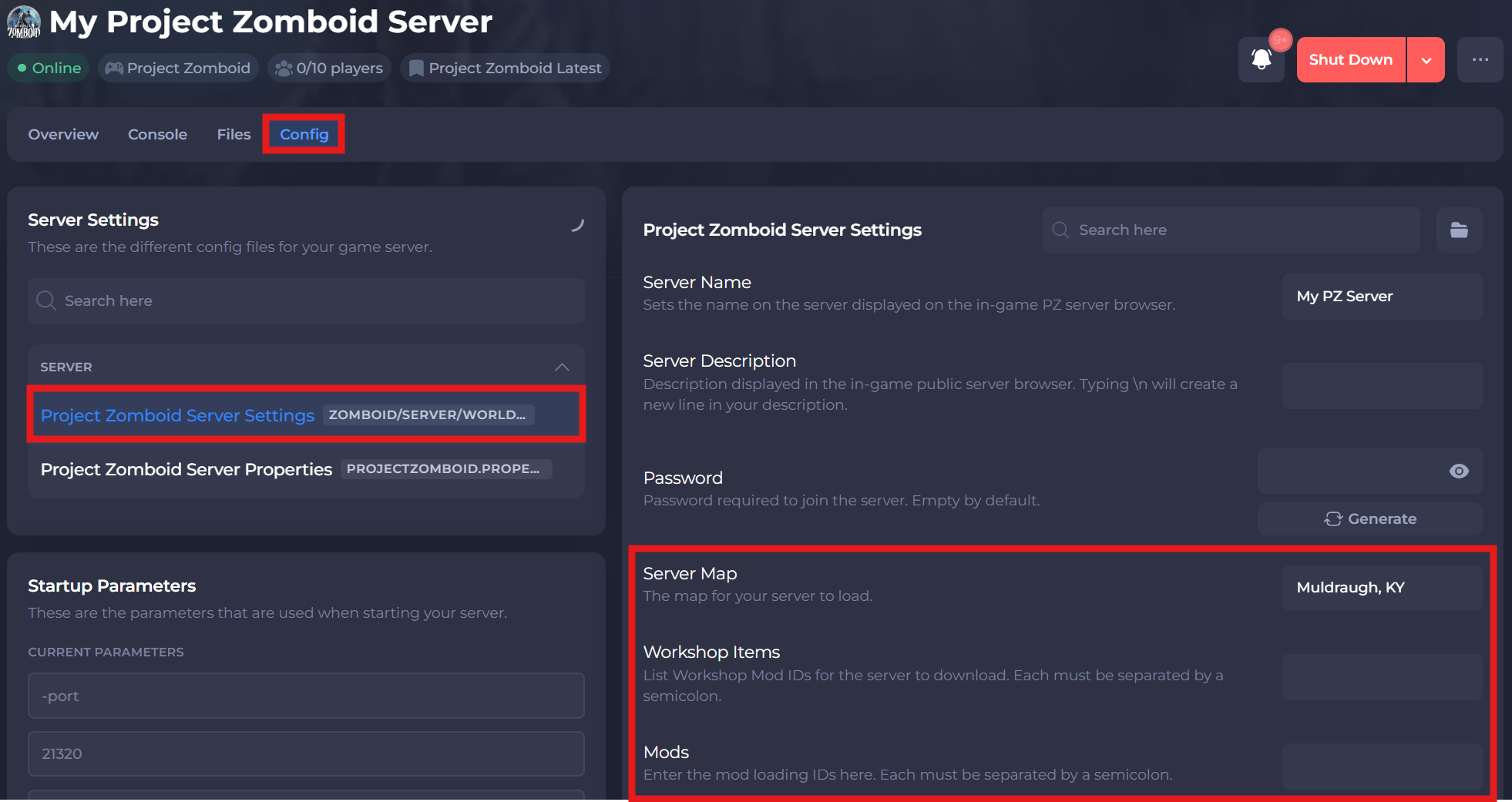
-
Save and restart your server to ensure the new changes apply.
If you require any further assistance, please contact our support at: https://shockbyte.com/billing/submitticket.php