Table Of Contents
Giving Admin PermissionsStill have questions?
Come chat with us and we will get back to you as soon as possible!

Shockbyte
Support Team

How to add Admins to your RuneScape: Dragonwilds Server
Administrator permissions are automatically given to the player set as the Owner ID within the server settings.
This guide explains how to add additional admins to your RuneScape: Dragonwilds server. If you are looking to add your Owner ID, feel free to check out our guide on this here.
The steps below will walk you through adding additional admins in-game so you can securely manage your server.
#Giving Admin Permissions
Once you have set your Owner ID in the Settings tab, you will now have admin permissions on your server and can assign other players as additional admins.
- Connect to your server after adding your Owner ID.
- Hit
ESCand select thePlayer List.
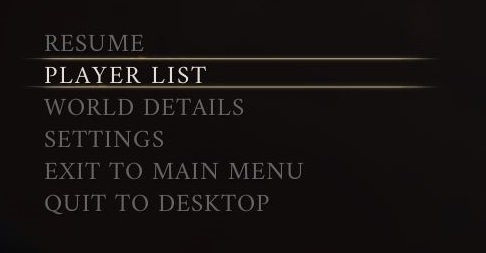
- Select the
⋮more options button next to a player you wish to grant admin permissions to. - Select
Grant Admin.
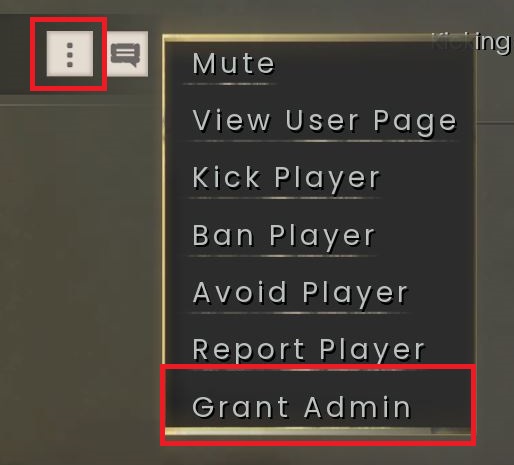
You have now added an additional admin to your server!
If you need to kick, ban or remove admin permissions from a player, this can be done using the same menu.