Table Of Contents
Configuring your Server Name & DescriptionStill have questions?
Come chat with us and we will get back to you as soon as possible!

Jay Miller
Game Engineer
How to Set the Server Name & Description of your Vintage Story Server
The server name is the form of identification for your server when listed in the in-game server browser of Vintage Story. Players can search for your server in the server browser by searching for the server name.
A server description can be set so that Vintage Story server owners can explain the rules and style of gameplay of the server or provide any relevant information that players may require before connecting.
#Configuring your Server Name & Description
The server name & description can both be set in the Vintage Story Server Settings section of your server's control panel.
- Access your Control Panel and Stop your server.
- Navigate to the Config tab, select the Vintage Story Server Settings.
- Locate the
Server NameandServer Descriptionfields and enter in the desired values.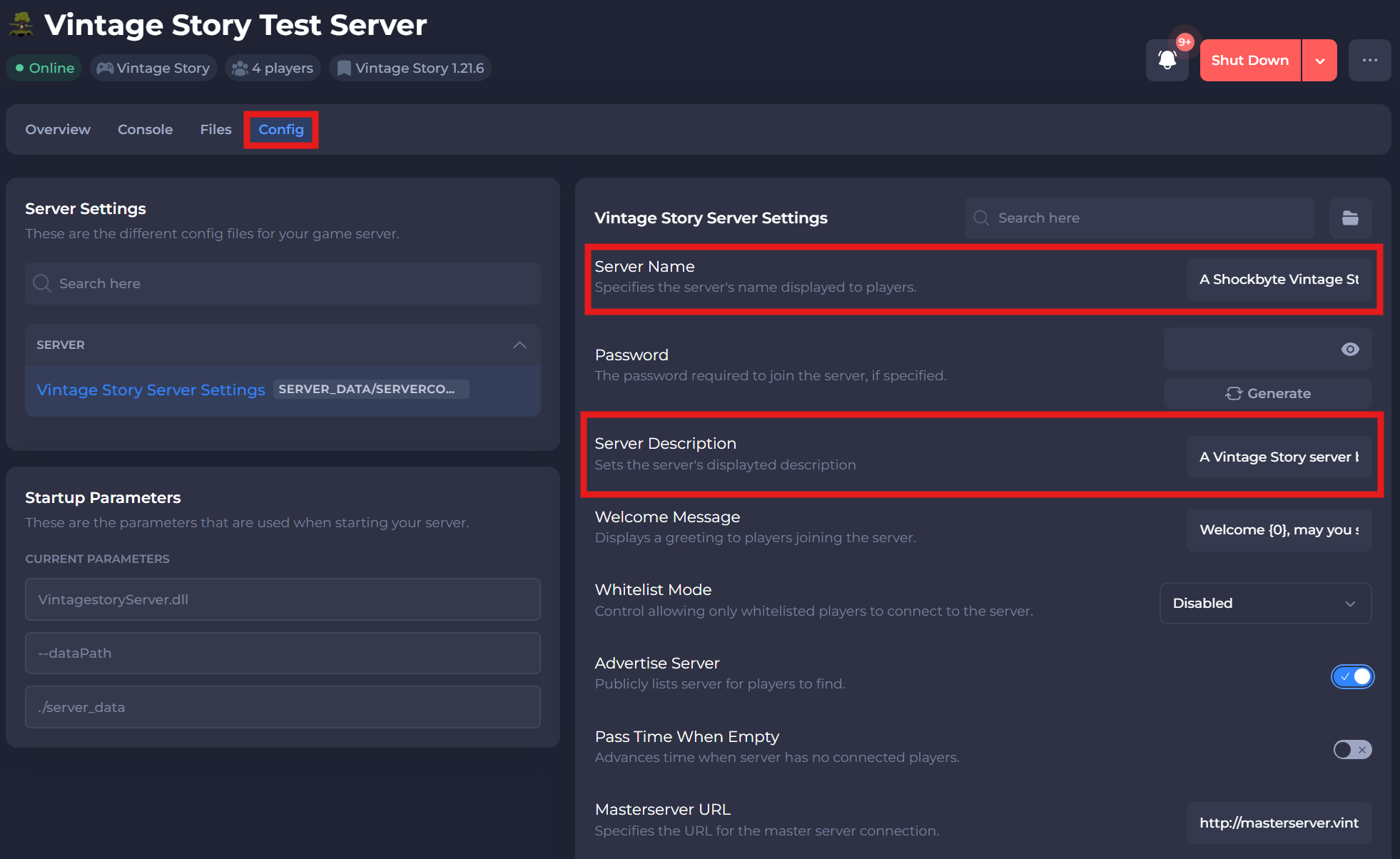
- Save and restart your server to ensure the changes are applied.
If you require any further assistance, please contact our support at: https://shockbyte.com/billing/submitticket.php