Hytale
How to Upgrade Your Backpack in Hytale (The Full Guide)
 Maxine
Upgrading your Hytale backpack requires crafting the Backpack Unlock at a Tier 2 Workbench using Iron Ingots and Medium Leather, consuming it to unlock 9 extra slots, then crafting Backpack Upgrade I and II using higher-tier materials and 100 Memories to reach a maximum of 27 additional inventory slots.
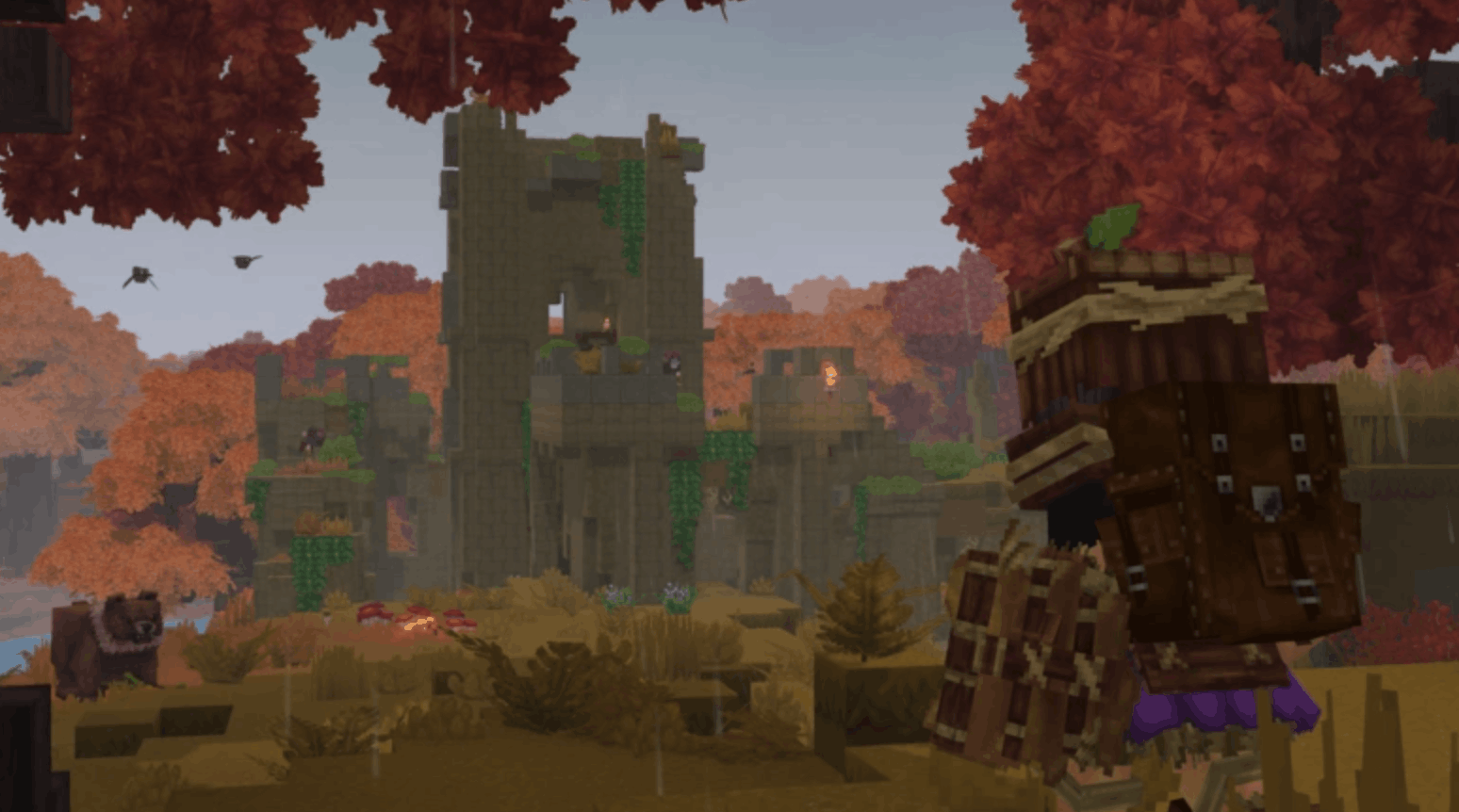
If your inventory constantly looks like a disaster zone after five minutes of exploring, don’t worry - you’re not alone. Let’s break down exactly how to upgrade backpacks in Hytale, step-by-step, so you can spend more time adventuring and less time playing inventory Tetris.
#Why Your Hytale Backpack Matters
Early game, your inventory feels manageable.
Mid-game? Not so much.
Between ores, mob drops, building blocks, tools, and random loot you swear you’ll use later, space disappears fast. That’s where the backpack Hytale system comes in.
Important things to know:
-
The Hytale backpack is not wearable gear
-
It works as a permanent inventory expansion
-
Upgrades are consumable unlocks
-
Once used, they can’t be lost (even on death)
Think of it as permanently increasing your character’s carrying capacity.
#Step 1: How to Unlock the Basic Hytale Backpack
Before you can even think about a hytale backpack upgrade, you need the base backpack.
#What You Need
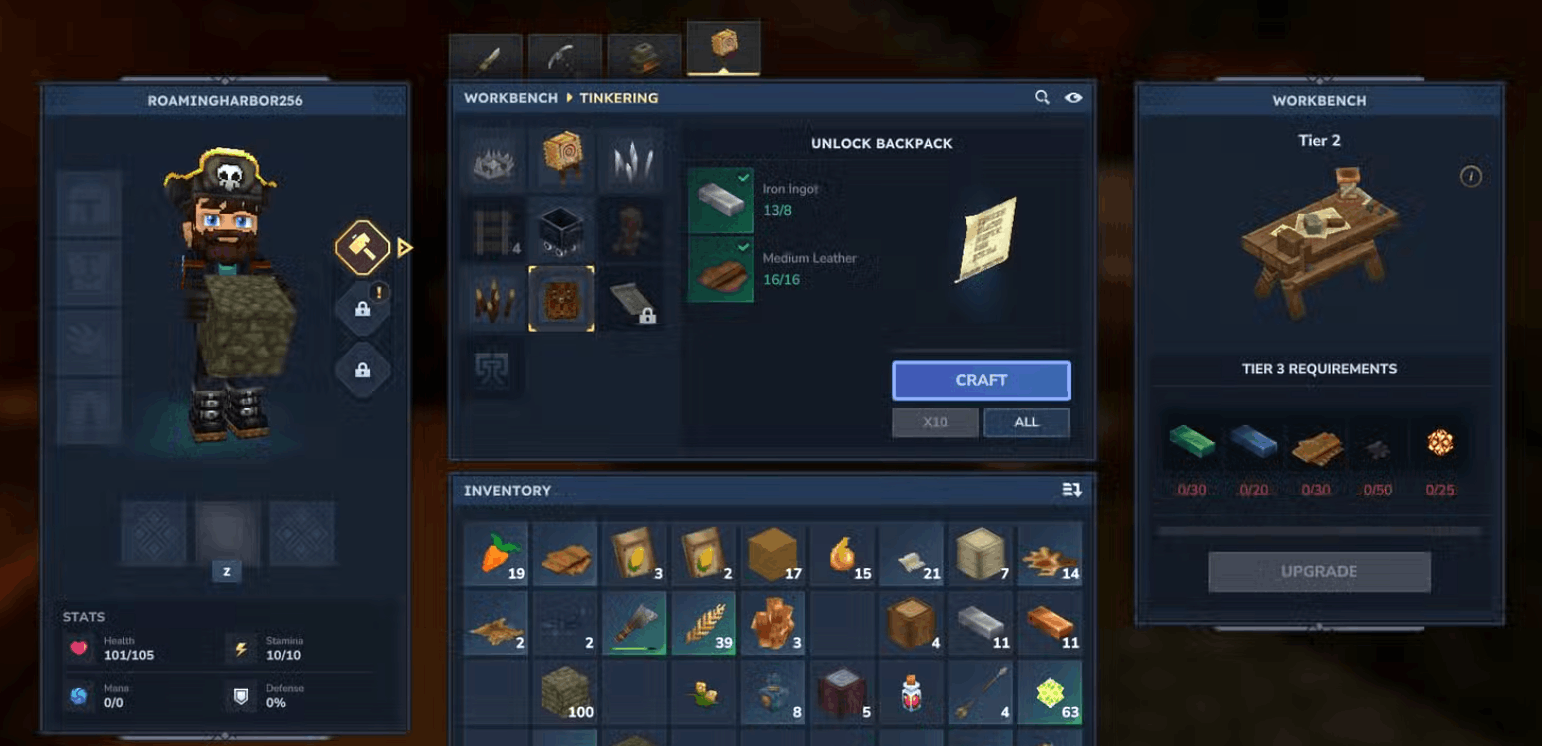
First, upgrade your Workbench to Tier 2.
To upgrade your Workbench, gather:
-
30 Copper Ingots
-
20 Iron Ingots
-
20 Linen Scraps
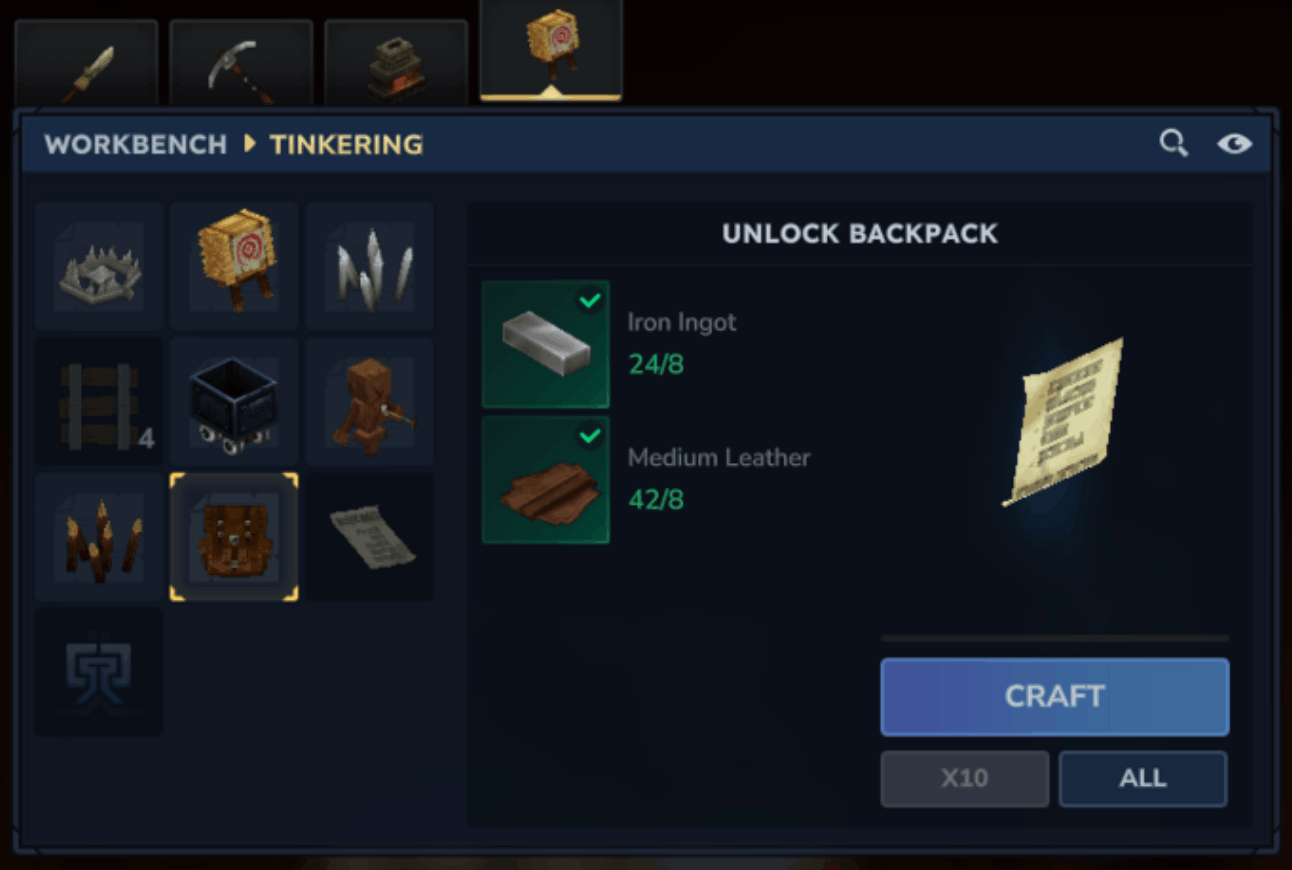
Once upgraded, head to the Tinkering tab.
#How to Craft Backpack Upgrade in Hytale (Base Unlock)
To craft the Backpack Unlock, you’ll need:
-
8 Iron Ingots
-
16 Medium Leather
Where to get materials:
-
Iron Ingots → Smelt Iron Ore in a Furnace
-
Medium Leather → Process Medium Hide at a Tanning Rack
After crafting, you’ll receive a paper-like item in your inventory.
#Don’t Skip This Step
To activate your hytale backpack:
-
Place it in your hotbar
-
Hold it in your hand
-
Right-click to consume
You’ll now unlock:
- 9 additional inventory slots
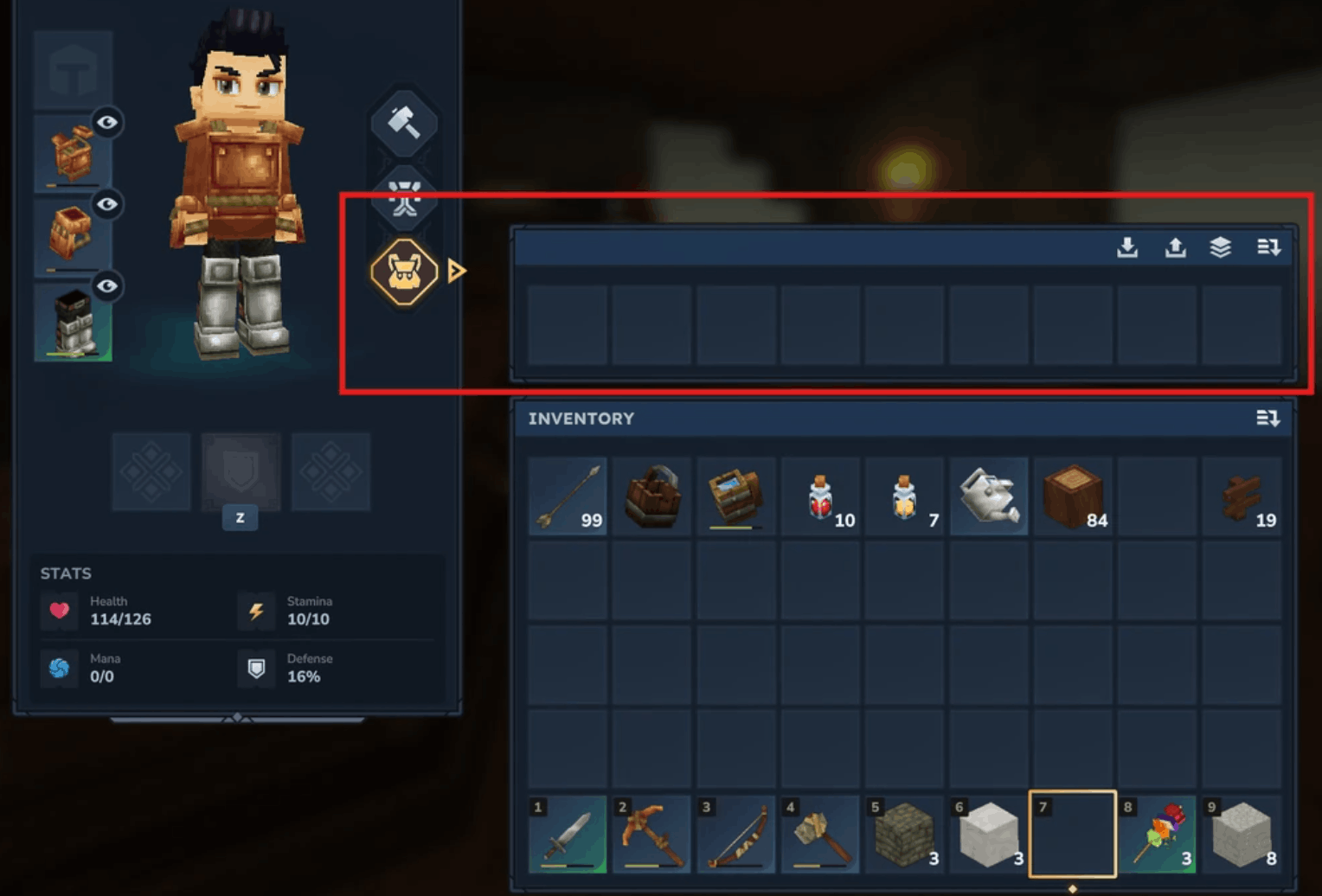
To access them:
-
Open inventory
-
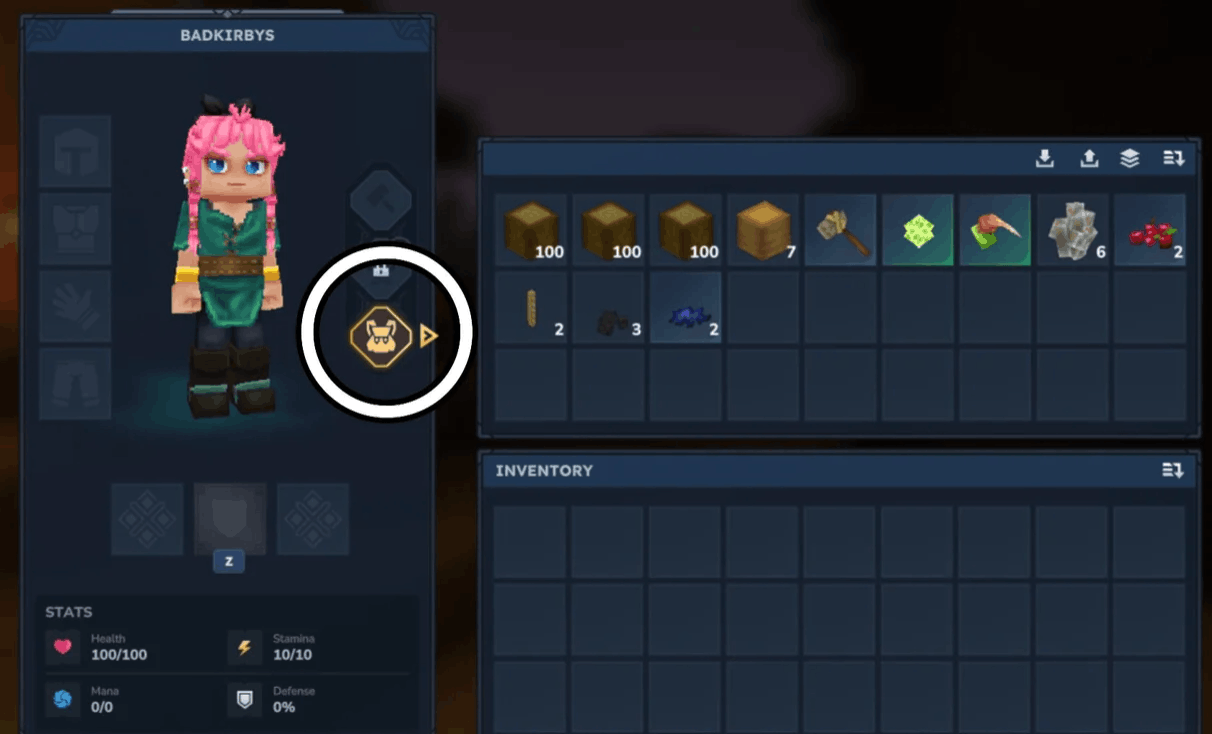
Click the backpack icon beside your character
Boom - extra space unlocked.
#Step 2: Backpack Upgrade I (18 Total Slots)
Now we’re getting serious.
If you want to know how to increase inventory space in Hytale beyond 9 extra slots, this is your next goal.
#Requirements for Backpack Upgrade I
Workbench must remain at Tier 2.
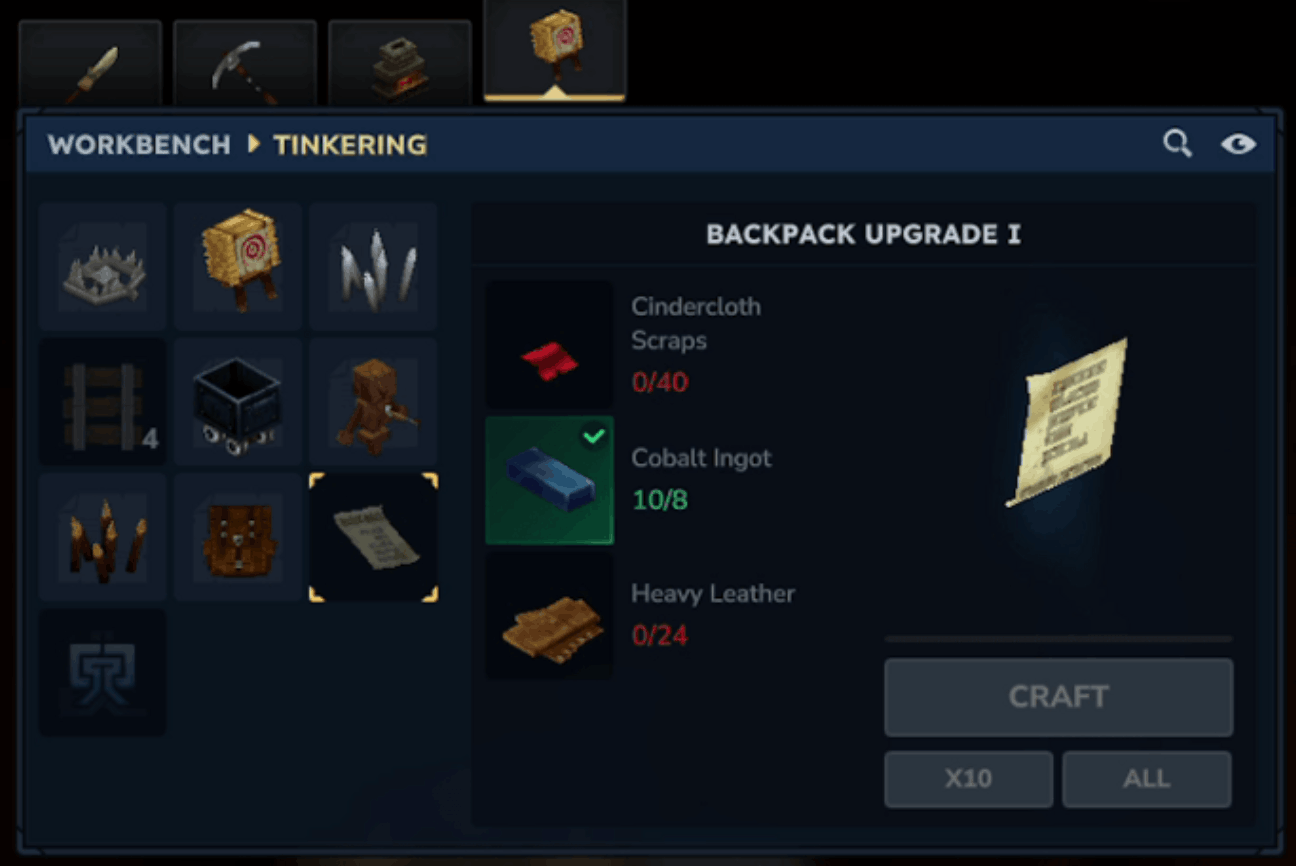
Materials needed:
-
40 Cindercloth Scraps
-
8 Cobalt Ingots
-
24 Heavy Leather
#Where to Find These Materials
Cindercloth Scraps
-
Dropped by fire-based enemies
-
Found in volcanic or lava-heavy zones
Cobalt Ingots
-
Mine Cobalt Ore in deeper zones
-
Smelt in Furnace
Heavy Leather
-
Process Heavy Hide
-
Drops from larger animals
Craft Backpack Upgrade I in the Tinkering tab and consume it just like the first unlock.
You now have:
- 18 backpack slots total
That’s double your original upgrade.
#Step 3: Backpack Upgrade II (27 Total Slots – Max Capacity)
This is the final backpack upgrade Hytale offers - and it’s not quick.
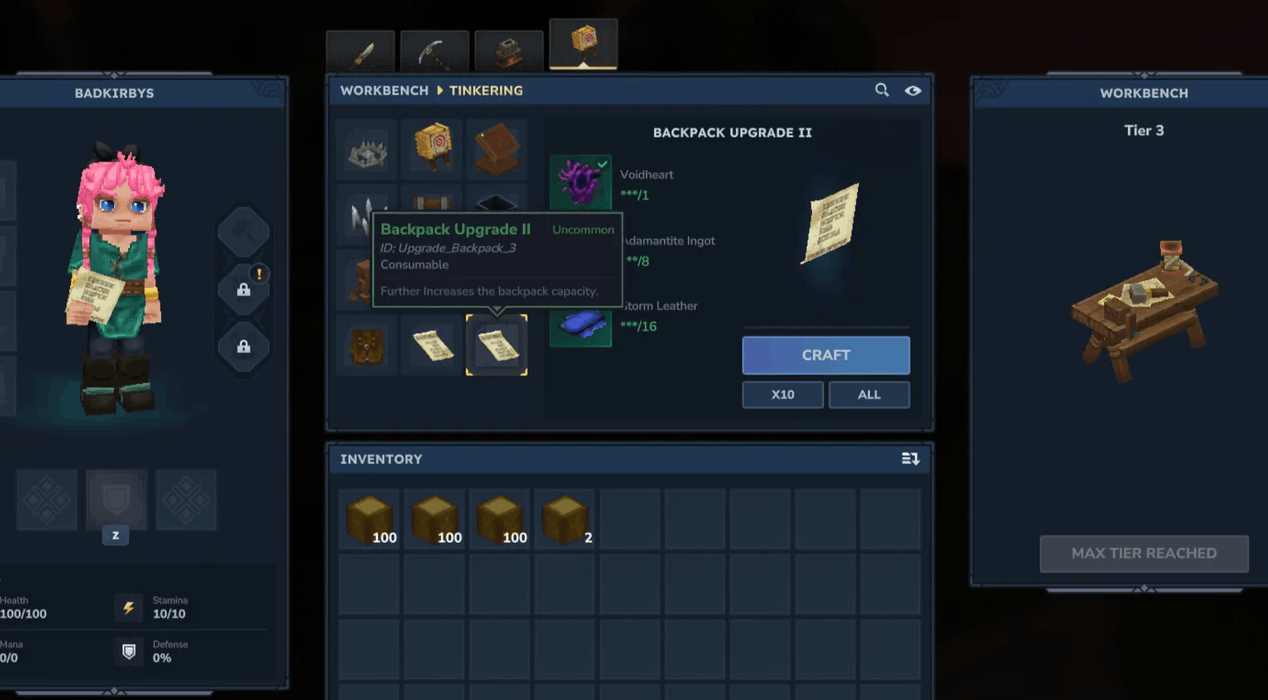
To unlock Backpack Upgrade II, you must:
- Collect and restore 100 Memories at the Forgotten Temple
#Understanding the Memory Requirement
If you’re wondering how this connects to how to upgrade backpacks in Hytale, here’s the deal:
Backpack Upgrade II is locked behind the Memory system.
#How Memories Work
-
You gain Memories by encountering new creatures
-
Both hostile and passive mobs count
-
You can only carry 48 at a time
-
Deposit them at the Forgotten Temple
Pro tip: Explore different biomes instead of farming one area.
#Materials for Backpack Upgrade II
Once you hit 100 Memories, you unlock the recipe.
You’ll need:
-
1 Voidheart
-
8 Adamantite Ingots
-
16 Storm Leather
#Quick Breakdown
-
Voidheart → Dropped from Void-type enemies
-
Adamantite Ingots → Late-game ore
-
Storm Leather → Process Storm Hide
After crafting and consuming this final hytale backpack upgrade, you’ll unlock:
- 27 total backpack slots
Combined with your base inventory, that’s a massive increase in carrying capacity.
#Full Upgrade Summary (Quick Reference)
Here’s a clean breakdown for featured snippet potential:
#How to Upgrade Backpacks in Hytale
-
Upgrade Workbench to Tier 2
-
Craft Backpack Unlock (8 Iron Ingots, 16 Medium Leather)
-
Consume item to unlock 9 slots
-
Craft Backpack Upgrade I (40 Cindercloth, 8 Cobalt, 24 Heavy Leather)
-
Restore 100 Memories at Forgotten Temple
-
Craft Backpack Upgrade II (Voidheart, Adamantite, Storm Leather)
Maximum Backpack Capacity: 27 additional slots
#Common Mistakes to Avoid
Even experienced players mess this up.
#Forgetting to Consume the Backpack
Crafting it isn’t enough - you must right-click it.
#Moving Your Workbench After Upgrading
Upgrades apply per Workbench.
#Ignoring Passive Mobs for Memories
Every creature counts.
#Hitting the 48 Memory Cap
Deposit often at the Temple.
#Inventory Management Tips (Because 27 Slots Still Fills Up)
Even with a maxed backpack Hytale upgrade, you’ll eventually run out of space.
Try this:
#Smart Organization Setup
Main Inventory
-
Tools
-
Weapons
-
Healing items
-
Torches
Backpack Storage
-
Ores
-
Building blocks
-
Rare materials
-
Mob drops
This keeps combat smooth while your backpack handles bulk storage.
#Is the Hytale Backpack Worth Upgrading?
Short answer?
Absolutely.
Long answer?
Upgrading your hytale backpack:
-
Reduces base trips
-
Makes mining sessions longer
-
Improves dungeon runs
-
Speeds up exploration
-
Saves you time constantly reorganizing
The second upgrade especially makes a huge difference in mid-to-late game progression.
#Final Thoughts
If you’re serious about exploration, resource grinding, or multiplayer survival, upgrading your backpack isn’t optional - it’s essential.
Now you know:
-
How to craft backpack upgrade in Hytale
-
How to increase inventory space in Hytale
-
Every material required
-
How the Memory system ties into upgrades
No more inventory frustration.
Now get back out there and fill those 27 slots properly.
Remember, Shockbyte has your back with the best Hytale server hosting deals waiting for you!
We think you will also enjoy the follow blogs