Table Of Contents
Configuring Weather SettingsStill have questions?
Come chat with us and we will get back to you as soon as possible!

Shockbyte
Support Team

How to Configure Weather Settings on your Assetto Corsa Server
Assetto Corsa server races include configuration options for weather settings. Changing these values to your liking will allow race designers to fine-tune the effect the weather has on specific events.
#Configuring Weather Settings
To configure weather settings, you'll need to edit the race using the Assetto Corsa web panel.
-
Access your web panel by following this guide.
-
Navigate to Custom Races.
-
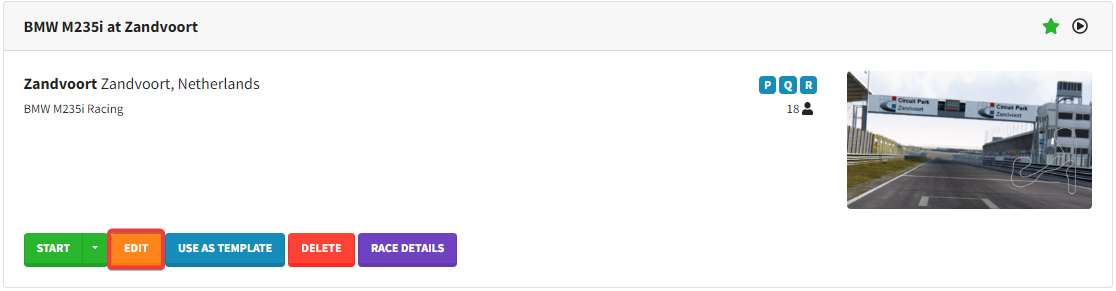
Edit the race you'd like to change the weather on.
-
Scroll down to the Weather section.
-
Once on the configuration page, enter your desired value for each option. Below is a list of each available field and a short description.
| Option | Description |
|---|---|
| Time Of Day | Used to calculate the Sun Angle for the Sun Angle Option below. |
| Sun Angle | Angle of the position of the sun. |
| Base Temperature Road | This value will be added to the final ambient temp. Value can be negative. |
| Variation Ambient | Variation of the ambient temperature. In this example final ambient temperature can be 16 or 20. |
| Variation Road | Variation of the road's temperature. Like the ambient one. |
| Wind Base Speed Min | Min speed of the session possible. |
| Wind Base Speed Max | Max speed of session possible (max 40). |
| Wind Base Direction | Base direction of the wind (wind is pointing at); 0 = North, 90 = East, etc. |
| Wind Variation Direction | Variation (+ or -) of the base direction. |
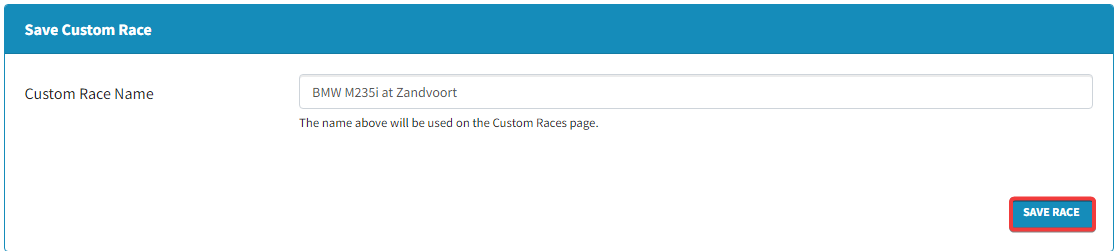
- At the bottom of the page, click Save Race.
To learn more about Assetto Corsa server hosting, you can browse our library of Knowledgebase articles found here.
If you require any further assistance, don't hesitate to get in touch with our support at: https://shockbyte.com/billing/submitticket.php