Table Of Contents
Automatically Installing Workshop ModsStill have questions?
Come chat with us and we will get back to you as soon as possible!

Shockbyte
Support Team

How to Install Workshop Mods on Your Unturned Server
Mods are a great way to make your Unturned server stand out from the rest. They add tons of different content to the game and can alter your gaming experience. Luckily, our servers support Unturned Workshop mods.
#Automatically Installing Workshop Mods
- Access your Control Panel and Stop your server.
- Find the Steam Workshop Mod you wish to install and acquire the Workshop ID.
(The Workshop ID will be displayed in the URL.)

-
Select the Files tab.
-
Navigate to the
Servers > worldfolder and open theWorkshopDownloadConfig.jsonconfig.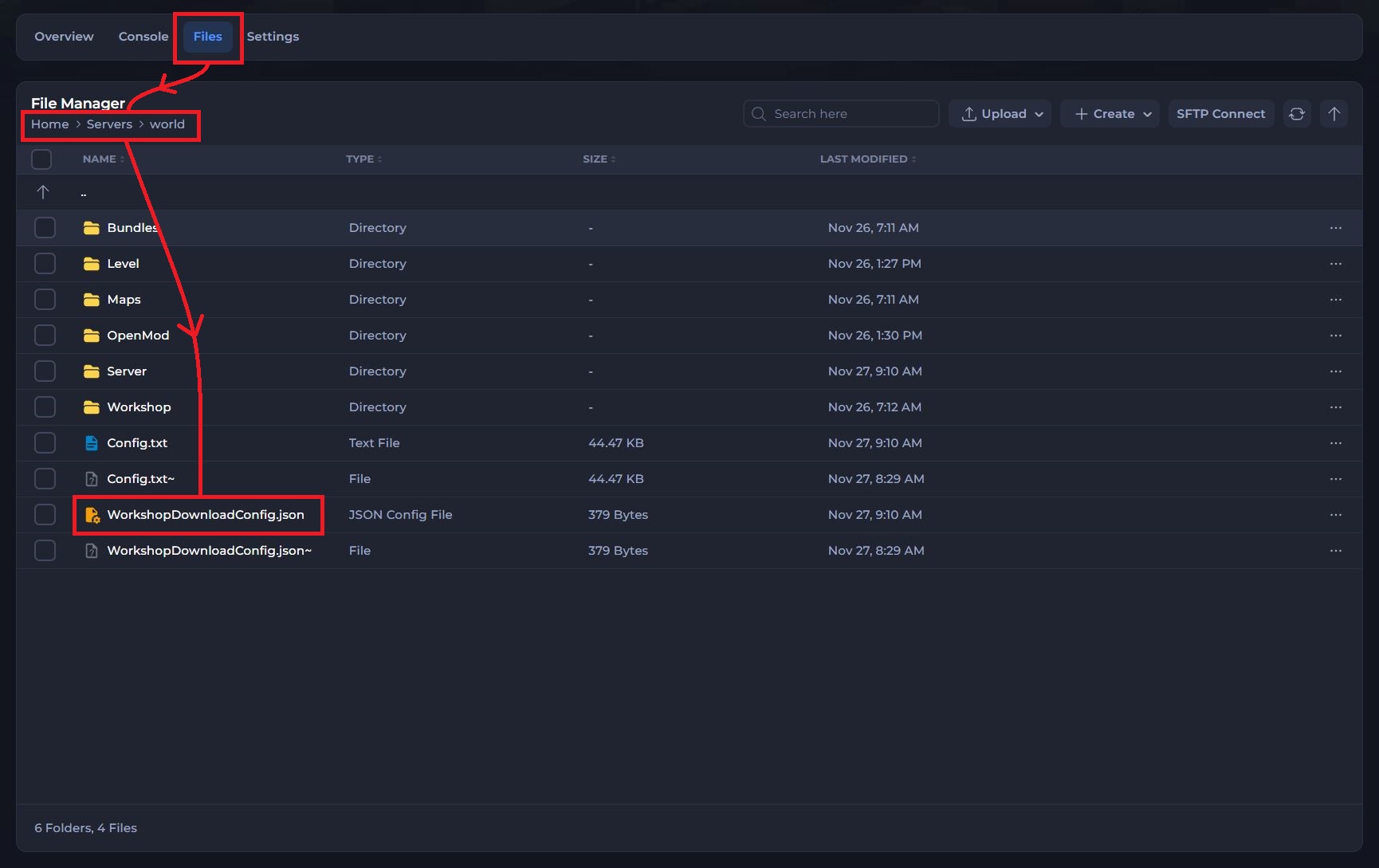
-
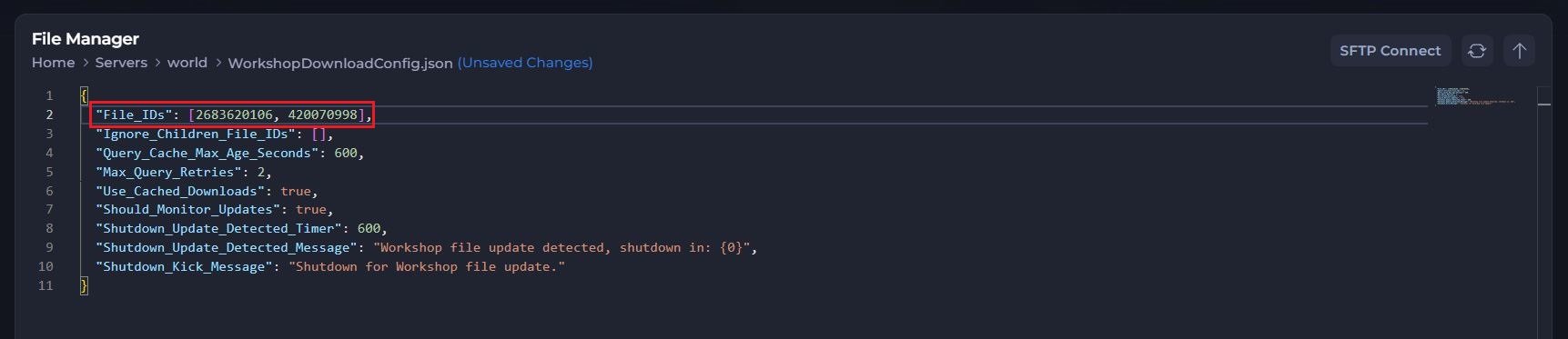
In the
File_IDssection, enter your workshop IDs, then click Save.
All Mod IDs should be preceded by a comma, except for the last one in the list.
- Start your server and your selected mods will automatically download.
Note
Workshop mods may take some time to download. If you see errors such as Staging library folder not found, these are safe to ignore. Wait another 5-10 minutes for the download to complete
Once your workshop mods are installed, you will see the following console logs:
Successfully downloaded workshop item:Installing workshop item:Installed workshop item:
That is, your workshop mods are now installed! If you installed a map mod, be sure to follow our How to Enable Map Mods guide to use your selected map.
To learn more about Unturned server hosting, you can browse our library of Knowledgebase articles here.