Still have questions?
Come chat with us and we will get back to you as soon as possible!

Shockbyte
Support Team

How to Add a Steam Workshop Collection to Your Garry's Mod Server
If you want to use a map that isn't one of the normal maps for the game, you will need to download it from the workshop. Thankfully, Garry's Mod not only offers a way to launch workshop maps, but even ways to allow to load multiple at once, allowing you to change between them using the in-game voting system or even the changelevel command.
#Finding a Collection ID
- Browse the steam workshop and find a Collection you would like to use. You can find the Steam Workshop for Garry's Mod at: https://steamcommunity.com/app/4000/workshop/.
- Once you have found the collection you wish to use, you can find the Workshop ID in the URL of the web page for the map.
- Copy the numbers at the end of the URL - this Workshop ID that you will need to paste into your server config later.
Example URL: https://steamcommunity.com/sharedfiles/filedetails/?id=123456789
In the example above, the Workshop ID would be 123456789.
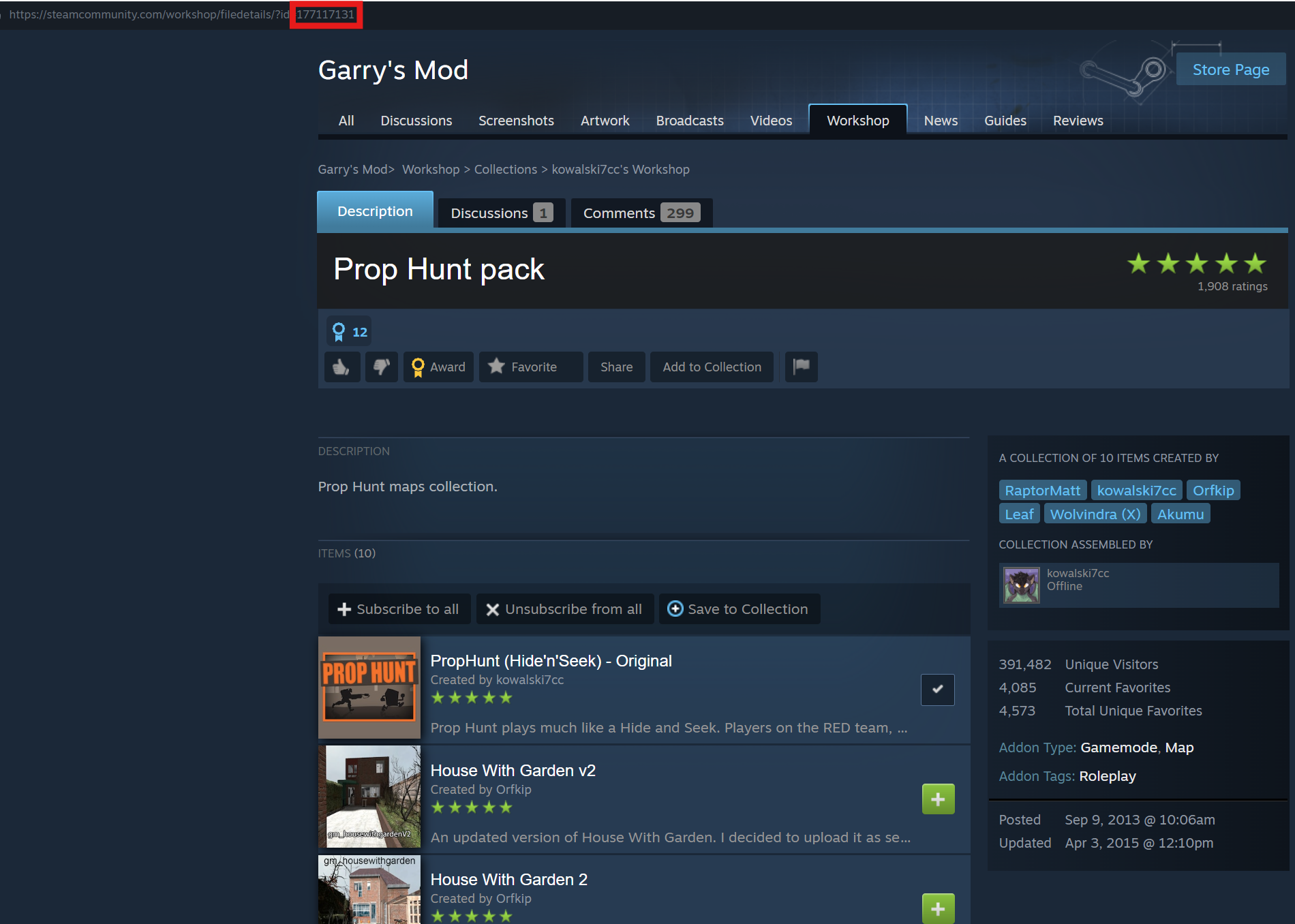
#Loading the Collection
If you just want to load a specific workshop map when you start your server, then you can do so via your properties file.
-
Access your Control Panel and Stop your server.
-
Navigate to the Config tab and locate the
Host Workshop Collectionsetting. -
Add your desired Workshop Collection.
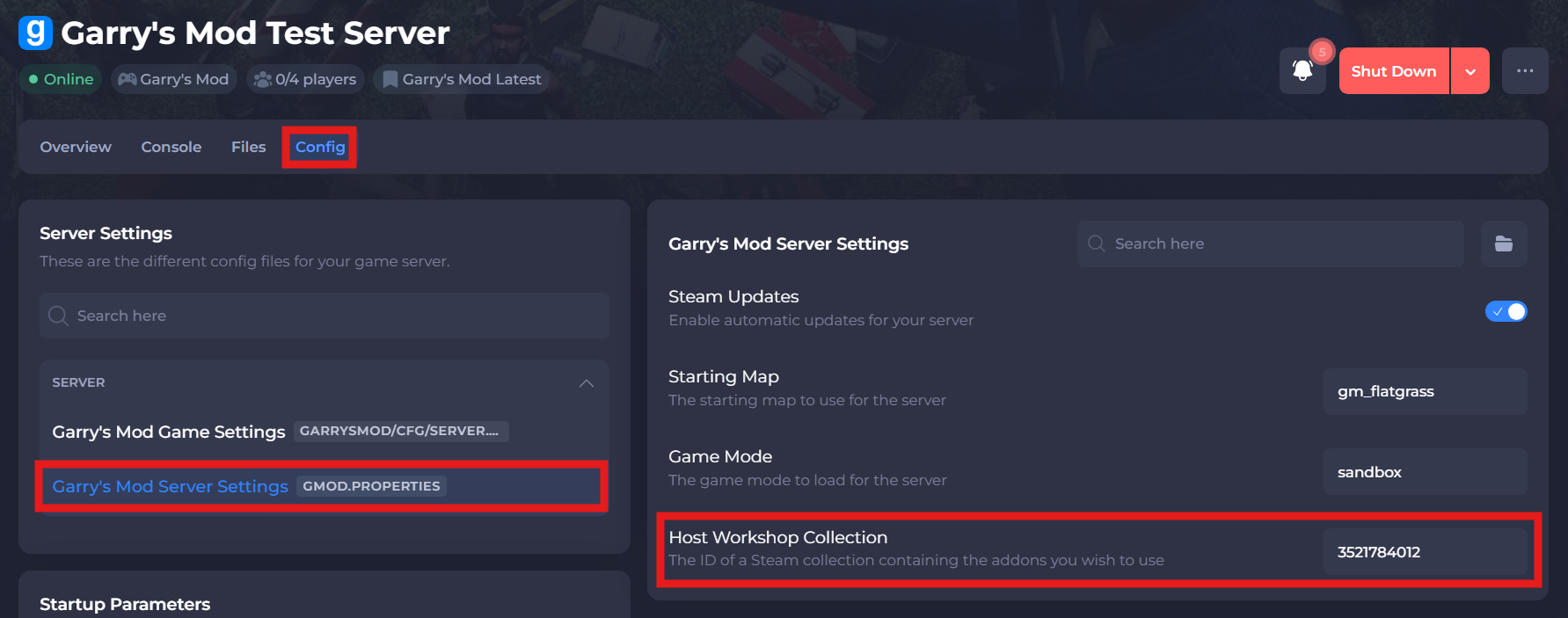
-
Save and restart your server to ensure the new changes apply.
If you require any further assistance, please contact our support at: https://shockbyte.com/billing/submitticket.php