Still have questions?
Come chat with us and we will get back to you as soon as possible!

Jay Miller
Game Engineer

How to Add a Whitelist to your Minecraft Bedrock Server
Similar to Java edition, Minecraft Bedrock servers feature a built-in whitelisting system that allows server owners to determine who can join their server. The Minecraft Bedrock version of a whitelist is called an Allow List; however, it functions very much the same as the Java edition whitelisting system.
#Enabling Bedrock Allow List
You can add a Whitelist to your Bedrock server within your server settings.
-
Access your Server Panel and Stop your server.
-
Navigate to the Config tab.
-
Open Server Properties (Bedrock) and locate the Allow List setting.

- Click on the toggle button to change the Allow List setting to true.

- Click on Save to confirm the changes made and Start your server.

- Navigate to your server console and in the command line type
allowlist add USERNAME. You can verify the username was added successfully by typingallowlist list.
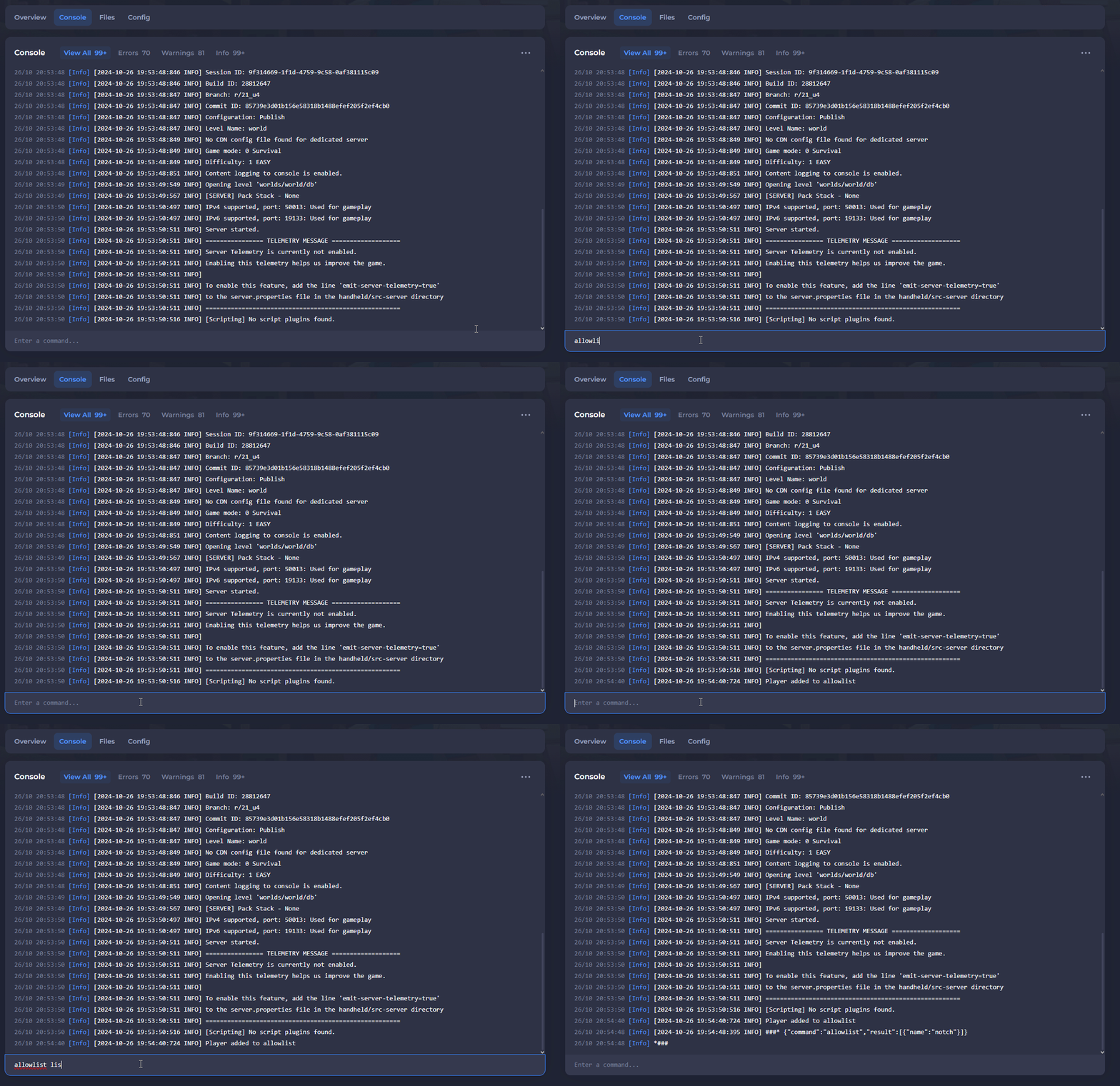
Congratulations! You now have a working whitelist set up on your Minecraft Bedrock server.
#Disabling Bedrock Allow List
You can remove a Whitelist on your Bedrock server within your server settings.
-
Access your Server Panel and Stop your server.
-
Navigate to the Config tab.
-
Open Server Properties (Bedrock) and locate the Allow List setting.

- Click on the toggle button to change the Allow List setting to false.

- Click on Save to confirm the changes made and Start your server.
After completing these steps, your server's allow list will be disabled.