Still have questions?
Come chat with us and we will get back to you as soon as possible!

Shockbyte
Support Team

How to Add Resources to your FiveM Server
Resources allow you to extend your FiveM server with additional features and functionality. They are essential for larger projects, such as roleplay servers, where core gameplay systems rely heavily on added resources.
Important
Please ensure that you have followed the Getting Started with your FiveM Server guide before proceeding with the following steps.
#Installing the Resource
Once you have setup your server via txAdmin with a framework, you will be able to add resources to your server. We will be using QBCore in the following example.
-
Go to your Shockbyte Control Panel.
-
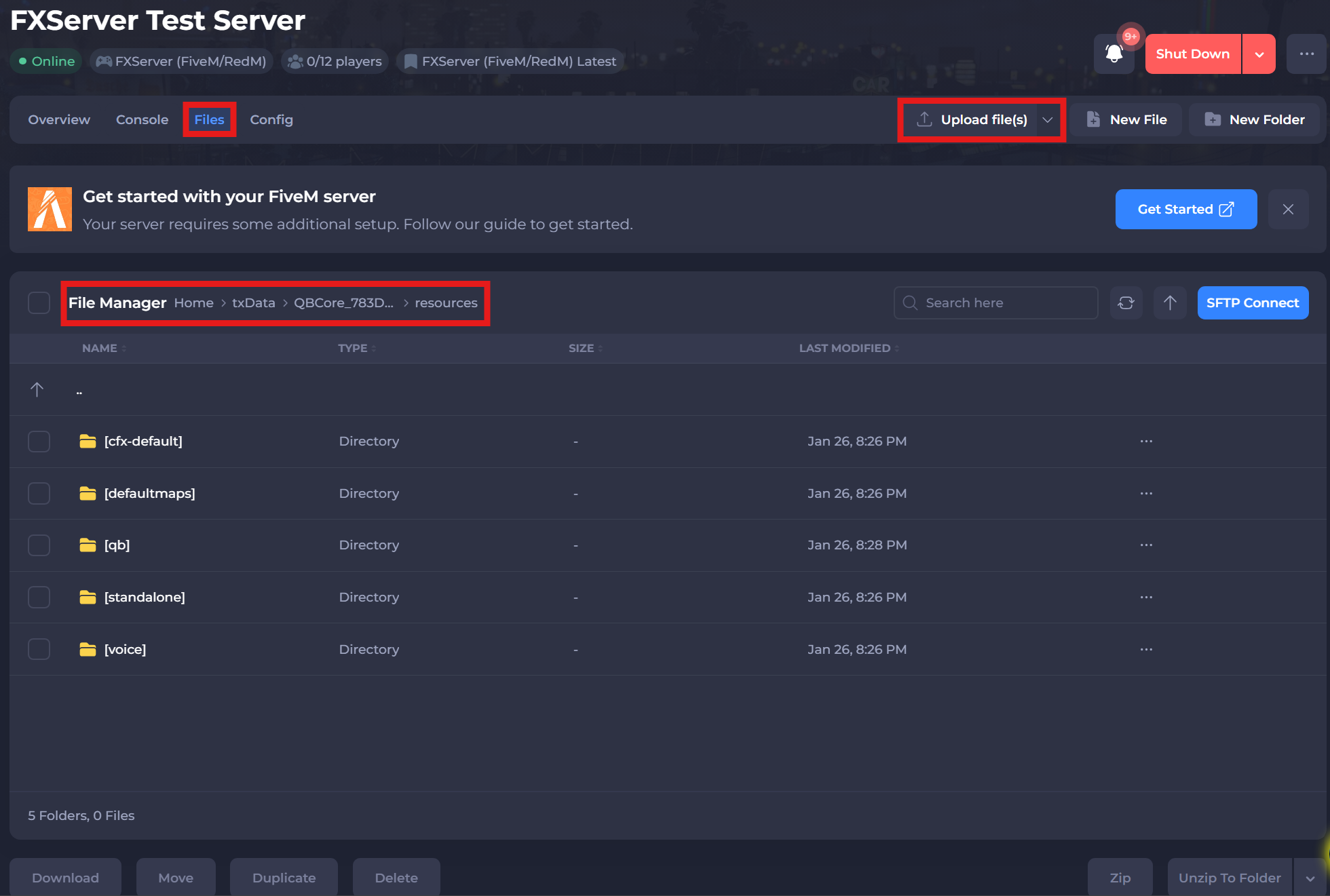
Navigate to the Files tab and locate the following directory:
/txData/QBCore_XXXXX.base/resources. The "XXXXX" represents the ID of your template. -
Select the Upload File(s) button and upload your uncompressed resource file. Ensure this file is compatible with your selected framework.
This can also be done using FileZilla for FTP File Management.
#Activating the Resource
For a resource to start automatically, it must be added to the server.cfg file using the ensure resource-name command. You can manage this file easily through the CFG Editor in the txAdmin panel.
-
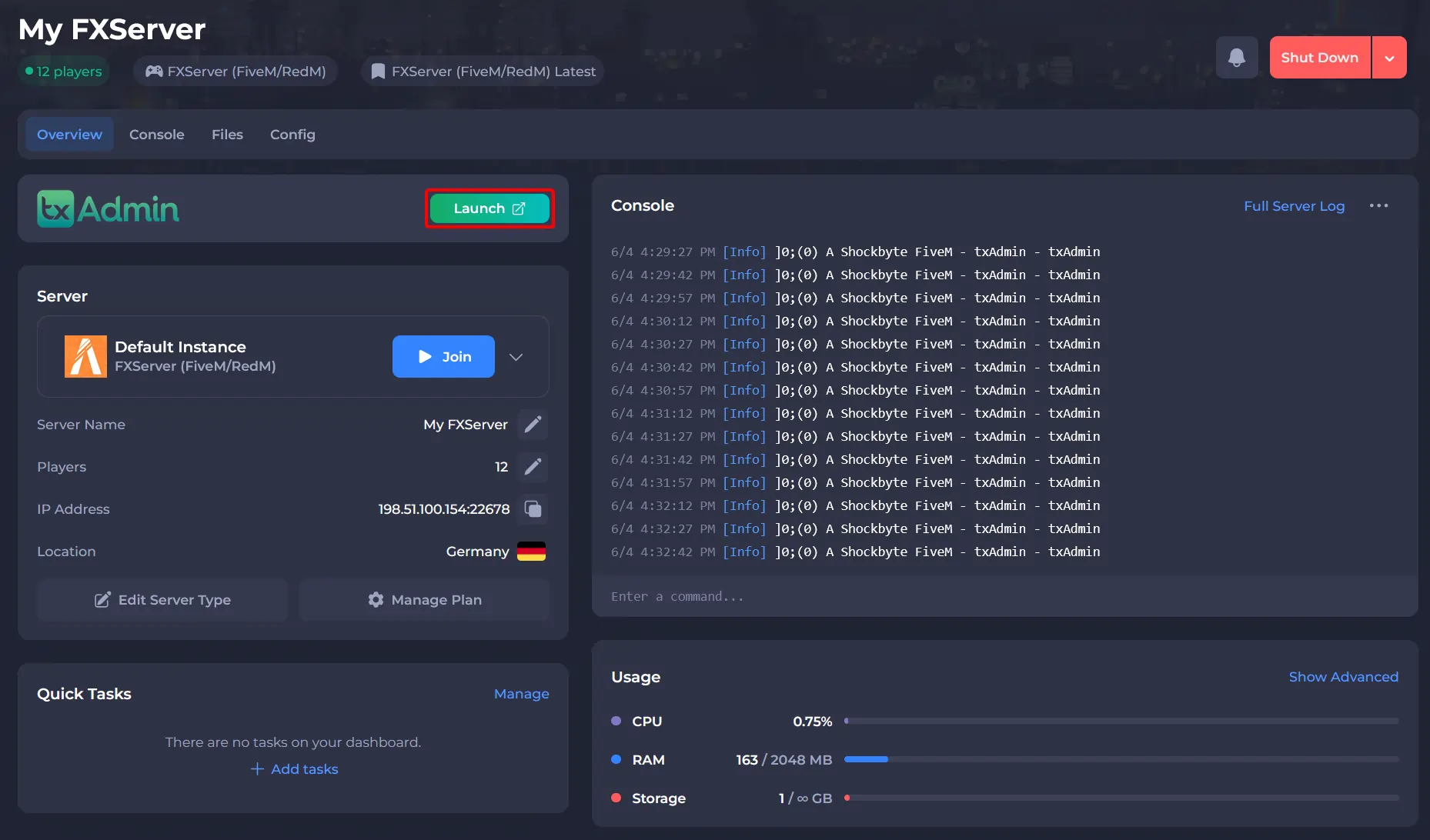
Go to your Shockbyte Control Panel.
-
Launch txAdmin.
-
Navigate to the CFG Editor area and add the line:
ensure resource-name.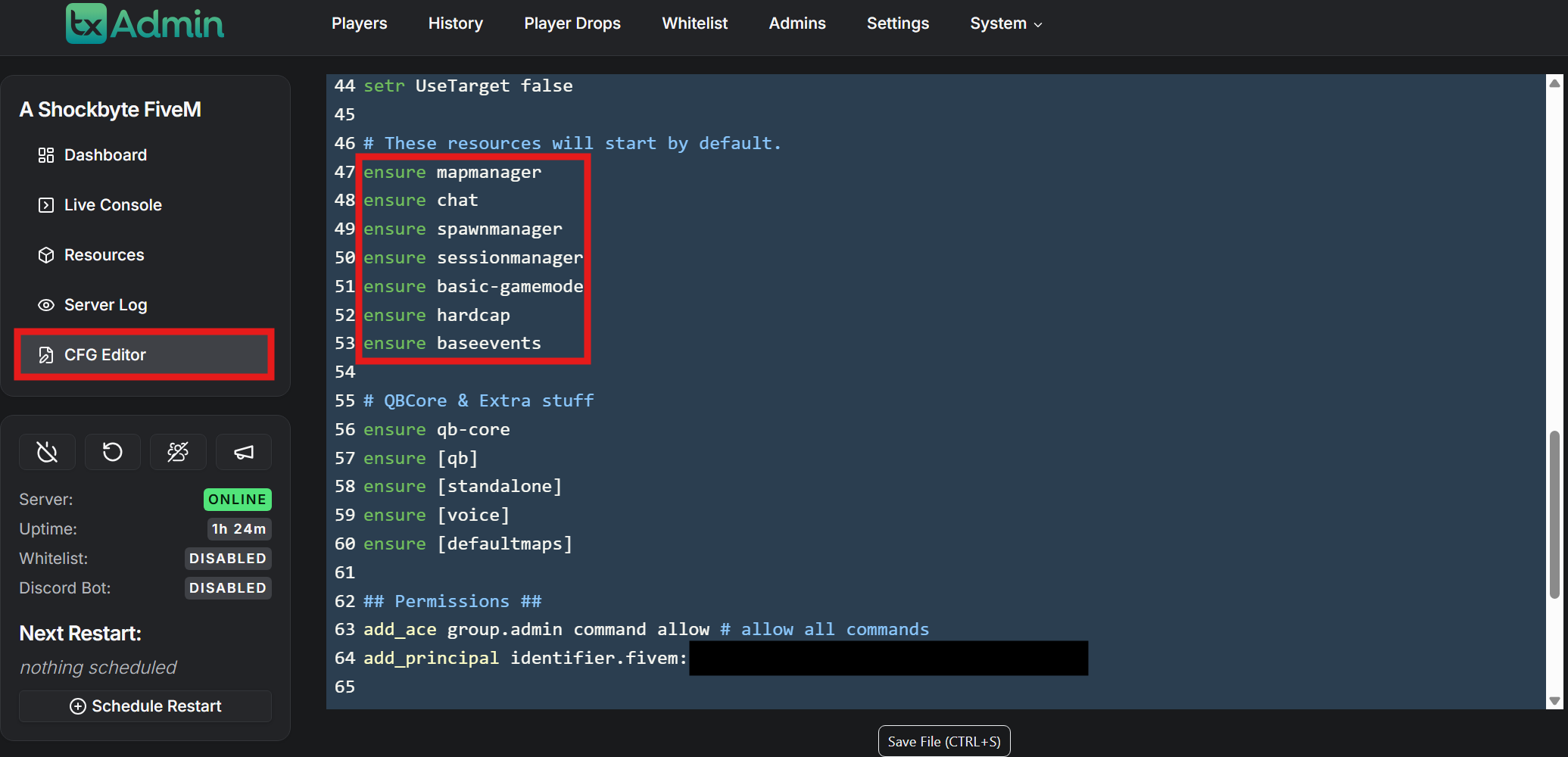
-
Click Save File at the bottom of the page.
To learn more about FiveM server hosting, you can browse our library of Knowledgebase articles here.