Table Of Contents
Changing Day LengthStill have questions?

Nathan Franklin
Game Experience Engineer
How To Change The Day Length Of Your Aska Server
The day length setting in Aska determines how long in-game days and nights last. Adjusting this setting can impact gameplay difficulty, resource gathering, and overall pacing. Shorter days create a more fast-paced experience, while longer days provide more time for exploration and building.
Note
In order to change the day length of your server you first need to enable Custom Mode.
#Changing Day Length
Your server's day length can be set in the config area of your control panel.
-
Navigate to the Panel.
-
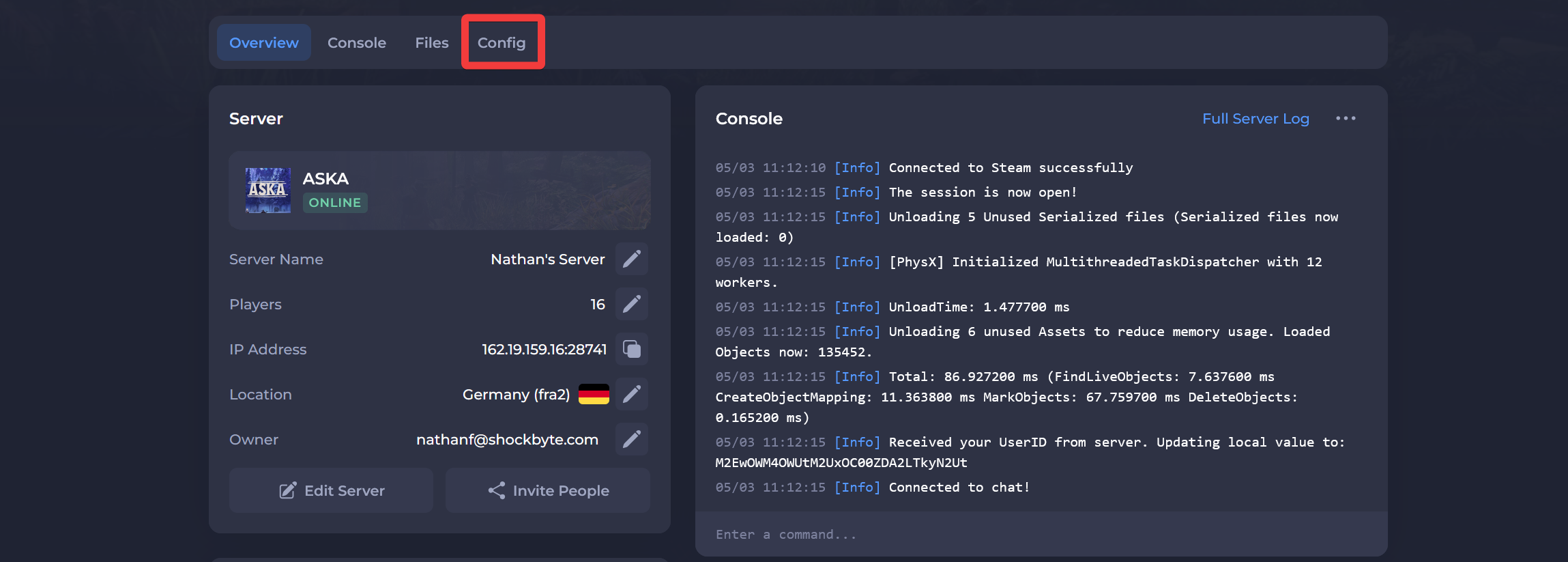
Click Config.
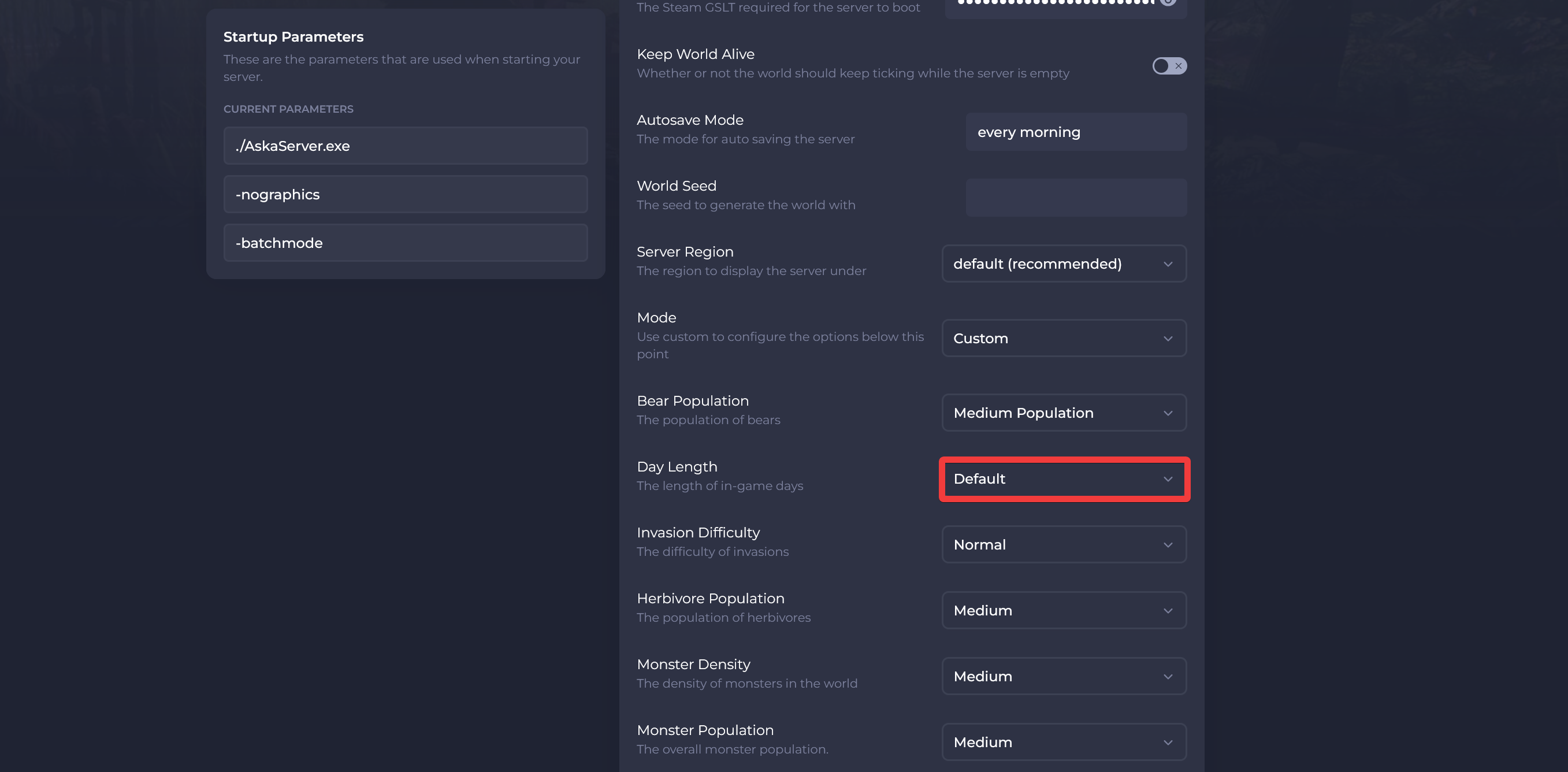
- Locate the Day Length option and set it to your desired value.
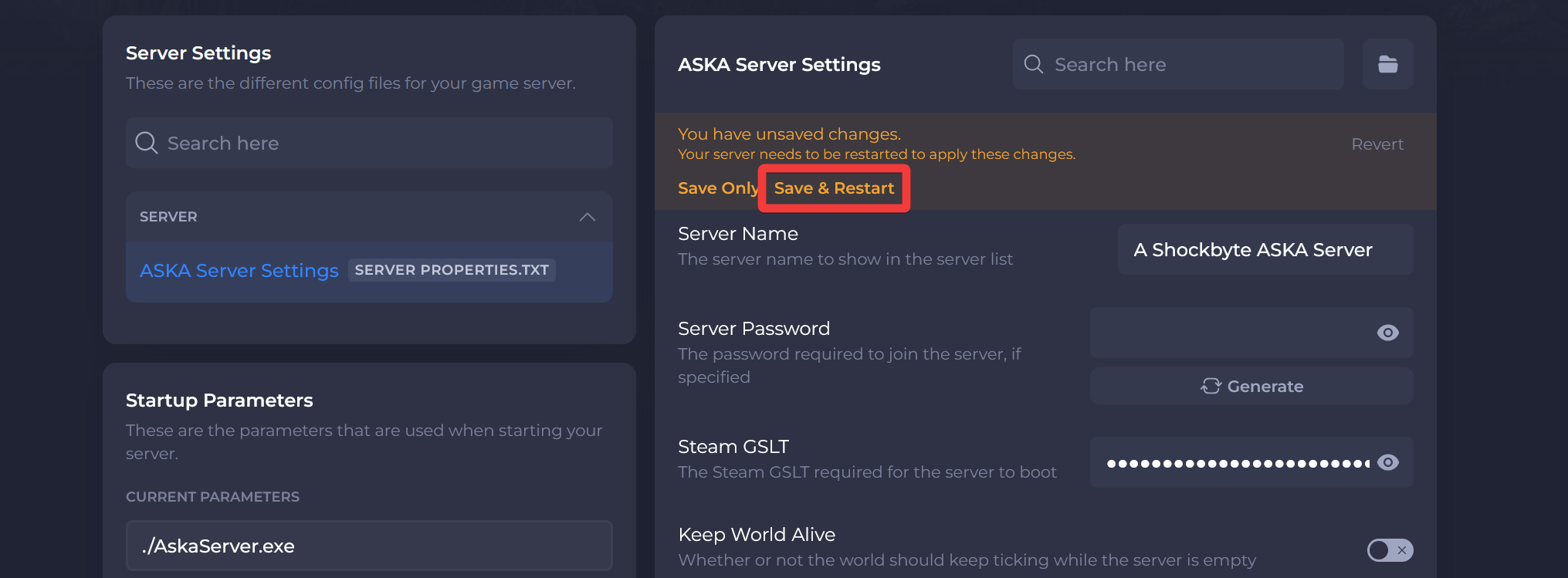
- Click Save & Restart.
Interested in purchasing an Aska server with instant activation, easy customisation, and great & extensive Knowledgebase articles? Click here to purchase one!
To learn more about Aska Server Hosting, you can browse our Knowledgebase article library here.