Table Of Contents
Changing the Max Number of Tribe MembersStill have questions?
Come chat with us and we will get back to you as soon as possible!

Shockbyte
Support Team

How to Change the Max Number of Tribe Members on your Soulmask Server
This guide explains how to adjust the maximum number of tribe members on your Soulmask server. This setting controls how many players can join a single tribe, allowing you to better balance gameplay.
Limiting tribe size can be especially useful on PvP servers to prevent large tribes from dominating smaller groups. The default value is 6, but you can customize this to suit your server’s playstyle. The steps below will walk you through updating this setting in your configuration.
#Changing the Max Number of Tribe Members
-
Access your Control Panel and Stop your server.
-
Navigate to the Config tab, locate the
Max Tribe Memberssetting and adjust the value to your desired amount.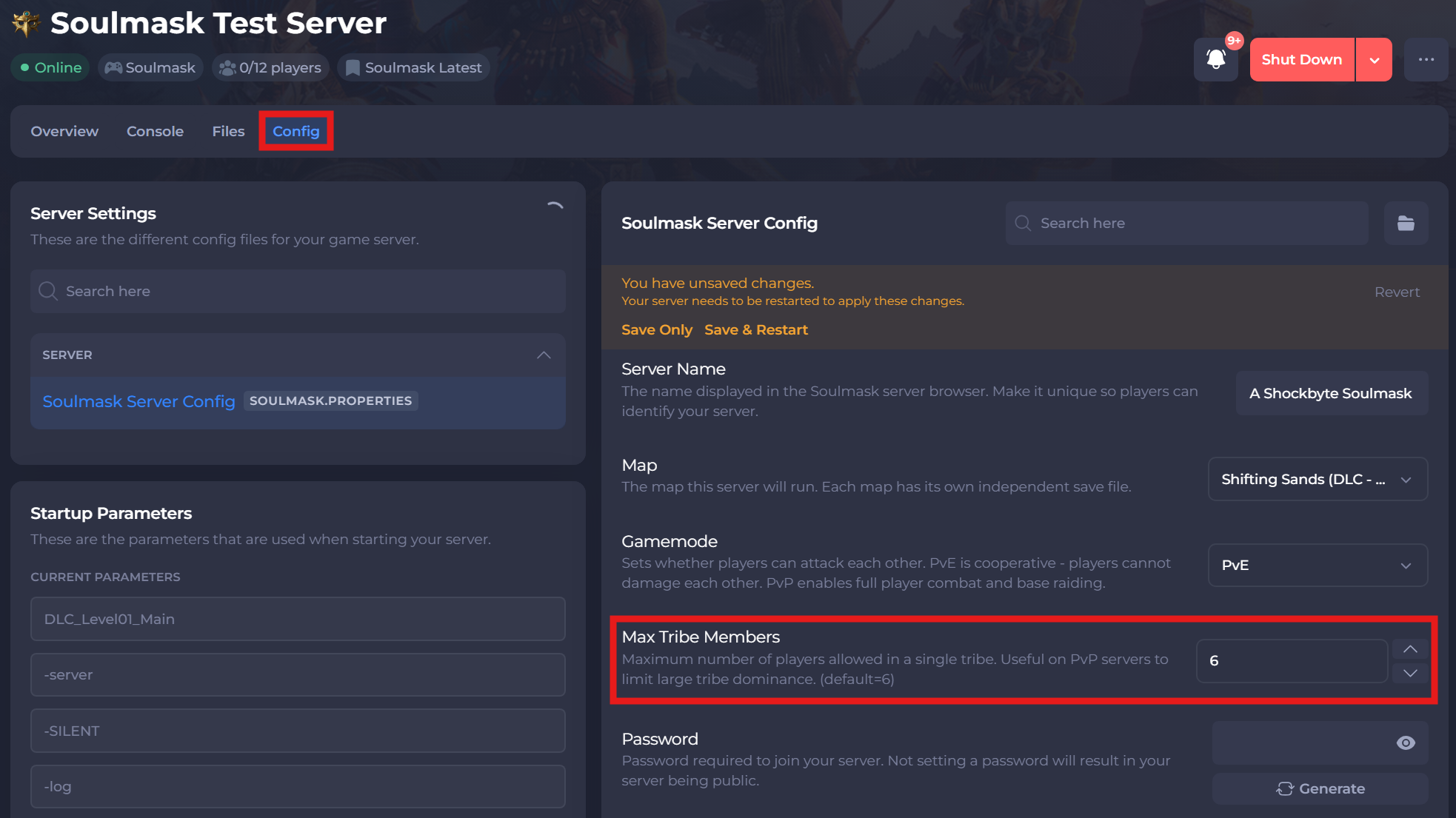
-
Save and restart your server to ensure the new changes apply.
If you require any further assistance, please contact our support at: https://shockbyte.com/billing/submitticket.php