Still have questions?

Shockbyte
Support Team
How to Configure Land Claiming on your Vintage Story Server
Vintage Story comes with a built-in land-claiming system that allows players to protect their valuable resources and structures. By default, players can claim 4 chunks and up to 3 non-adjacent areas.
A complete list of commands available to both players and server admins related to land claiming can be found here.
#Available Options
| Option | Description |
|---|---|
| LandClaimAllowance | Volume allowed in cubic meters for the land claims of each player who has this role. |
| LandClaimMinSize | The smallest cuboid a player of this role may claim. |
| LandClaimMaxAreas | The max quantity of non-adjacent areas a player may claim. |
#Configuring Land Claiming
Each of the above land-claiming options can be configured in the Vintage Story Server Configuration section of your server's control panel.
-
Access your Control Panel and Stop your server.
-
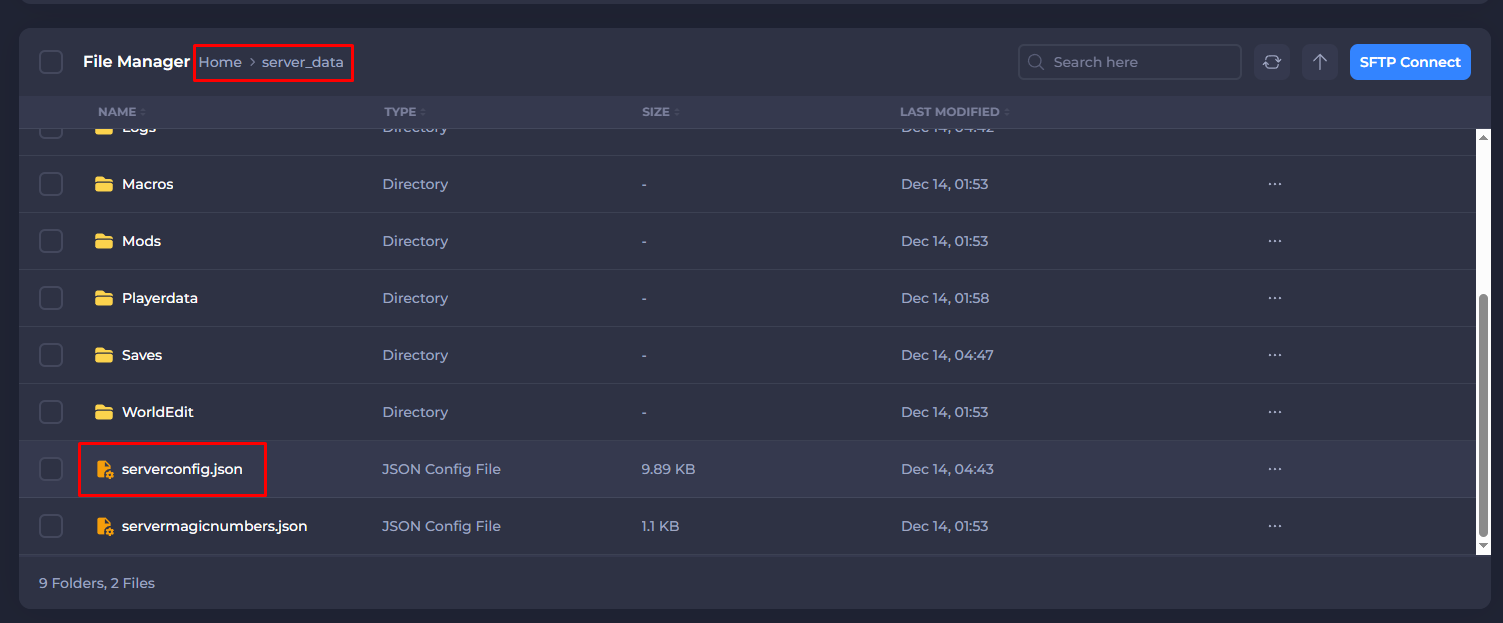
Navigate to the Files tab, then go to server_data > serverconfig.json.
-
Scroll to the
Rolessection, and you can make any desired changes to each respective role.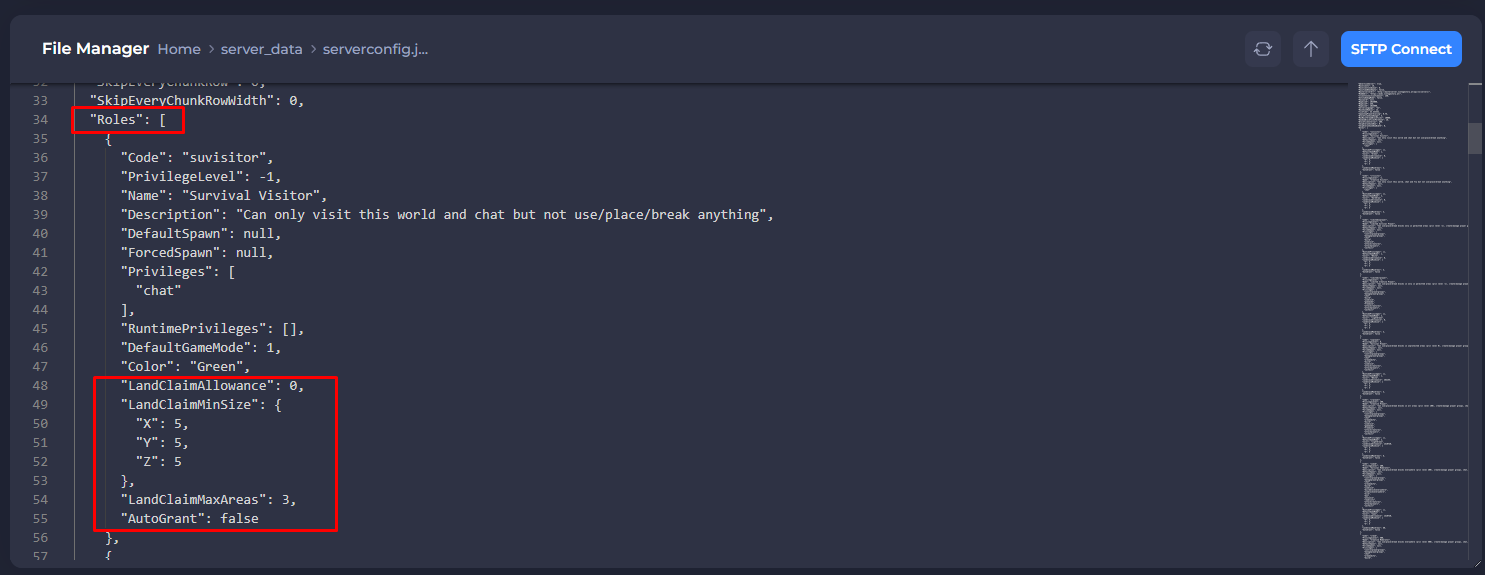
-
Once finished, save your changes and then Start your server.
If you require any further assistance, please contact our support at: https://shockbyte.com/billing/submitticket.php