Still have questions?
Come chat with us and we will get back to you as soon as possible!

Shockbyte
Support Team

How to Fix the Error "ZIP END Header Not Found"
Some Minecraft servers may crash with the following error: java.util.zip.ZipException: zip END header not found. While it most commonly affects modded Forge servers, it can also occur with other server types. This guide will cover the possible solutions for this issue.
Important
As this process involves deleting files, make sure to create a backup of your server before proceeding with the steps in this guide.
#Regenerating the Server .jar file
This error can happen when the server's .jar file becomes either fully or partially corrupted. You can regenerate the file to resolve the issue.
-
Open your Server Control Panel.
-
Shut Down your server.
Make sure that your server is completely offline. If it is not offline, then it will not regenerate the .jar file correctly.
- Navigate to the Files tab.

- Locate and delete the server's
.jarfile.
For vanilla Minecraft servers, the .jar file will be named server.jar. For all other server types, the server's .jar file will include the server type in the name. For example, a Paper 1.21.5 server would use: paper-1.21.5-114.jar
Some server types, like Forge or Fabric, may have an additional .jar file present, just with "installer" added in the file name. This can also be deleted.
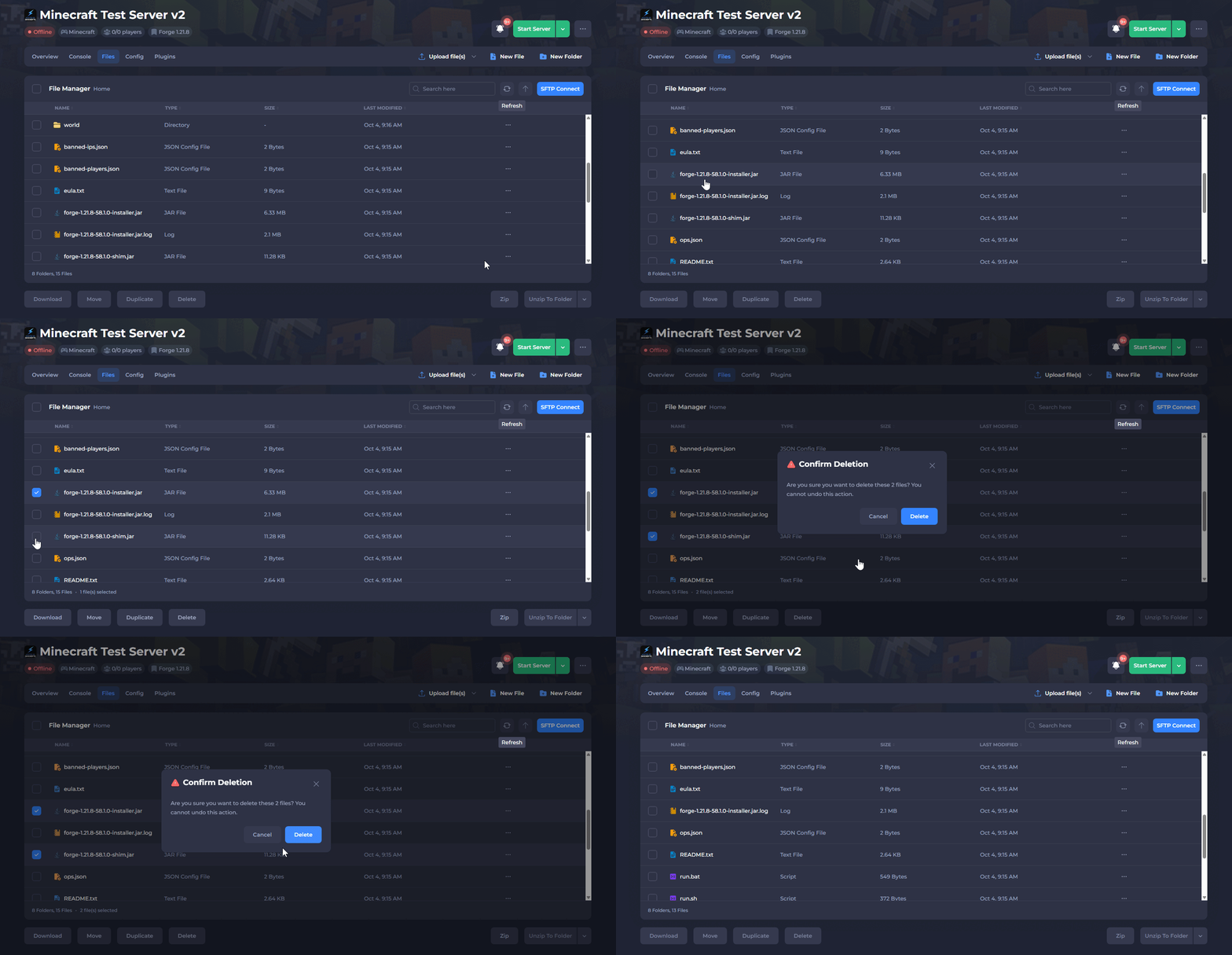
- Start the Server.
Once you start the server, it will regenerate the .jar file automatically. If the crashes were caused by a corrupt server .jar file, it should be fixed now.
Custom .jar files
If you originally uploaded a custom .jar file to the server, it will not be regenerated automatically. You will need to reupload it manually. See our guide on this here.
#Incompatible mods
This error can happen when one or more mods are incompatible with each other or with the server type's version, which is most common on Forge servers. To check for this, try launching the modpack in singleplayer. If any mods are incompatible, the game will usually crash.
#Corrupt Mod files
This error can happen when one or more of the server's mods become fully or partially corrupted. You can reinstall the affected mods to resolve the issue. This section will go over how to identify and then reinstall corrupt mods.
How to identify corrupt mod files
- Fully corrupted Mod files
If a mod file becomes fully corrupted, the file will be 0 bytes in size. You can go through your server's /mods folder to locate any affected mods.
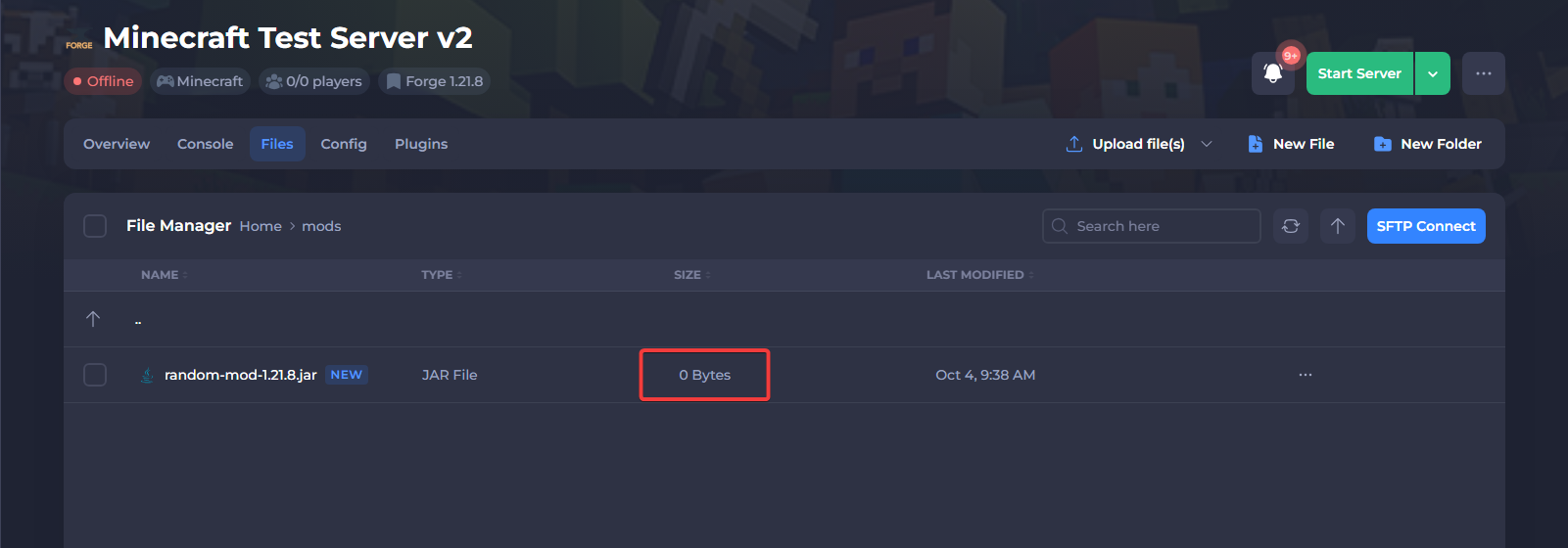
- Partially corrupted mod files
While our control panel includes protections that help prevent partial uploads, it is still possible for mod files to become partially corrupted during upload or later on in the server's lifespan.
In this case, the file size of the affected mods will be smaller than the original file size. If your server generated a crash report, it may list the faulty mods. You can also compare the file size of the mods on your server to the mod files on your computer, but there’s currently no other reliable way to confirm if a mod has become partially corrupted.
Important
If you suspect that your mods may be partially corrupted, but are unable to identify them, we recommend reinstalling all of them with the same method you used to install the modpack.
How to reinstall individual mods
-
Shut Down your server.
-
Take note of the exact version of the mod and then delete the mod file.
-
Navigate to the original mod page and redownload the exact same version of the mod that was originally installed on the server.
-
Upload the
.jarfile that you downloaded back into the server's/modsfolder. -
Start the server.
If you have any questions or the crash is still occurring, please contact our support team for further guidance at: https://shockbyte.com/billing/submitticket.php