Still have questions?
Come chat with us and we will get back to you as soon as possible!

Jay Miller
Game Engineer

How to Increase Item Stack Limits
Rust’s default item stack limit varies on different items. Users may wish to increase this value, for example, on modded servers that have increased their Gather Rates.
In order to increase your Rust server’s item stack limit, you will need to take a few steps. This article is here to help guide you through these steps.
Oxide
This article assumes you have Oxide installed. If you need help with installing Oxide, you can find our tutorial here.
#Installing Stack Size Controller
You can install the Stack Size Controller plugin using our built-in installer on the control panel.
-
Open your control panel and stop your server.
-
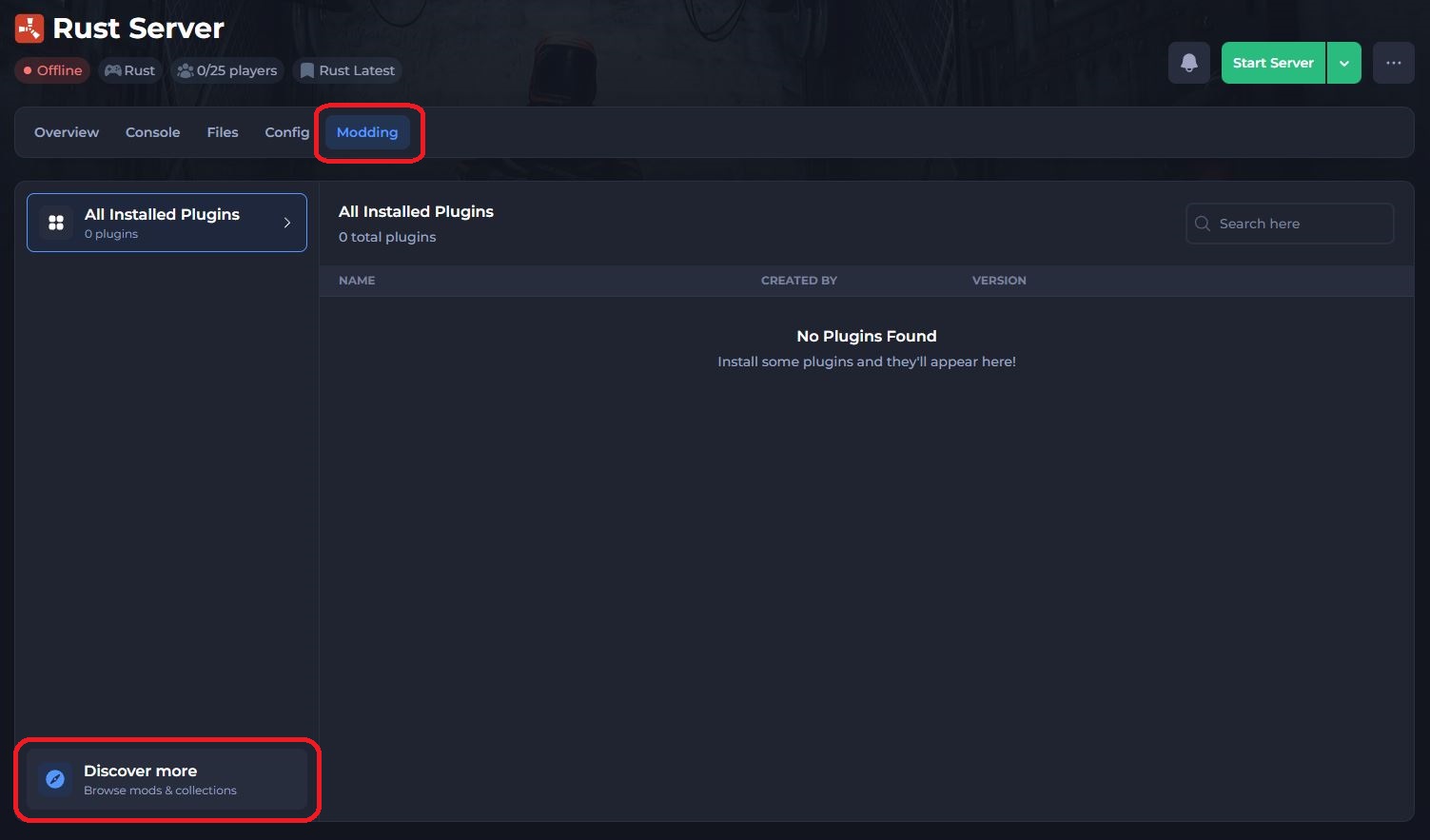
Navigate to the Modding tab and select Discover more.
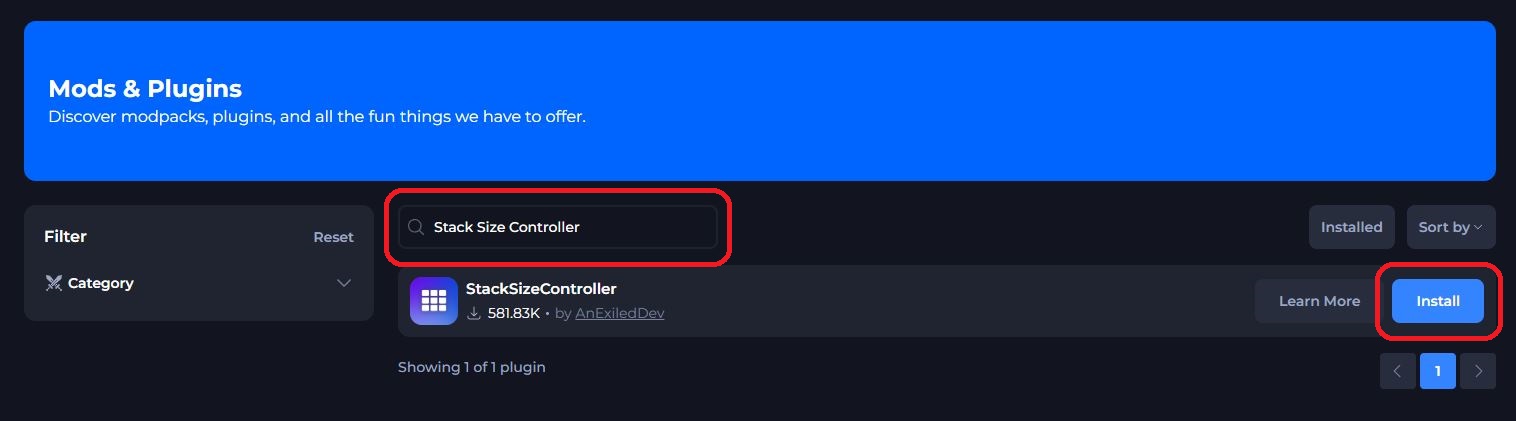
- Search for the Stack Size Controller plugin and click Install.
- Restart your server to install the plugin.
#Adjusting The Stack limits
You can view a full list of commands provided by the Rust Plugin Stack Size Controller here; to get you started, here are a few basic ones!
| Command | Permission | Description |
|---|---|---|
stacksizecontroller.setallstacks <stack multiplier> | stacksizecontroller.setallstacks | Sets the stack multiplier of every category to the defined multiplier |
stacksizecontroller.listcategories | stacksizecontroller.listcategories | List the available categories names |
stacksizecontroller.setstackcat <category name> <stack multiplier> | stacksizecontroller.setstackcat | Sets the stack multiplier of a defined category to the defined multiplier |
stacksizecontroller.listcategoryitems <category name> | stacksizecontroller.listcategoryitems | List all items in the defined category name |
stacksizecontroller.setstack <item shortname or id> <stack limit or multiplier> | stacksizecontroller.setstack | Sets the stack multiplier or the stack limit of the defined item to the defined value |
#Using Commands on your Server
Now that some basic commands are covered, here is how to use them in your Shockbyte panel.
-
Navigate to your server's control panel.
-
Go to your server's console.

- Enter the command you wish to use, for example:
stacksizecontroller.setallstacks 500and press Enter.

And that's it! You’re player’s will now be able to stack their items up to stacks of 50000.
If you require any further assistance, please contact our support at: https://shockbyte.com/billing/submitticket.php