Still have questions?
Come chat with us and we will get back to you as soon as possible!

Shockbyte
Support Team

How to Install Mods on your Insurgency Sandstorm Server
Insurgency: Sandstorm server owners have a wide range of mods to choose from, including extra weapons and complete overhauls. Modding is an excellent way for servers to increase available content and provide a more unique experience for players.
Many mods can be found on mod.io and can be automatically installed onto your Shockbyte Insurgency: Sandstorm servers by subscribing to your desired mods after logging into your Mod.io account and connecting it to your server.
Important
In order to install mods onto your server, you will need to create an account with mod.io to proceed with the next steps.
#Enabling Mods
-
Access your Control Panel and Stop your server. Navigate to the Config tab. Select
Insurgency Sandstorm Server Settings. -
Locate the
Enable Modsoption and set it to enabled by ticking the checkmark.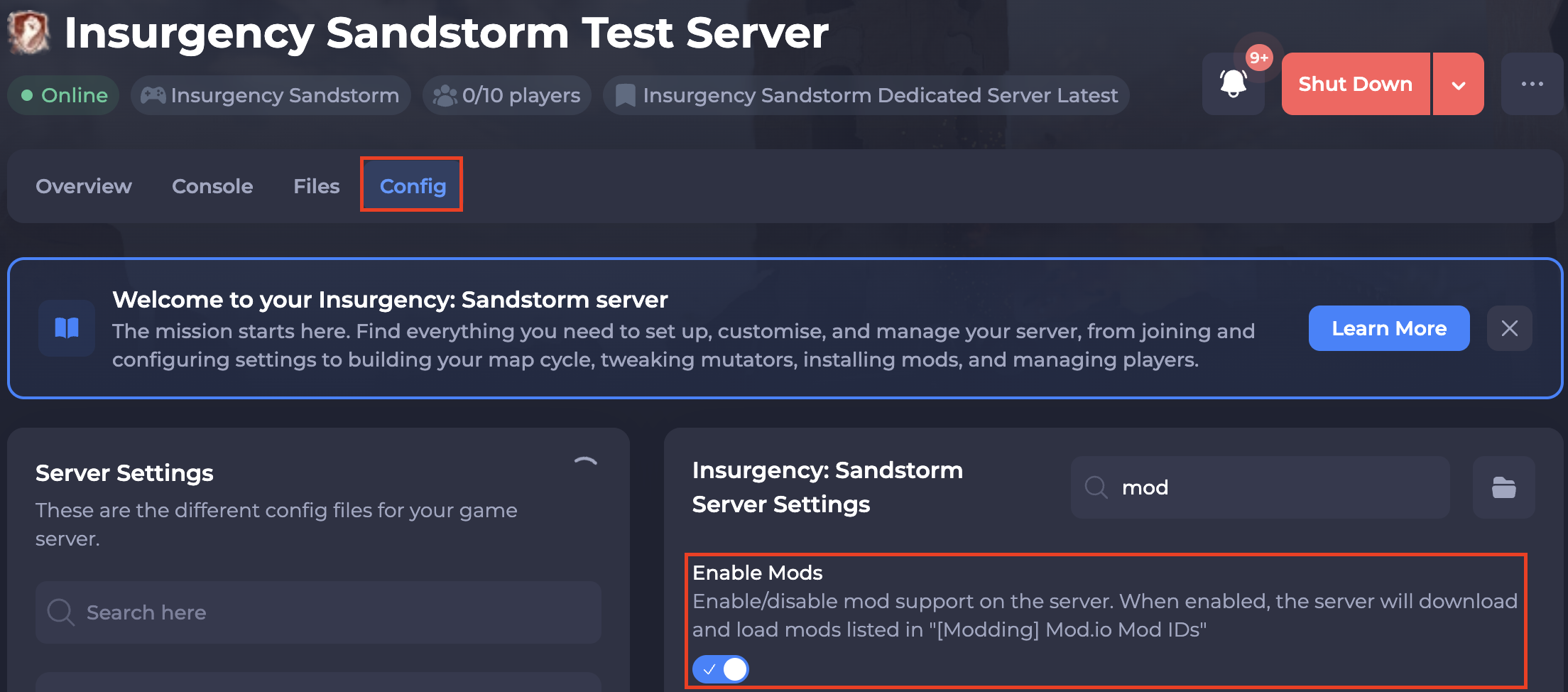
-
Navigate to the Quick Tasks page on your panel and run
(Mod.io) Request Security Code. Enter your mod.io email.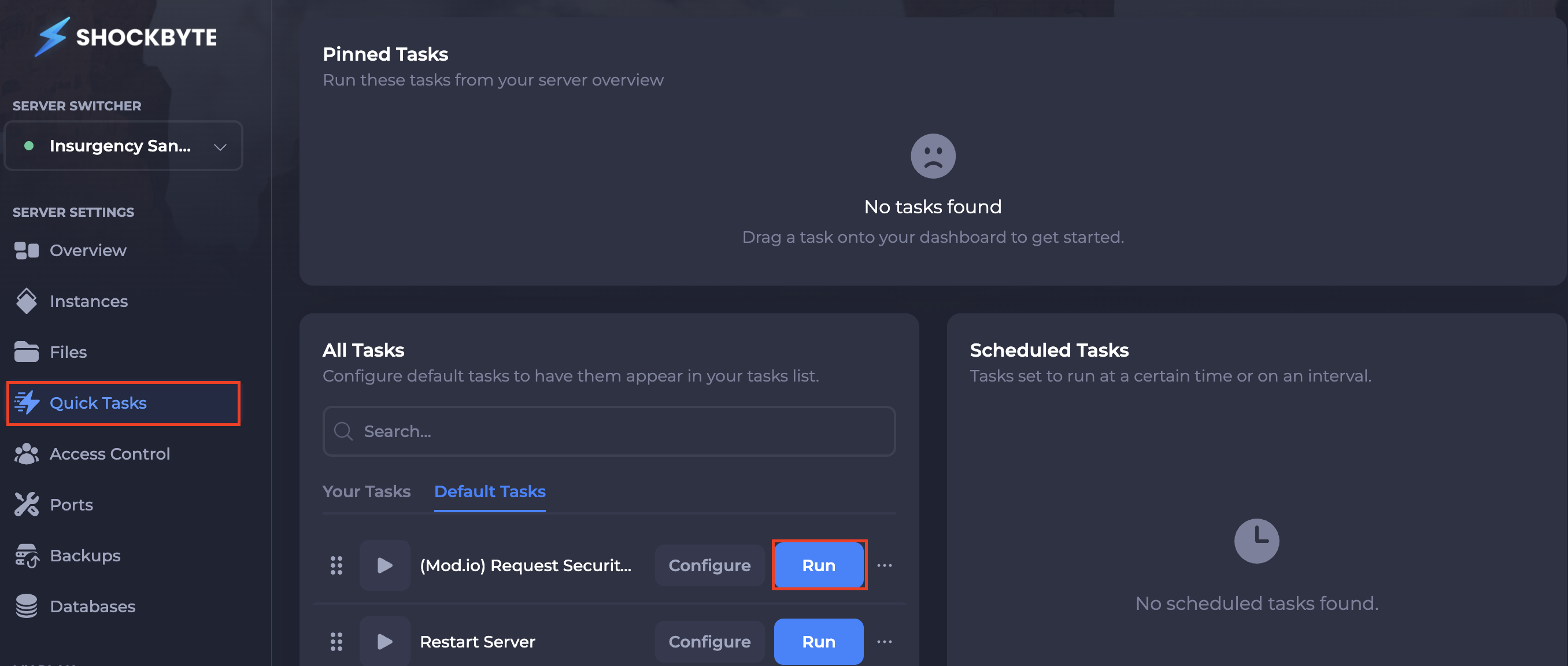
-
Paste the 5-character code from email into the
Security Codefield in your Config area.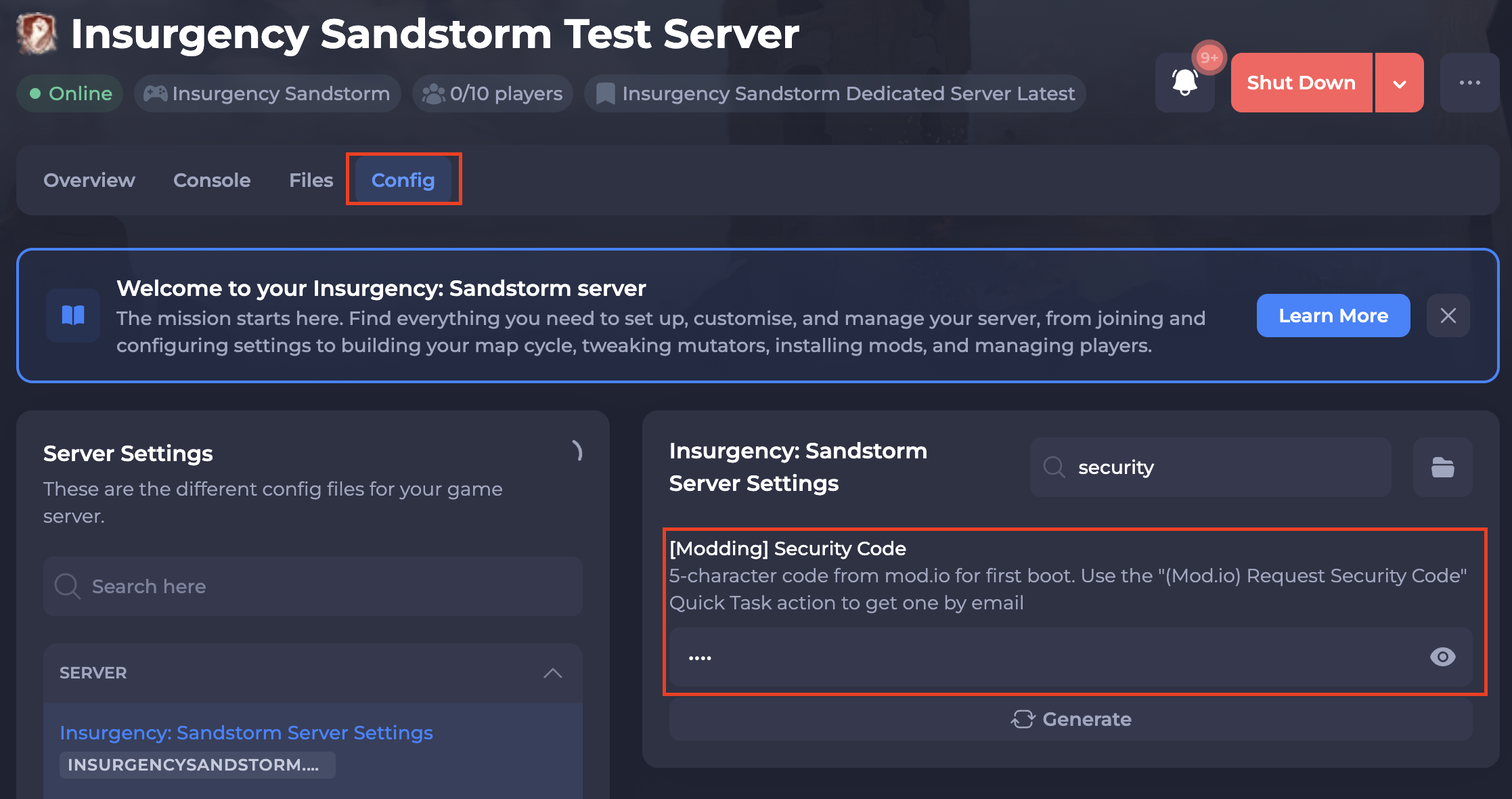
-
Save & start your server to ensure the new changes apply.
#Installing Mods
Note
For custom maps: set the Map field to the map name and Scenario to one of the scenarios listed on the mod's Mod.io page (e.g. Map=Mashtuur, Scenario=Scenario_Mashtuur_Checkpoint_Security). For mutators: list them in the Scenario Mutators field. Please refer to our guides that explain How to Configure Custom Maps on your Insurgency Sandstorm Server and How to Configure Mutators on your Insurgency Sandstorm Server for further details.
Mods subscribed on your Mod.io account auto-install on boot.
- Navigate to the Insurgency: Sandstorm Mod.io page here.
- Locate and click your desired mod. For this example, we'll be using Medicon.
- Click
Subscribeand it will automatically download to your server.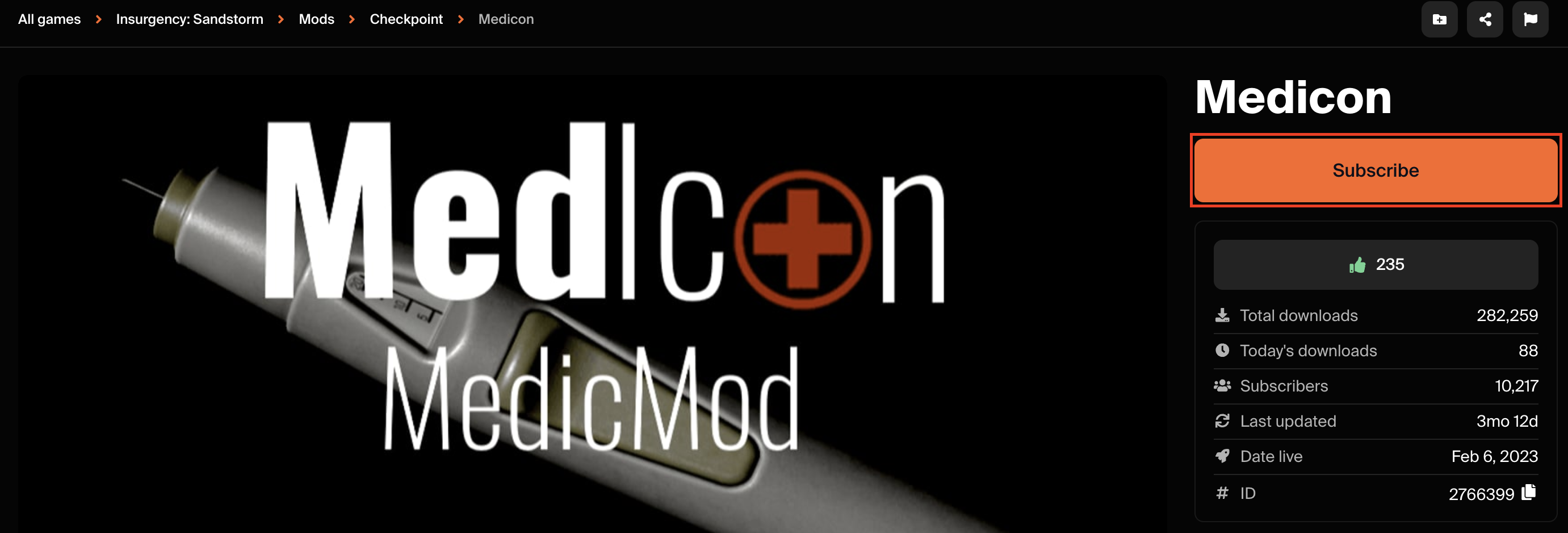
If you require any further assistance, please contact our support at: https://shockbyte.com/billing/submitticket.php