Still have questions?
Come chat with us and we will get back to you as soon as possible!

Nuno Paiva
Game Integration Specialist @ Shockbyte

How to Join your Risk of Rain 2 Server
Once you have your server fully set up, you're ready to join. Follow the steps below to join your server using the in-game server browser or by connecting directly using your server's IP and port.
Note
To join a Risk of Rain 2 dedicated server, your game must be downgraded to version 1.2.4.1. Follow our guide on How to Downgrade Your Risk of Rain 2 Client Version
#Method 1: Join Through the Server Browser
- Launch Risk of Rain 2.
- From the main menu, click on Multiplayer and then Join Multiplayer Game.
- Set the Sorting dropdown to Name.
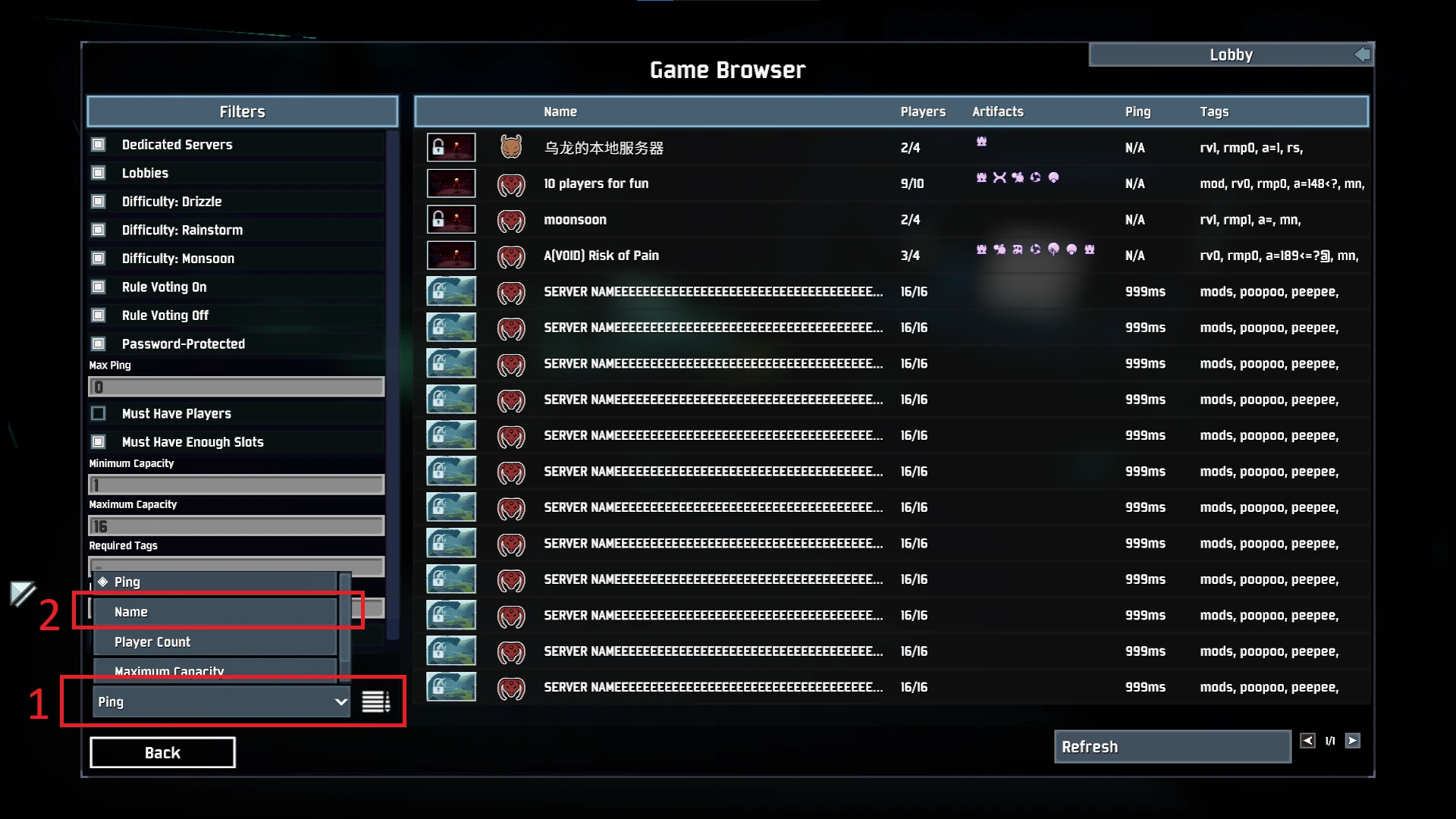
- Select your server from the list and click Join.
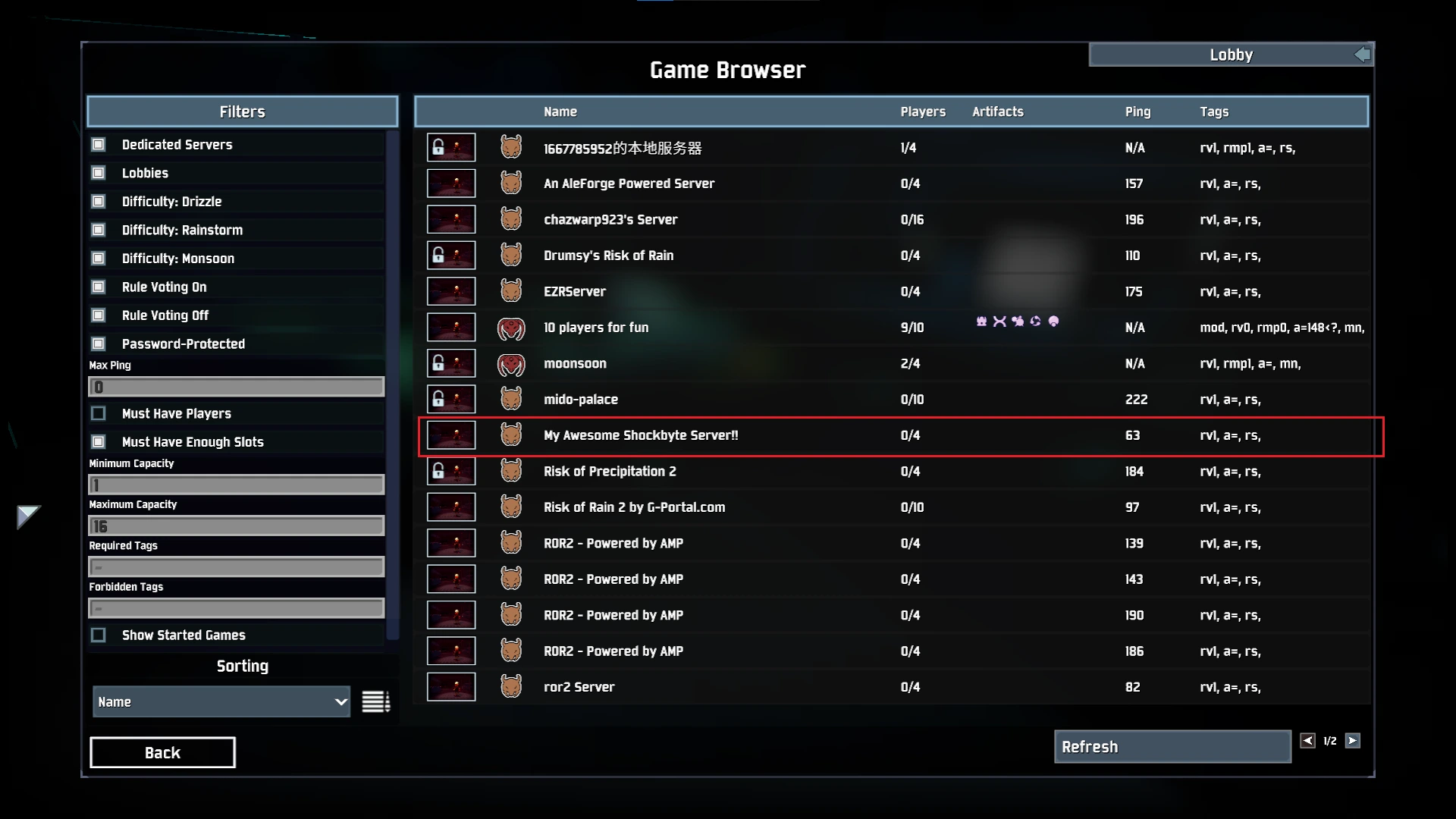
Note: Server visibility may take a few minutes after startup.
#Method 2: Join Using IP Address (Direct Connect)
If your server doesn’t appear in the browser, or you want to join faster, you can connect using the in-game console.
-
Copy your server’s IP and Port from your Shockbyte control panel.
-
Launch the game and press: CTRL + ALT + ~ (This opens the developer console).
-
If your server has a password, enter it with this command:
password yourpassword
-
Then connect by typing:
connect IP:Port
You’ll now be connected to your server and ready to play with your friends!
Need help? Contact our team at: https://shockbyte.com/billing/submitticket.php