Minecraft
Is Minecraft Cross-platform? Everything You Need To Know
 Cami
Cami#What Does Cross-Platform Mean in Minecraft?
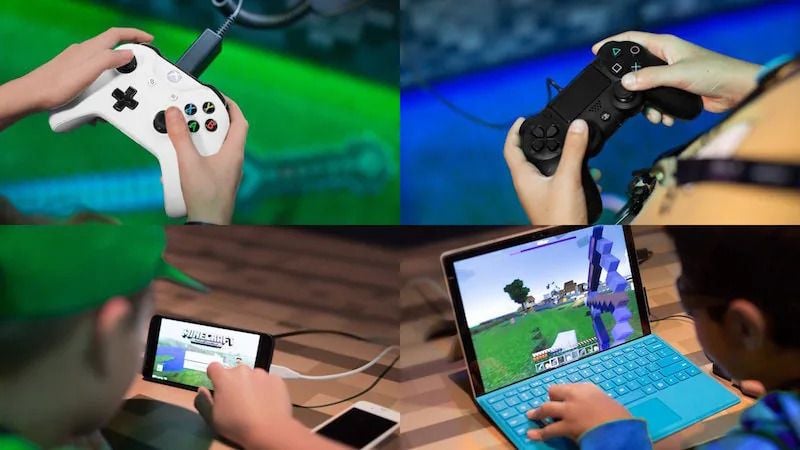
In gaming, cross-platform play, or crossplay, allows players on different devices to play together. For Minecraft, this is a big deal because it’s available on so many platforms—from PCs and consoles to mobile devices. However, Minecraft’s cross-platform capabilities come with a few conditions depending on which version of the game you’re playing.
#The Two Minecraft Editions: Bedrock vs. Java
Before diving into crossplay details, it’s essential to understand that Minecraft has two primary versions:
#1 - Minecraft: Bedrock Edition
- Platforms Supported:
- Windows PC
- Xbox (One, Series X/S)
- PlayStation (PS4, PS5)
- Nintendo Switch
- Mobile (iOS, Android)
- Some Chromebook devices
- Crossplay Status: Fully supports cross-platform play across all the platforms listed above.
#2 - Minecraft: Java Edition
- Platforms Supported:
- Windows PC
- macOS
- Linux
- Crossplay Status: Limited to players on Java Edition. To play with Bedrock players, third-party plugins like GeyserMC are required.
#How to Play Minecraft Cross-Platform (Bedrock Edition)
If you and your friends are using the Bedrock Edition, connecting across devices is a breeze. Here’s how:
#Step 1: Ensure You Have a Microsoft Account
A Microsoft account is essential for crossplay in Minecraft: Bedrock Edition, even if you’re playing on PlayStation or Nintendo Switch.
- Don’t have one? Create one for free at Microsoft’s website.
#Step 2: Add Friends to Your Microsoft Account
- Open Minecraft and sign into your Microsoft account.
- Go to the Friends tab.
- Search for your friend’s Xbox Gamertag and send them a friend request.
#Step 3: Join or Host a Game
- To join a friend’s game:
- Navigate to the Friends tab in Minecraft.
- Look under Joinable Cross-Platform Friends and select your friend’s world.
- To host a game:
- Open your Minecraft world.
- Select Invite to Game from the pause menu.
- Send invites to friends from your list.
#Platforms That Work Together
Here’s where Minecraft: Bedrock Edition shines. These devices can all play together:
- Xbox to PlayStation
- PC to Nintendo Switch
- Mobile to any console
- Any combination of the above!
#Java Edition: Crossplay and Its Limitations
Unfortunately, Minecraft: Java Edition doesn’t natively support crossplay with Bedrock Edition. However, Java players can connect with others using custom servers, Realms, or mods.
#How to Enable Crossplay Between Java and Bedrock:
With third-party tools like GeyserMC, you can bridge the gap between the two editions. This plugin allows Bedrock players to join Java servers, but setup can be tricky.
Steps to Set Up GeyserMC:
- Install the GeyserMC plugin on your Java server.
- Configure the plugin to accept connections from Bedrock clients.
- Share your server details with friends on Bedrock and Java.
#Realms: The Simplest Crossplay Solution
For both Java and Bedrock players, Realms is Minecraft’s official server hosting service. It allows friends to join a persistent world without requiring the host to be online.
#Realms for Bedrock Edition:
- Allows crossplay for Bedrock platforms.
- Supports up to 10 simultaneous players.
#Realms for Java Edition:
- Exclusive to Java players.
- Crossplay is limited to PC, Mac, and Linux users.
#Crossplay FAQs
#1 - Is Minecraft Crossplay Between PlayStation and Xbox?
Yes, if you’re using Minecraft: Bedrock Edition, you can play between PlayStation and Xbox. Just ensure you’ve added each other on Microsoft accounts.
#2 - Can Java and Bedrock Players Play Together?
Not natively, but it’s possible with third-party plugins like GeyserMC.
#3 - Do I Need an Online Subscription?
- Console Players (PS4, Xbox, Switch): Yes, you’ll need an active subscription (e.g., PlayStation Plus, Xbox Live Gold).
- PC and Mobile Players: No additional subscription is required.
#4 - What Happens if I Have Different Game Versions?
You must update to the same version as your friends. Bedrock and Java players cannot connect without modifications.
#Tips for Seamless Crossplay
- Check Your Edition: Confirm if you’re playing Bedrock or Java.
- Update Your Game: Ensure everyone is on the latest Minecraft version.
- Use Realms for Consistency: If you plan to play regularly with friends, invest in a Realm.
- Coordinate Platforms: Make sure everyone’s device supports the edition you’re using.
#So... Is Minecraft Cross play?
Yes, Minecraft is cross-platform, but the level of compatibility depends on your game edition. With Bedrock Edition, you can enjoy seamless crossplay across almost every platform. For Java Edition, crossplay is limited to PC players or requires extra setup for compatibility with Bedrock.
No matter the edition, playing Minecraft with friends is easier than ever with crossplay options. So, grab your pickaxe, gather your squad, and start building—together, regardless of your platform!