Still have questions?
Come chat with us and we will get back to you as soon as possible!

Shockbyte
Support Team
How to Change AI Difficulty on your Insurgency Sandstorm Server
This guide explains how to change the AI difficulty on your Insurgency: Sandstorm server. Adjusting the AI difficulty allows server admins to create a more casual or more challenging experience for players.
AI difficulty can be changed either through the in-game admin menu or by configuring your server properties directly. The steps below will walk you through both methods so you can customize the gameplay experience on your server.
#Configuring AI Difficulty
To configure AI difficulty, navigate to your Insurgency Server Settings and choose your desired difficulty from the dropdown menu.
-
Access your Control Panel and navigate to the Config tab.
-
Select the
Insurgency: Sandstorm Game Settingsfile. -
Locate the
AI Difficultyoption. This represents the difficulty for AI on the server, a number between 0.0 and 1.0 (defaults to 0.5).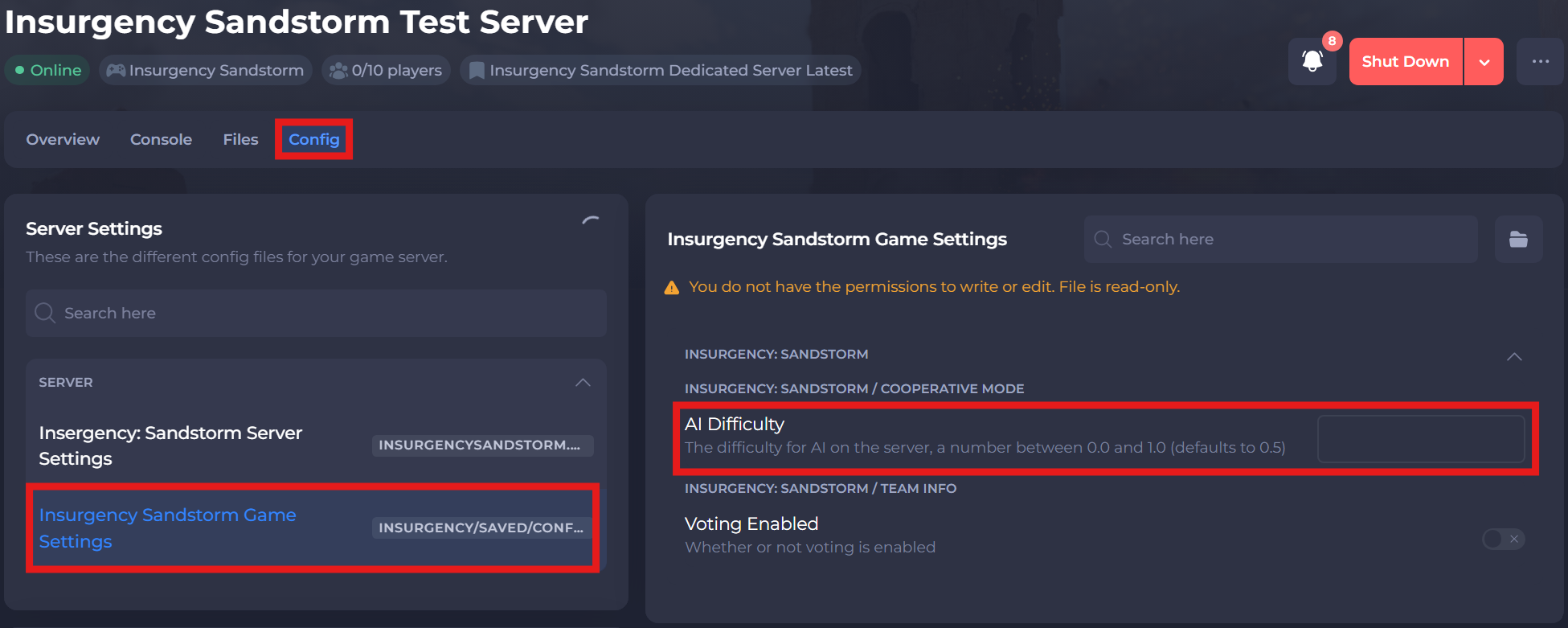
-
Save and restart your server to ensure the new changes apply.
#Changing AI Difficulty Using the Admin Menu
To change AI difficulty, a server admin must modify the AI difficulty value using the in-game admin menu.
Important
Using the in-game Admin Menu to change AI difficulty requires admin permissions. For steps on how to become an admin on your server, please refer to this article.
-
Enable Cheats on your server by following this guide.
-
Connect to your server as an admin.
-
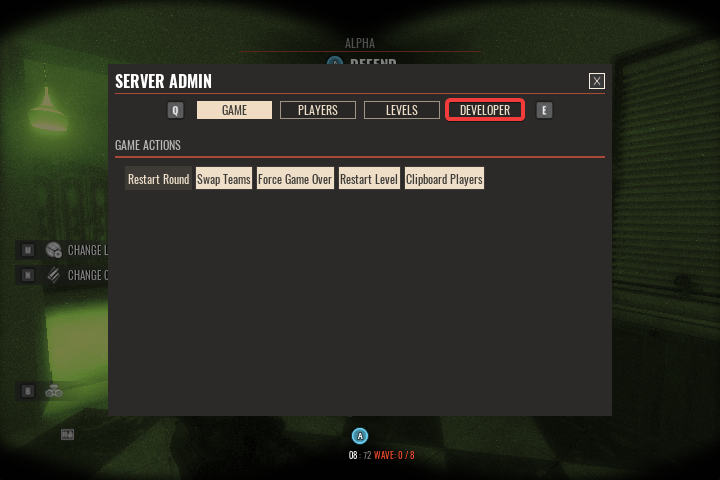
Press the
-(minus) key on your keyboard's number pad to open the Admin Menu (you can change this hotkey in your game settings). -
Click the Developer tab.
-
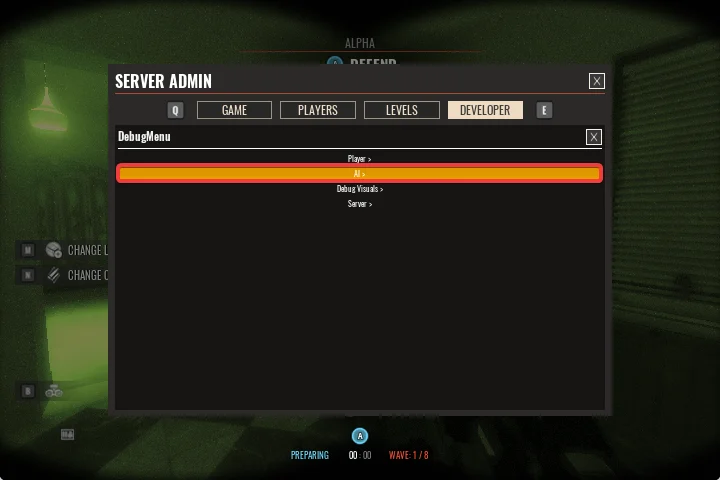
Click the AI button.
-
Move the difficulty slider to your desired value, then click the AI Difficulty button above the slider to confirm (the higher the number the easier the AI).
If you require any further assistance, please contact our support at: https://shockbyte.com/billing/submitticket.php