Still have questions?

Shockbyte
Support Team

How to Join Your Unturned Server
In Unturned, you're a survivor in an apocalyptic zombie world, with little contact with other survivors. As you gather resources and build your base, you'll need to defend yourself from other infected survivors that may come to put an end to your existence. Playing with your friends on your server can be an extraordinary experience fighting off the world together.
Important
In order to join your server, you will need to generate a GSLT key. Please follow our guide on How to Add a GSLT Key for your Unturned Server before proceeding.
#Obtaining Server Information
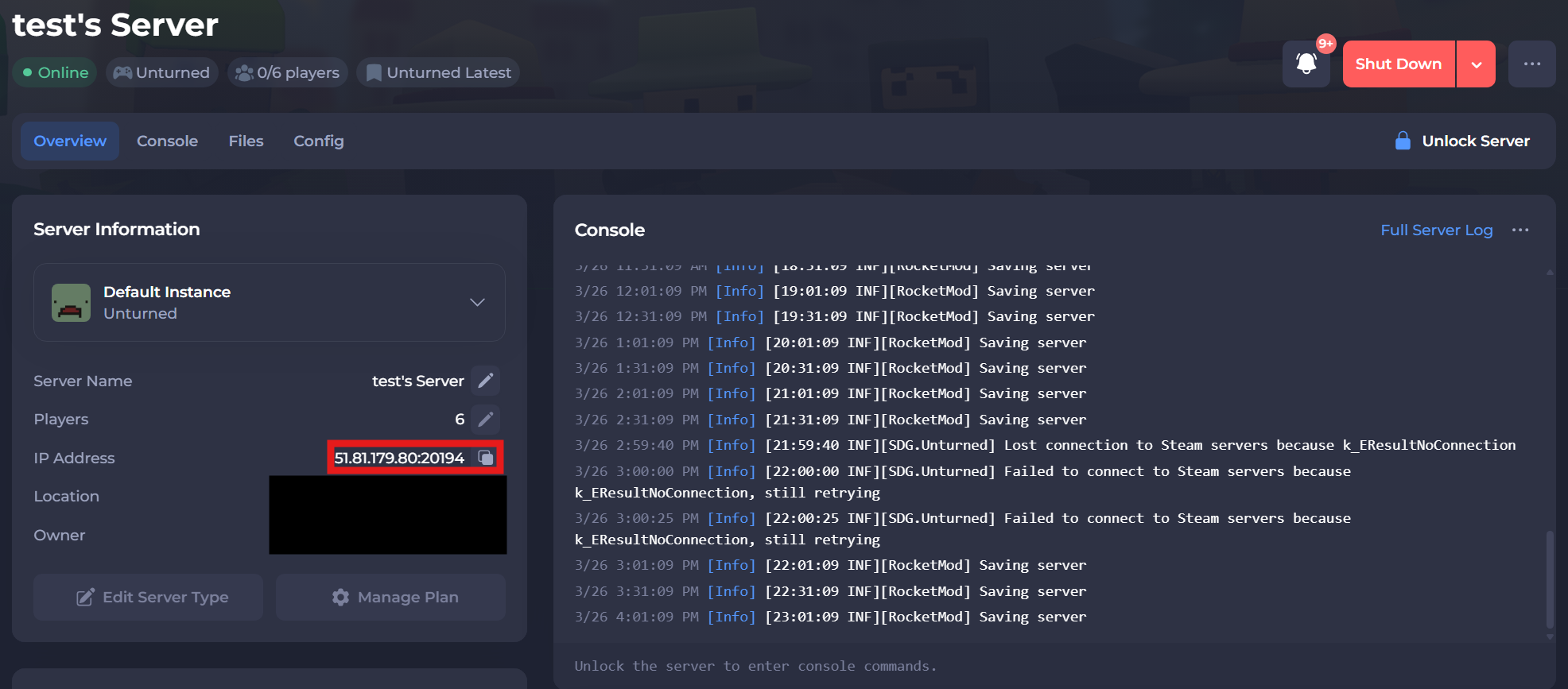
You'll find the required information from your Unturned server's control panel to join your server.
The IP Address can be found on the home page of the control panel.
#Joining via In-Game
-
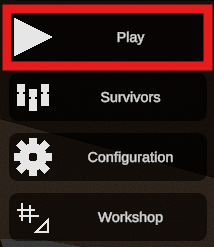
Open Unturned and click Play.
-
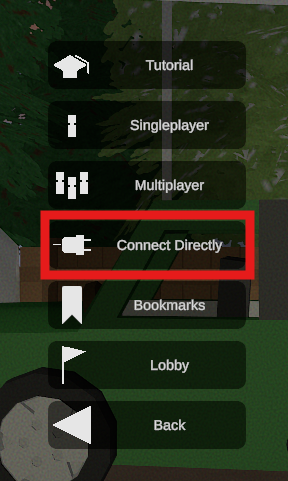
Select the Connect Directly button.
-
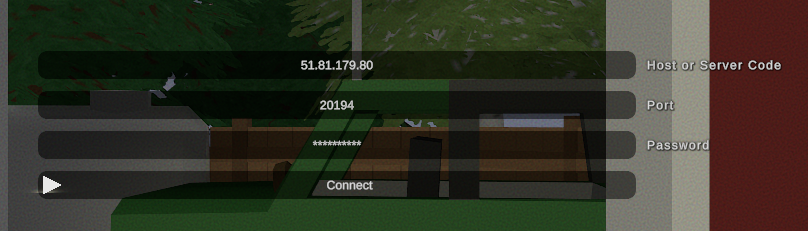
Paste your server's IP and Port into their designated boxes.
#Joining via Steam Favorites
Alternatively, you can join your server via the Steam Favorites list.
-
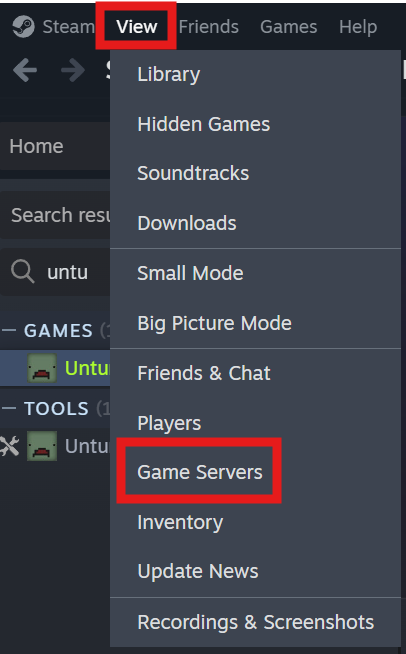
Open Steam, select the View button at the top, and then select Game Servers.
-
Navigate to the Favorites tab and select the
+icon at the bottom.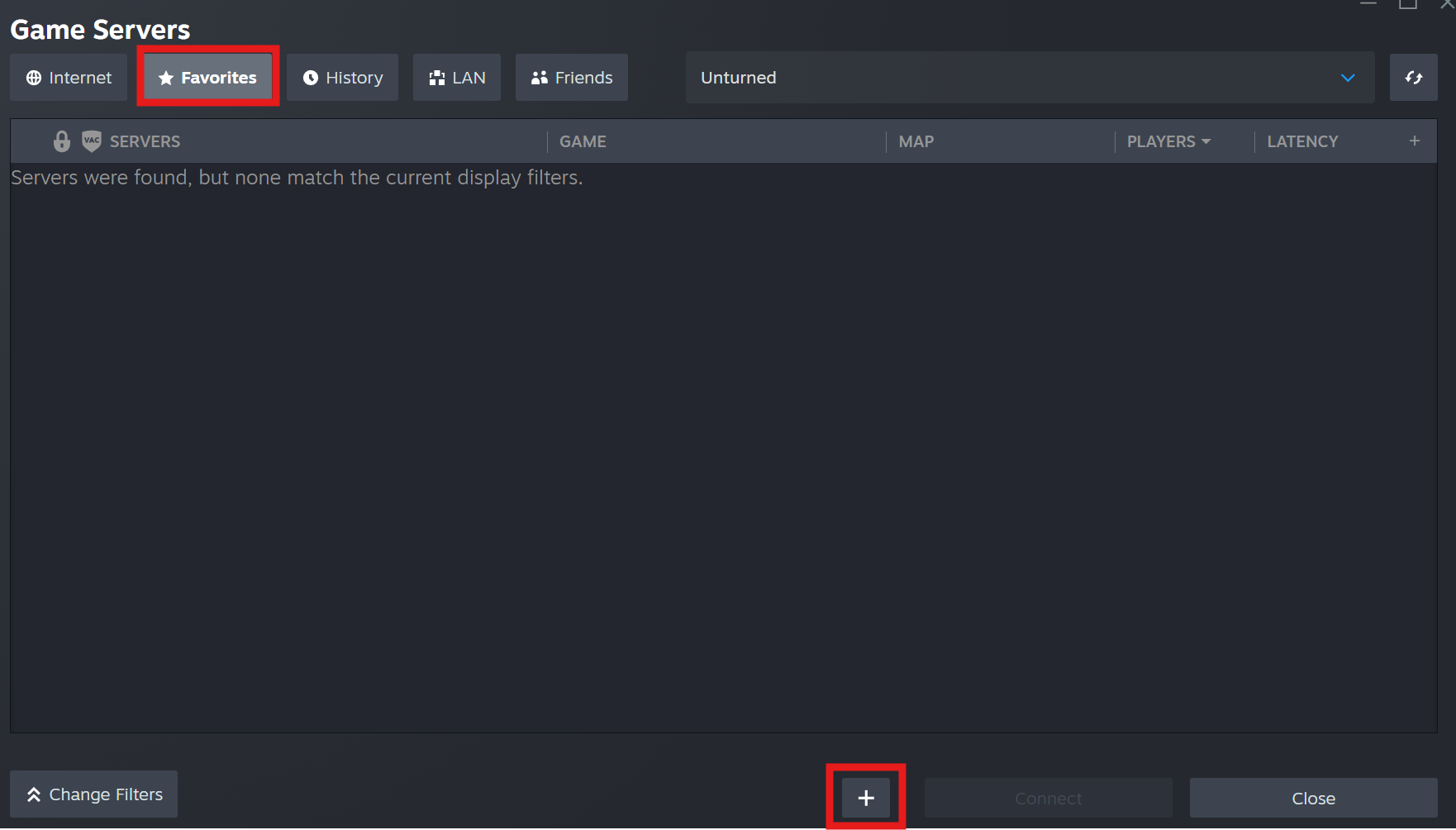
-
Enter your server's IP and Port and then select Ok.
-
Click on your server and then select Connect.
If you require any further assistance, please contact our support at: https://shockbyte.com/billing/submitticket.php