Table Of Contents
Accessing the Admin MenuStill have questions?
Come chat with us and we will get back to you as soon as possible!

Shockbyte
Support Team
How to Use the Admin Menu on your Insurgency Sandstorm Server
This guide explains how to use the admin menu on your Insurgency: Sandstorm server. The in-game admin menu provides server administrators with access to a wide range of management and gameplay tools.
Using the admin menu, admins can perform actions such as ending matches, changing maps, kicking players, spawning AI, upgrading weapons, and much more. The steps below will walk you through accessing and using the admin menu on your server.
Important
Using the in-game Admin Menu requires admin permissions. For steps on how to become an admin on your server, please refer to this article.
#Accessing the Admin Menu
After ensuring you have admin permissions, log into your server and press the - (minus) key on your number pad to open the admin menu.
- Launch Insurgency: Sandstorm.
- Connect to your server as an admin.
- Press the
-(minus) key on your keyboard's number pad to open the Admin Menu (you can change this hotkey in your game settings).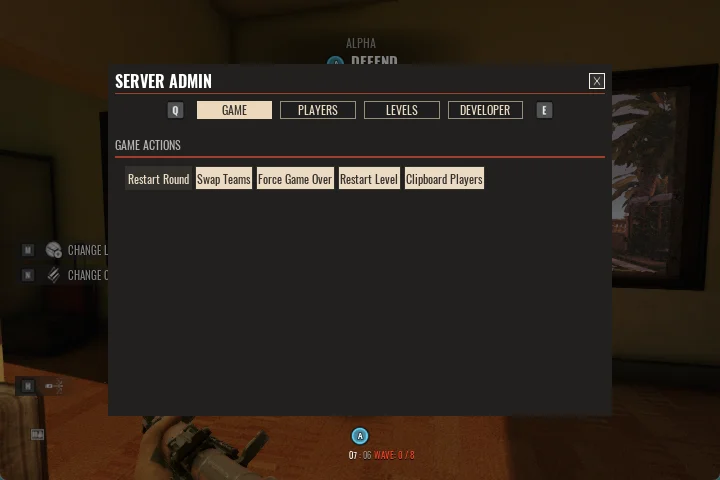
If you require any further assistance, please contact our support at: https://shockbyte.com/billing/submitticket.php