Table Of Contents
Adding a Custom MapStill have questions?
Come chat with us and we will get back to you as soon as possible!

Shockbyte
Support Team

How to Add a Custom Map to Your Rust Server
Rust
·Oct 27, 2024
·2 min read
Custom maps are hand-made by players and are not generated naturally by the game. If you're looking to use a naturally generated map for your Rust server, check out our guide on the topic here.
Hosting a Custom Map
Your custom map must be uploaded to a file-sharing service like Dropbox before it can be added to your server. We have a guide on this topic here.
#Adding a Custom Map
-
Open your Server Control Panel.
-
Stop the server and wait for it to go offline.
-
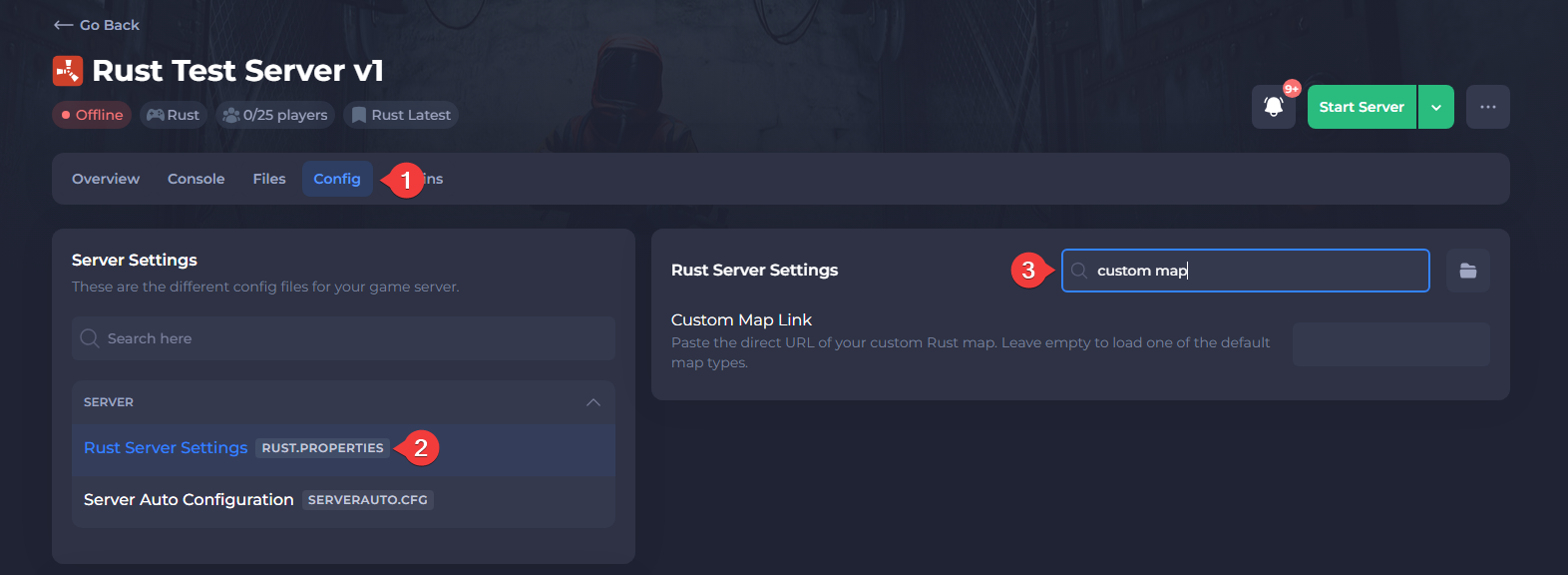
Navigate to the Config tab and locate the Custom Map Link setting.
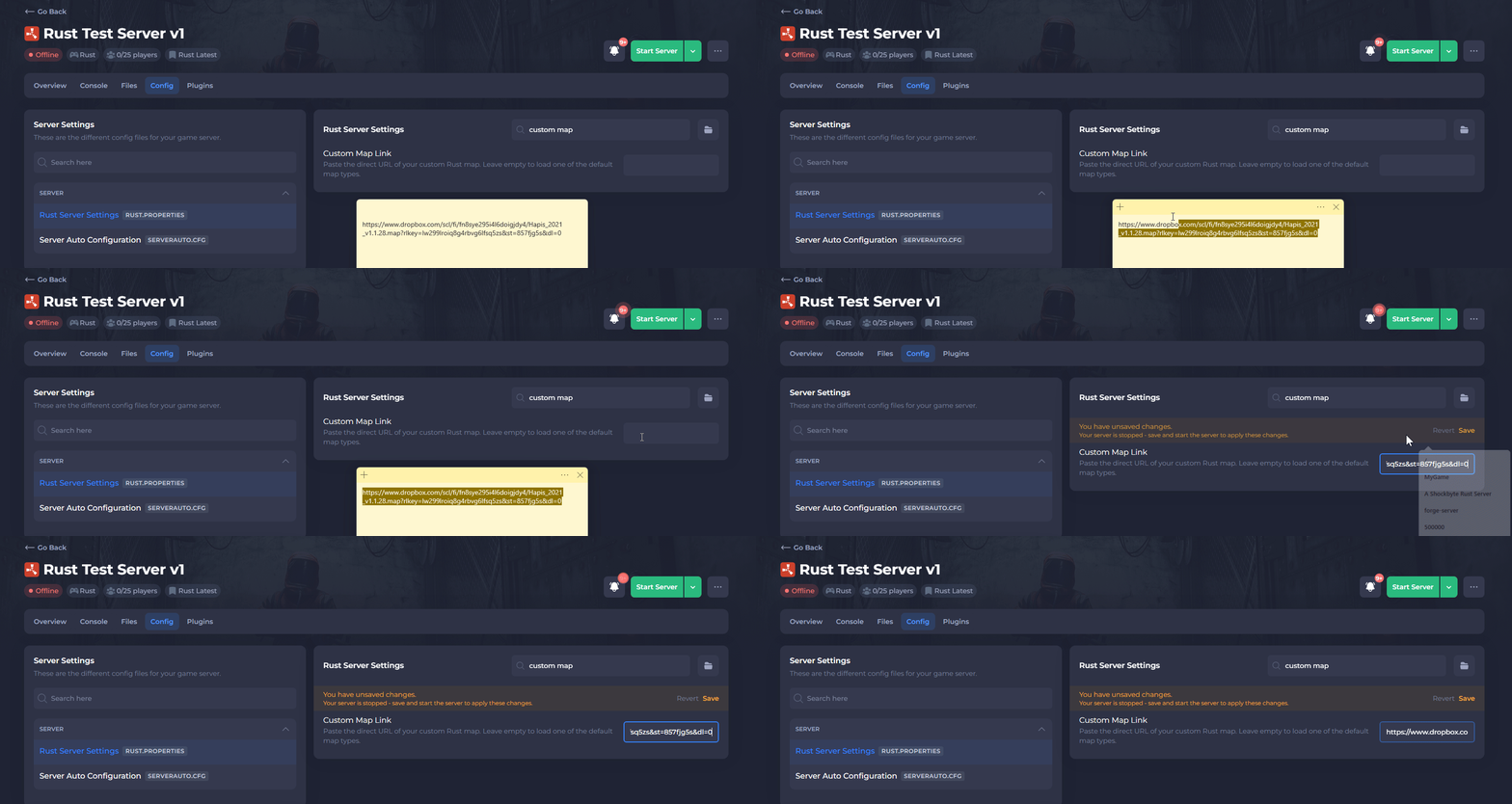
- In the Custom Map Link setting, enter the URL of your Custom Map.
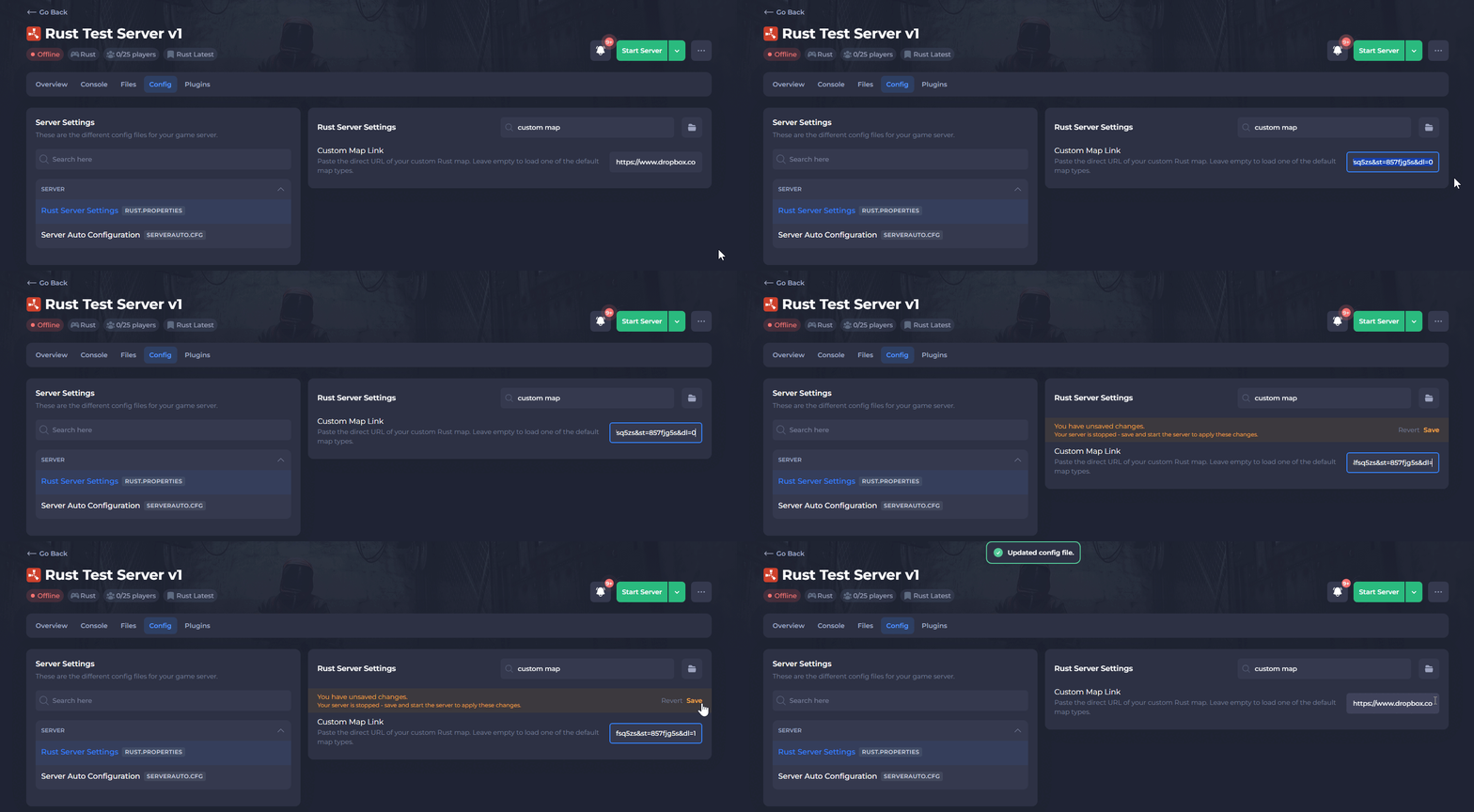
- (Dropbox Only) Change the end of the URL from
dl=0todl=1to enable direct downloads.
-
Save the file, then Wipe the Server Map.
-
Start the server.
That's it! The Rust server should now load the custom map when it starts.