Table Of Contents
Changing your Server's Map SizeStill have questions?
Come chat with us and we will get back to you as soon as possible!
Contact Support
Shockbyte
Support Team
How to Configure the Map Size of your Vintage Story Server
Vintage Story
·Nov 14, 2024
·2 min read
By default, Vintage Story worlds have a surface area of 1,024,000 by 1,024,000 blocks. Some server owners may wish to alter these values to change the size of the worlds that they generate.
Important
After making changes to your map size, you must start a new world.
#Changing your Server's Map Size
You can define a new map width, height and length in your server's Config tab.
-
Access your Control Panel and Stop your server.
-
Navigate to the Config tab, select the Vintage Story Server Settings.
-
Locate the
Map Size X/Y/Zoptions and enter your desired values.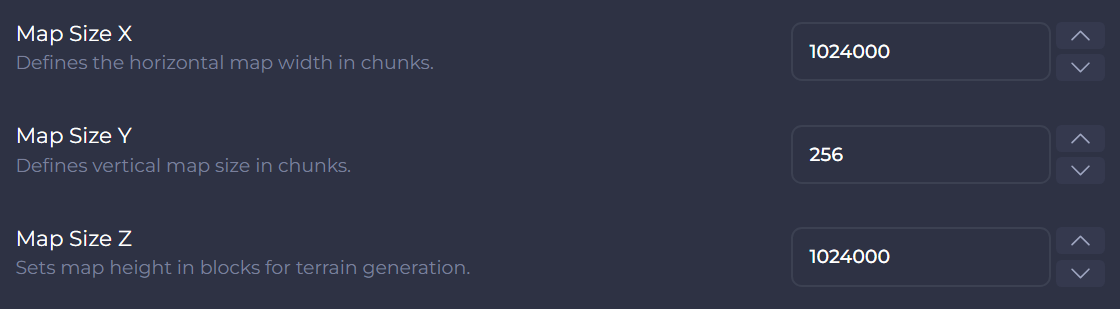
-
Once finished, save your changes and then Start your server.
If you require any further assistance, please contact our support at: https://shockbyte.com/billing/submitticket.php