Still have questions?
Come chat with us and we will get back to you as soon as possible!

Nuno Paiva
Game Integration Specialist @ Shockbyte
How to Configure Your Hytale Server Settings
Configuring your Hytale server allows you to fine tune gameplay, performance, and world behavior. Hytale separates configuration into two main areas: general server settings and per world settings.
This guide explains where to find each type of setting and what they control.
#General Server Settings
The most common and basic server settings can be configured directly from the Config tab in your control panel. These settings apply to your server or universe as a whole.
#Server Information
| Setting | Description |
|---|---|
| Server Name | The name players will see when joining your server. |
| Message Of The Day (MOTD) | A short message shown to players when they connect. |
| Server Password | Optional password to restrict access to your server. Leave empty for public access. |
#Performance and Network
| Setting | Description |
|---|---|
| Max View Radius | Controls how far players can see. Higher values may impact performance. |
| Local Compression Enabled | Reduces network usage and improves connection stability. |
#Gameplay Defaults
| Setting | Description |
|---|---|
| World | Sets the world that new players will spawn into when joining the server for the first time. If the world does not exist, it will be created automatically. Players who have joined before will continue spawning in the world they last visited. |
| Game Mode | Sets how players interact with the world, such as Adventure or Creative. |
To change the default starting world for all players, run the following command in the console:
world setdefault <worldname>
#Per World Configuration
Each world in your universe has its own configuration file, allowing you to control world specific behavior independently.
#Where to Find World Config Files
- Open the Files tab in your control panel.
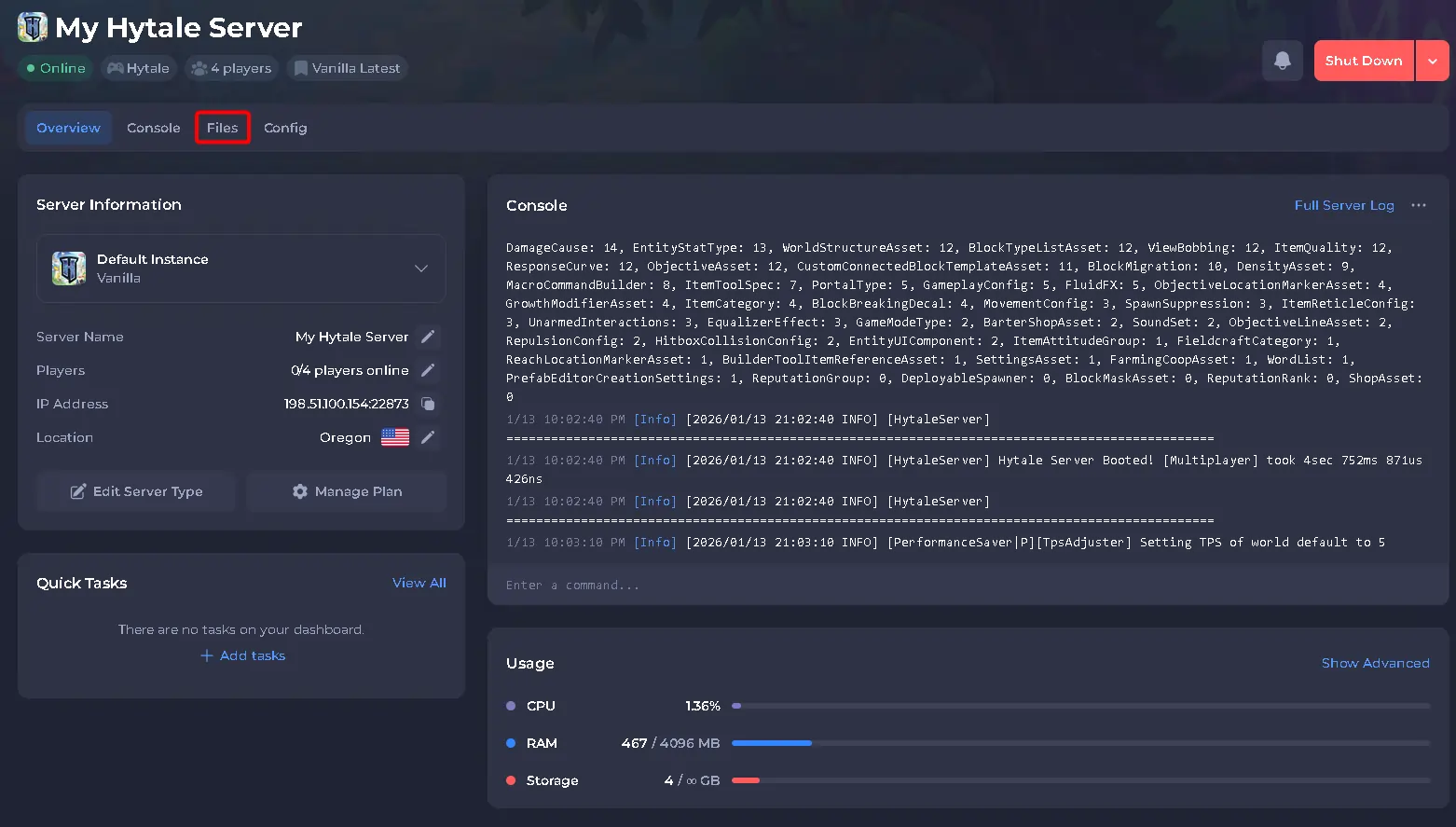
- Navigate to:
universe/worlds/<world_name>/config.json. For this example, the world name isdefault.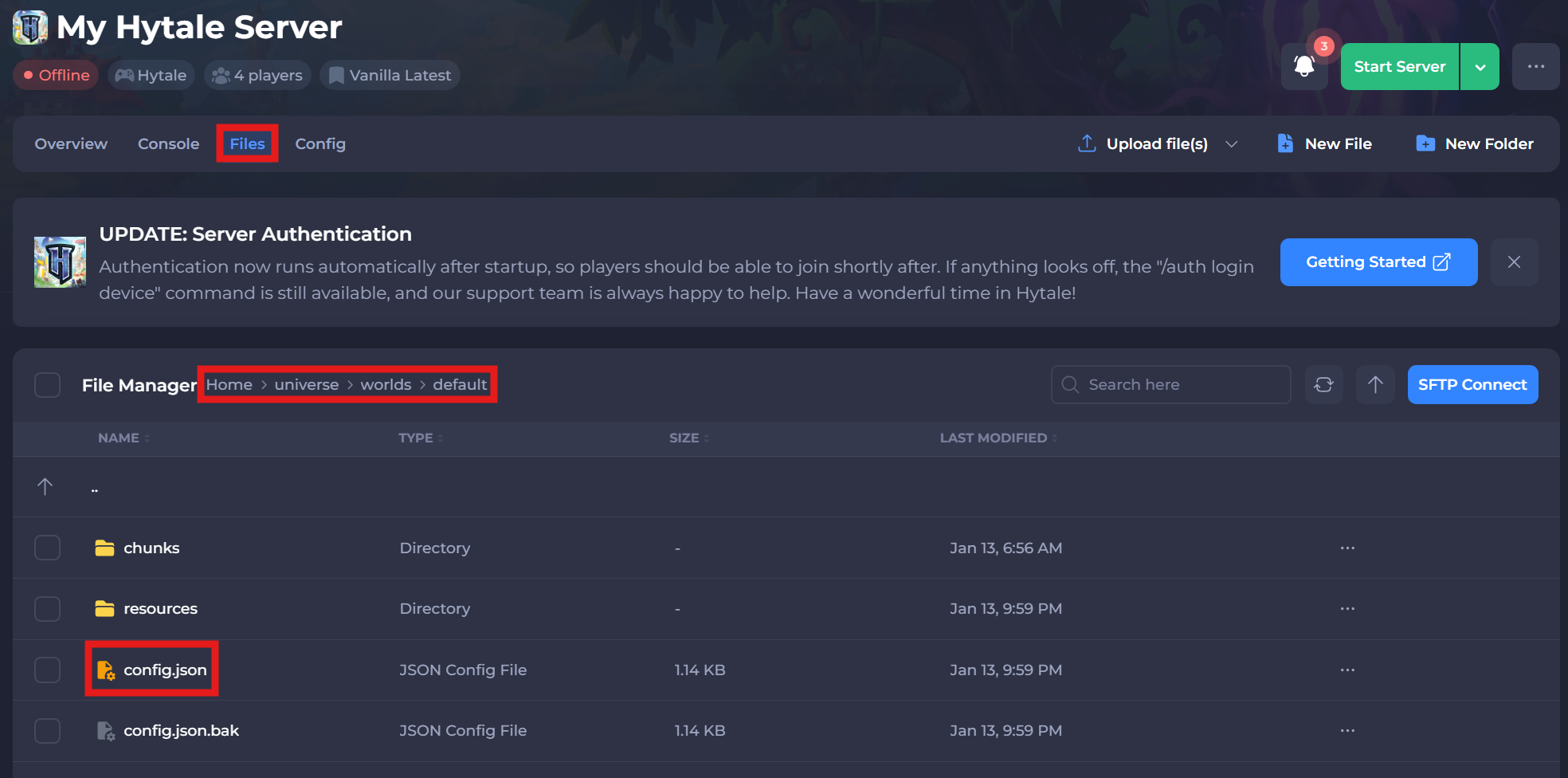
#Common World Settings
Inside each config.json file, you can customize how that specific world behaves. Below are the most commonly adjusted options.
#Gameplay Rules
| Setting | Description |
|---|---|
| IsPvpEnabled | Enables or disables player versus player combat. |
| IsFallDamageEnabled | Controls whether players take fall damage. |
| IsGameTimePaused | Pauses or allows time progression. |
| IsSpawningNPC | Enables or disables NPC spawning. |
#World Behavior
| Setting | Description |
|---|---|
| Seed | Controls world generation. |
| WorldGen | Defines the world generation type. |
| SaveNewChunks | Enables saving of newly generated chunks. |
| IsUnloadingChunks | Controls chunk unloading behavior. |
These settings apply only to the selected world and do not affect other worlds in the universe.
#Console and In-Game Configuration
Most settings can be adjusted using commands.
If you are an admin or operator, run /help in-game to view all available commands.
If you are not yet an admin, follow our guide here: How to Add an Admin to your Hytale Server. Have fun and make it yours!