Still have questions?
Come chat with us and we will get back to you as soon as possible!

Jay Miller
Game Engineer

How To Reset Your Terraria Server World
At one point, you or your players may decide that it is time to start a new Terraria world. This will reset all of your current world progress. You can either change the name of your active world or simply delete the current world's save file.
#Deleting the World File
If you don't want to keep a copy of your old world, the easiest way to start a new world is by deleting the old one.
-
Log in to your Control Panel and Stop your server.
-
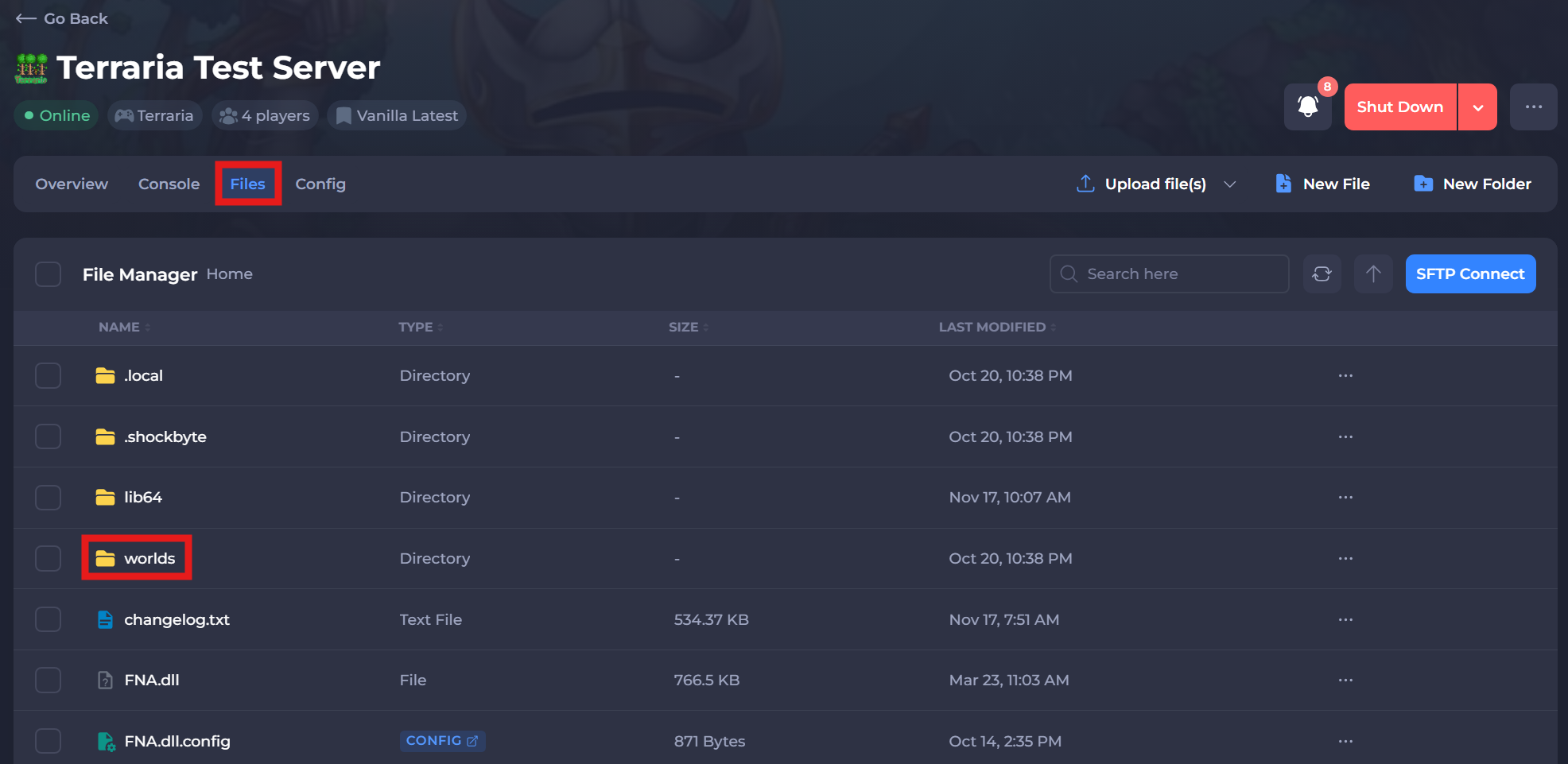
Navigate to the Files tab and Locate the
/worlds/directory.
-
Open the
/worlds/directory and Delete the(WORLD NAME).wldfile. -
Start your server.
#Changing the World Name
If you wish to keep your existing world so you can return to it at a later date, you can change the name of your active world to generate a new one.
-
Log in to your Control Panel and Stop your server.
-
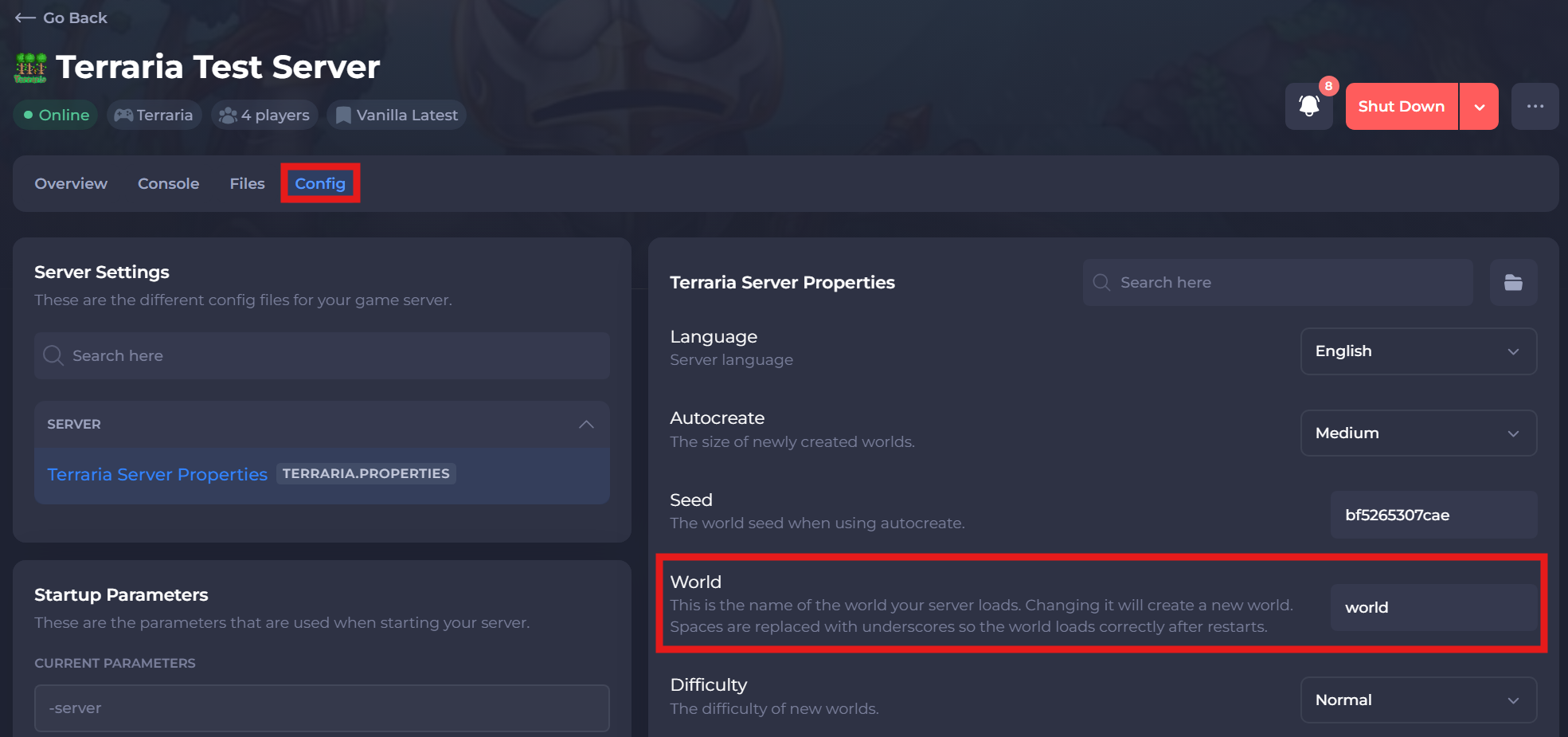
Navigate to the Config tab.
-
Open the Terraria Server Properties and locate the World setting.
-
Change World to a different world name.
- Save and Start your server.
You’ve successfully reset your Terraria server world and are ready for a fresh start.