Still have questions?
Come chat with us and we will get back to you as soon as possible!

Shockbyte
Support Team

How to Set the Spawn Point of Your Project Zomboid Server
Project Zomboid has two different kinds of spawn point options, fixed and custom choices.
A fixed spawn point will force all players to spawn there when they first log in to the server or respawn without giving them a choice of where to spawn. Custom spawn choices are the same as single-player spawn options. Players are given the option to spawn at any number of regions, usually key locations on the map or cities.
#Retrieving Desired Coordinates
Before you can configure new spawn locations for your server, you will need to know the cel, rel, and master coordinates of the locations you'd like to set your spawn points.
- Navigate to the Project Zomboid World Map website.
- Select your active world map, then click the Map Coordinates tab.
- Click Lock Coords, then click on your desired location on the map.
Congratulations, you should now be able to copy down the cel, rel, and master coordinates for your desired location.
#Configuring a Fixed Spawn Point
If you would like your server to have only one predefined spawn point, you can set a fixed spawn point using your server's control panel.
Note
Project Zomboid requires three coordinates in the configuration file, but you only need to use the first two. The third number is for the height you want to spawn if you’re in a building. For example, setting it to 0 is the ground floor, and 1 is the second floor.
-
Access your Control Panel and Stop your server.
-
Navigate to the Files tab, locate the
/Zomboid/Serverdirectory, and open theworld.inifile.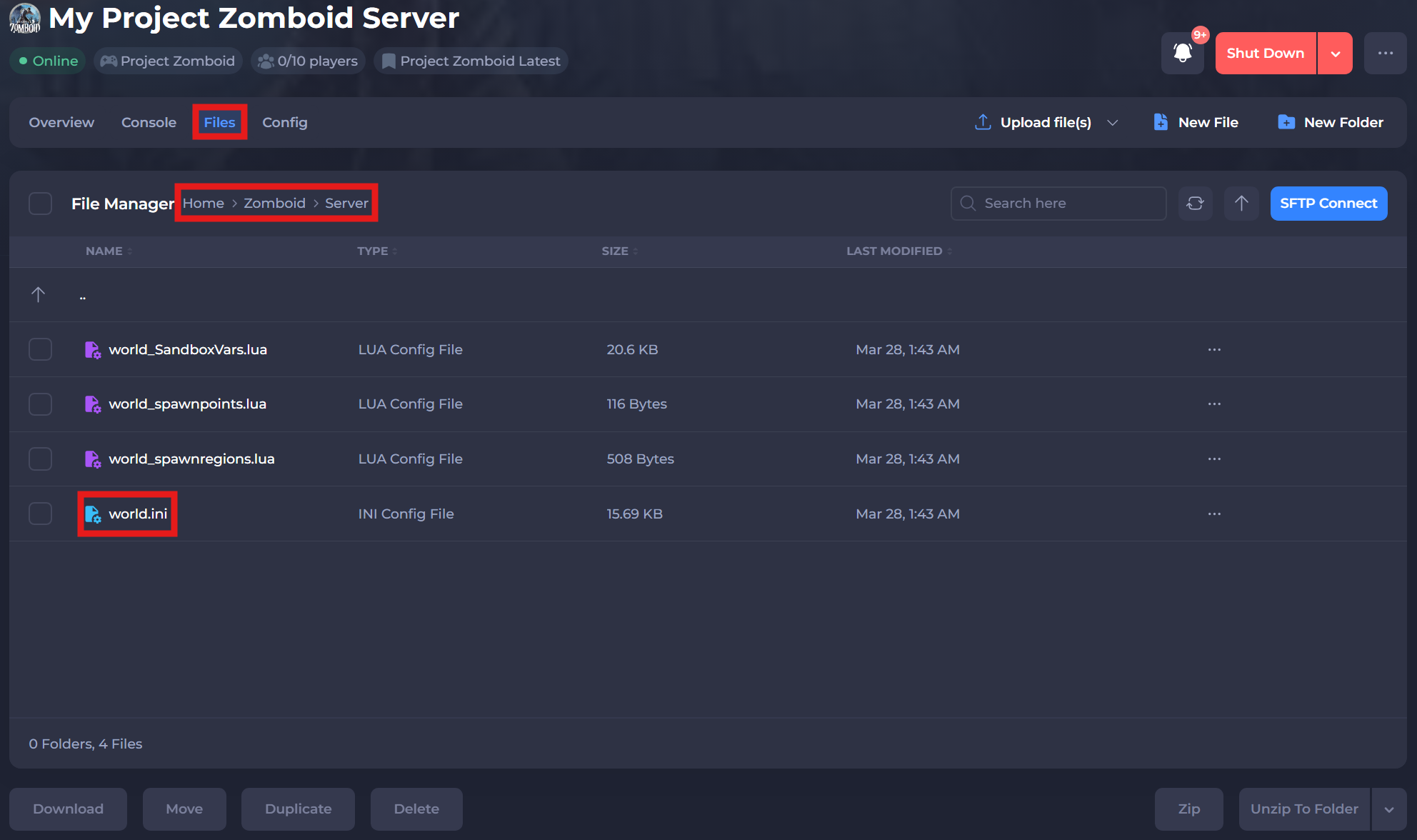
-
Locate the
SpawnPoint=entry, and enter the coordinates you wish to use as your spawn point.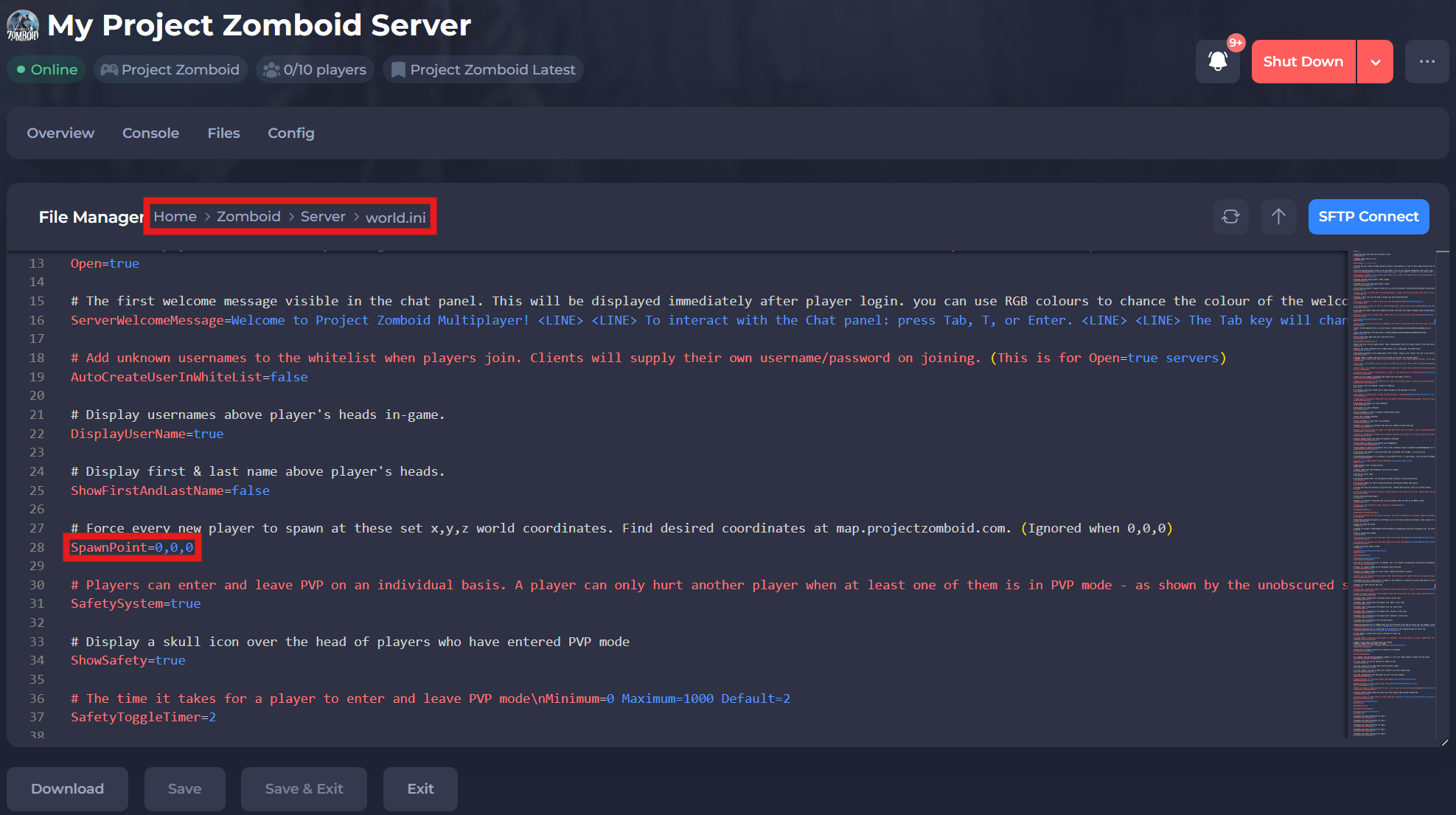
-
Save and restart your server to ensure the new changes apply.
If you require any further assistance, please contact our support at: https://shockbyte.com/billing/submitticket.php