Still have questions?
Come chat with us and we will get back to you as soon as possible!

Nuno Paiva
Game Integration Specialist @ Shockbyte

How to Enable PvP on your Palworld Dedicated Server
Player vs. Player (PvP) combat is a key feature on many Palworld community servers, allowing players and their pals to battle each other.
#Enabling PvP (New Worlds)
You can enable PvP by configuring options found in your Config tab.
- Access your control panel and Stop your server.
- Navigate to the Config tab in your server panel.
- Find PvP, set this to
True. - Find Player to Player Damage, set this to
True. - Save the changes, and Start your server.
#Enabling PvP (Existing Worlds)
For servers that already have a world running, changes made in the config file may not apply automatically. Instead, you’ll need to update the world options directly:
-
Stop your server.
-
Go to the Files tab, then navigate to:
Pal/Saved/Config/LinuxServer/ -
Open the
PalWorldSettings.inifile and copy all of its contents. -
Visit https://palworldoptions.com/.
-
Paste the contents into the editor.
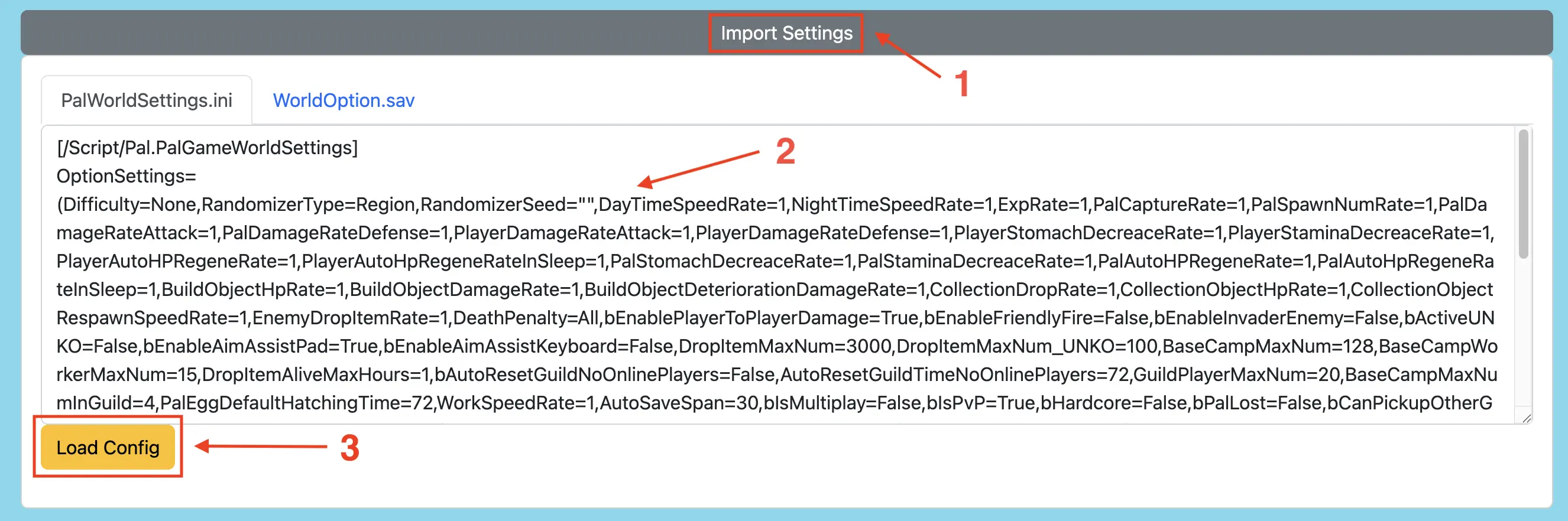
-
Ensure both
bIsPvPandbEnablePlayerToPlayerDamageare set toTrue. -
Click Generate WorldOption.sav.
-
Upload the new
WorldOption.savfile to:
Pal/Saved/SaveGames/0/<YourSaveString>/(next to your active save).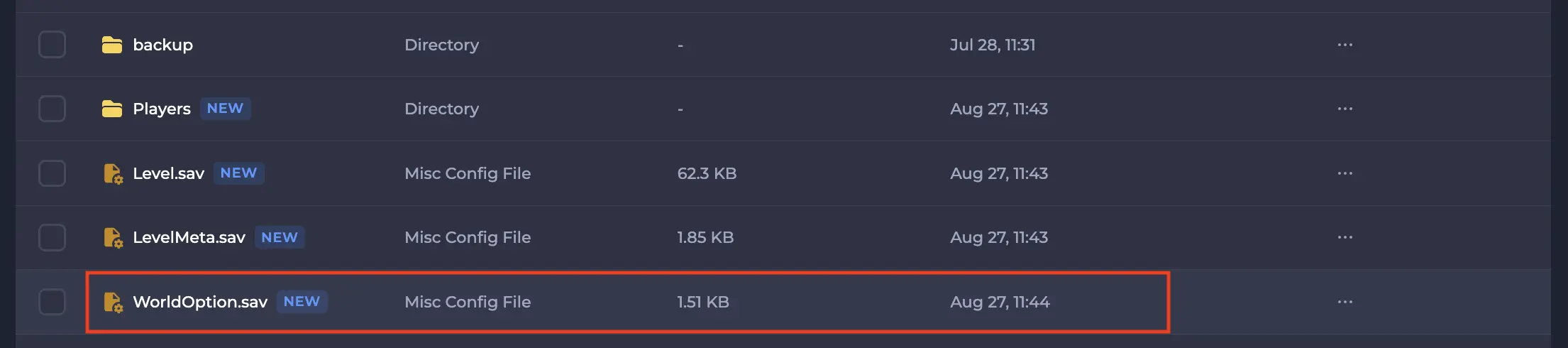
-
Start your server.