

Yes. Palworld is cross platform and supports crossplay between Steam PC, Windows/Microsoft Store, Xbox, PS5, and Mac on compatible multiplayer worlds and servers. Crossplay arrived in version 0.5.0 in March 2025. Players must use matching game versions, while console users need a community server for dedicated-server play.
Getting a Palworld group together used to be more complicated than catching a low-health Pal with your final Pal Sphere. Steam players, Xbox users, and PlayStation fans could all own the same game without necessarily being able to share a world.
Thankfully, that is old news.
Palworld crossplay now brings the game’s major supported platforms together. Your group can build a base, tackle Tower Bosses, breed an alarming number of Pals, and argue about storage organisation without everyone buying the game on the same system.
There are still a few details worth knowing, especially when choosing between a normal multiplayer world and a dedicated server.

#Is Palworld Crossplay?
Yes, Palworld supports crossplay between its major PC and console versions. Steam, the Microsoft Store version, PC Game Pass, Xbox, PlayStation 5, and Mac players can join compatible multiplayer sessions together.
Crossplay was added in Palworld version 0.5.0 on March 19, 2025. The feature continues to be supported in the full version 1.0 release.
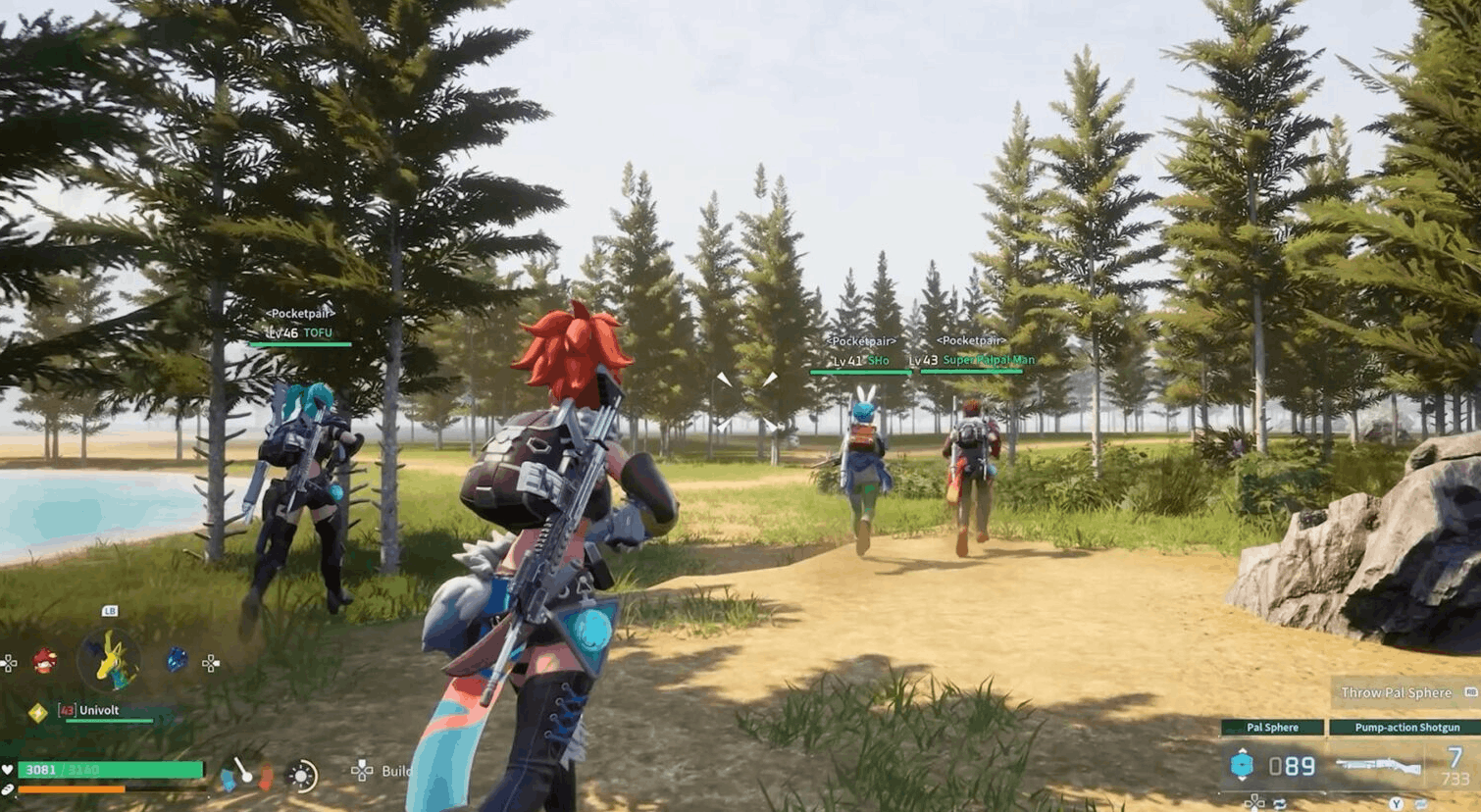
That means a Steam player can team up with someone on Xbox, while another friend joins from PS5 or Mac. Everyone can explore the same map, work on the same base, capture Pals, and fight bosses in one shared world.
It helps to separate two terms that often get mixed together:
- Crossplay lets people on different platforms play together.
- Cross-progression lets one person carry the same character and save data between platforms.
Palworld supports crossplay, but it does not currently offer full cross-progression across every platform.

#Which Platforms Support Palworld Crossplay?
The Palworld cross platform system covers the main versions of the game currently listed in Pocketpair’s server documentation.
| Platform | Crossplay supported? | What to know |
|---|---|---|
| Steam on Windows | Yes | Can join other supported platforms |
| Microsoft Store and PC Game Pass | Yes | Uses the current Microsoft PC version |
| Xbox Series X/S | Yes | Can join crossplay worlds and community servers |
| PlayStation 5 | Yes | Can play with PC, Xbox, and Mac users |
| macOS | Yes | Included in supported crossplay server platforms |
| PlayStation 4 | No | Palworld is not available on PS4 |
| Nintendo Switch | No | Palworld is not currently available on Switch |
| Mobile | No | The main PC and console game does not share a mobile crossplay pool |
In practical terms, the following combinations work:
- Steam and Xbox
- Steam and PlayStation 5
- Xbox and PlayStation 5
- Mac and Windows PC
- Mac and supported consoles
- Microsoft Store or PC Game Pass and Steam
Everyone must be running a compatible version of the game. Immediately after a new patch, one platform can occasionally receive the update later than another, temporarily preventing players from joining the same server.
#How to Enable Crossplay in Palworld
The setup depends on whether one player is hosting a normal multiplayer world or the group is using a dedicated server.
#Enabling Crossplay in a Friend-Hosted World
Only the player hosting the world needs to change the crossplay setting.
- Launch Palworld and open the world selection screen.
- Select the world your group wants to use.
- Choose Change World Settings.
- Find the Cross-Play option.
- Turn crossplay on and save the settings.
- Start the world and share the multiplayer invite code with your friends.
Players joining the session do not need to change the same setting. They simply enter the host’s current invite code and connect.
Invite codes may change when the host restarts the session, so send a fresh code when someone receives an invalid-code error.
#Enabling Crossplay on a Dedicated Server
Pocketpair’s version 1.0.0 server documentation states that dedicated and community servers are crossplay-enabled by default for supported platforms.
The important difference is how players find and join them:
- PC players can use the available server connection options.
- Xbox and PS5 players need the server to be deployed as a community server.
- A community server is still a dedicated server, but it is registered in Palworld’s in-game server list.
- The server and every player must be running compatible game versions.
For a mixed PC-and-console group, make sure the server appears in the community server browser. A private dedicated server that is not correctly registered may work for PC players while remaining invisible to console users.

#How to Join Friends on Another Platform
Once crossplay is enabled, joining another player is fairly straightforward.
For a normal multiplayer world:
- Ask the host to launch the world.
- Get the latest multiplayer invite code.
- Select Join Multiplayer Game from the menu.
- Enter the code exactly as shown.
- Create or load your character and join the session.
For a community server, search for the exact server name in the in-game browser. Using a distinctive name makes the server much easier to find than scrolling through a massive public list.
Before everyone starts building, confirm that the group joined the same world and server. Two servers can have similar names, and nobody wants to spend an hour collecting wood before realising they are on the wrong island.

#Does Palworld Have Cross-Progression?
No, Palworld does not currently provide full cross-progression between all platforms.
Your character, inventory, map progress, technology unlocks, and personal save data do not automatically move from Steam to Xbox, PS5, or another storefront. Buying a second copy on a different platform does not guarantee that your existing character will be waiting there.
For example, someone who begins playing through Steam and later joins the same server from Xbox may be treated as a separate player with a new character.
Palworld’s Global Palbox can help players move Pals between supported worlds, but that is not the same as complete cross-save support. It does not turn a Steam save into a PS5 save or transfer every part of a character’s progression.
The easiest way to remember the difference is:
- Your group can share a world across platforms.
- Your personal character does not automatically follow you between platforms.
Pick your main platform before investing dozens of hours into a character, especially when your group is planning a long-running server.
#Is a Dedicated Server Better for Palworld Crossplay?
You do not need a dedicated server to use crossplay. A player-hosted multiplayer world works well for a small group that usually logs in at the same time.
The downside is that the world only remains available while its host is running Palworld. When that player signs off, everyone else is locked out until they return.
A dedicated server gives the group a persistent world that stays available independently of one player’s PC or console. That is especially useful when everyone has different work, study, or sleep schedules.
The main benefits include:
- Around-the-clock access: Players can join without waiting for the original host.
- One shared world: PC, Xbox, PS5, and Mac users can work on the same long-term save.
- More consistent hosting: The server is not competing with the host’s game client for system resources.
- Easier backups: Managed hosting can protect the world if a save becomes damaged.
- Simpler group management: Server names, passwords, settings, and restarts can be controlled in one place.
For a group spread across several systems, affordable Palworld server hosting with Shockbyte gives everyone a persistent home without asking a friend to leave their gaming setup running overnight.
Just make sure the server is configured as a community server when Xbox or PS5 players need to connect through the in-game browser.
#How to Fix Common Palworld Crossplay Problems
Does Palworld have crossplay but still refuse to let your group connect? Work through these checks before rebuilding the entire server or blaming whichever friend suggested playing on console.
#1. Update Every Copy of Palworld
The server and all players need compatible game versions. One person running an older patch can receive an incompatible-version error or fail to find the session.
Check for updates on:
- Steam
- Microsoft Store or PC Game Pass
- Xbox
- PlayStation 5
- Mac
- The dedicated server itself
#2. Check the Host’s Crossplay Setting
For a player-hosted world, return to Change World Settings and confirm that Cross-Play is enabled. Only the host can change this option.
#3. Confirm the Server Is Listed as a Community Server
According to Pocketpair’s server guide, Xbox and PS5 users need a community server when joining dedicated-server multiplayer.
When PC players can connect but console players cannot even see the server, its listing or community-server configuration should be one of the first things you check.
#4. Generate a New Invite Code
Invite codes can expire or change after the host closes and relaunches the world. Restart the session, copy the latest code, and send it again without extra spaces.
#5. Search Using the Exact Server Name
Public server browsers can become crowded. Search for the full server name rather than browsing manually, and choose a unique name that will not be confused with dozens of other worlds.
#6. Test Without Mods
Mods can create compatibility issues, particularly when players are joining from platforms that cannot install the same client-side files. Temporarily launch the server without mods to see whether everyone can connect to a clean version.
#7. Restart the Game and Server
It sounds basic because it is, but restarting clears plenty of temporary session and registration problems. Fully close the game on every platform, restart the server, and try again with a new invite code or server search.

#Palworld Crossplay FAQ
#Can Steam and Xbox Players Play Palworld Together?
Yes. Steam and supported Xbox players can join the same crossplay-enabled multiplayer world or compatible community server. Both players should install the latest game update before connecting.
#Can PS5 and Xbox Players Play Together?
Yes. PlayStation 5 and Xbox players can share a Palworld world through crossplay. For dedicated-server play, the server should be available through the community server list.
#Can Mac and Windows Players Play Together?
Yes. Pocketpair’s current server documentation includes macOS, Steam, and the Windows Microsoft Store version in its supported crossplay platforms.
#Is Palworld Crossplay Enabled Automatically?
Dedicated and community servers are crossplay-enabled by default according to Pocketpair’s version 1.0.0 server guide. For a player-hosted world, the host can enable or disable crossplay through the world settings menu.
#Do You Need Game Pass for Palworld Crossplay?
PC players who own Palworld through Steam do not need Game Pass. Xbox console players may need the appropriate online multiplayer access for their account and platform.
#Can Nintendo Switch Players Join Palworld Servers?
No. Palworld is not currently available on Nintendo Switch, so Switch users cannot join the main game’s crossplay servers.
#Does Crossplay Transfer My Palworld Character?
No. Crossplay lets different platforms join the same world, but it does not provide full cross-progression. Moving from one platform to another may require creating a separate character.
#Do You Need a Dedicated Server for Crossplay?
No. Crossplay also works in player-hosted multiplayer worlds. Dedicated hosting is more useful when the group wants the world to remain online while the original host is away.
#So, Is Palworld Cross Platform?
Yes, Palworld is cross platform across Steam, Microsoft Store and PC Game Pass, Xbox, PlayStation 5, and Mac. Friends using those supported versions can explore the same world and play together through crossplay.
A normal multiplayer session is ideal for a quick evening with friends. For a world your group plans to keep for weeks or months, a crossplay-compatible community server provides more freedom, persistent access, and fewer arguments about whose turn it is to host.
Just remember the one major limitation: Palworld supports crossplay, but not complete cross-progression. Your friends can follow you across the Palpagos Islands, but your character save will not automatically follow you to another platform.
We think you will also enjoy the following blogs:

Table Of Contents
Is Palworld Crossplay?Which Platforms Support Palworld Crossplay?How to Enable Crossplay in PalworldHow to Join Friends on Another PlatformDoes Palworld Have Cross-Progression?Is a Dedicated Server Better for Palworld Crossplay?How to Fix Common Palworld Crossplay ProblemsPalworld Crossplay FAQSo, Is Palworld Cross Platform?Join Our Newsletter
Get updated on the latest news!
Join Our Discord
Be part of our community!