Knowledgebase

Server Errors & Troubleshooting

Free Minecraft servers engage students during COVID-19

Server Errors & Troubleshooting

15 Articles
Discover quick solutions to common server errors and troubleshooting tips for your Minecraft server hosted on Shockbyte. Whether you’re facing connection issues or performance hiccups, our easy-to-follow guides will help you get back to gaming in no time!
How to Fix Corrupted Minecraft Worlds

How to Fix Corrupted Minecraft Worlds

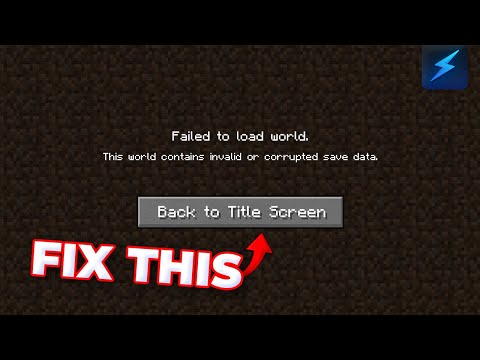
World corruption can cause a server to crash, not start at all or prevent a world from loading. If you already have a world backup, we recommend restoring your existing backup instead of proceeding with this tutorial. Otherwise, if you would prefer to fix your existing world, then you can use a chunk manipulation tool like the MCE Editor to delete corrupted chunks from your world. ::ProseNote{title="Important" description="As this process involves modifying your world files, make sure to create a backup of your server before proceeding with the steps in this guide." appearance="error"} :: --- Using the Minecraft Region Fixer Tool The Minecraft Region Fixer tool will automatically delete any corrupted chunks it detects and regenerate them using the same seed data. 1. Generate a backup for your world by following this guide. 2. Download your world to your computer is you haven't already. 3. Download and install Python 3 from this page. 4. Download the latest Minecraft Region Fixer release ZIP file. 5. Unzip the downloaded Region Fixer zip file. 6. Press + on your keyboard to open the Windows Run menu. 7. Enter to open Windows PowerShell. 8. Copy the path of the unzipped tool folder, then enter into the PowerShell window. 9. Copy the path for the affected world folder, then enter the command into PowerShell. 10. You can now re-upload the modified world to your server. Remember to delete the old, corrupted world. --- Additional Options If completing these steps does not fully resolve your issue, we recommend trying a few more things. Use a tool like MCA Selector to select and delete corrupted chunks in your world file. Delete the file in your world folder, then restart your server to test if the issue is resolved. Delete the folder in your world folder, then restart your server to test if the issue is resolved. Delete the folder in your world folder, then restart your server to test if the issue is resolved. If none of these options resolve your world corruption issue, your best option, unfortunately, may be to simply generate a new world.

Kobe Plane
September 11, 2024
Tham gia Discord