Still have questions?
Come chat with us and we will get back to you as soon as possible!

Shockbyte
Support Team
How to Kick/Ban Players from your Insurgency Sandstorm Server
This guide explains how to kick or ban players on your Insurgency: Sandstorm server. Server administrators have access to moderation tools that allow them to remove disruptive or unwanted players to help maintain a fair and enjoyable experience.
These actions can be performed through the in-game admin panel, giving admins quick access to player management features while connected to the server. The steps below will walk you through kicking and banning players successfully.
Important
In order to use the kick, ban or unban command you will need to be connected as an Administrator.
#Kicking Players
Once connected to the server, an admin can kick a player from the server using the administrator panel.
-
Connect to your server as an Admin.
-
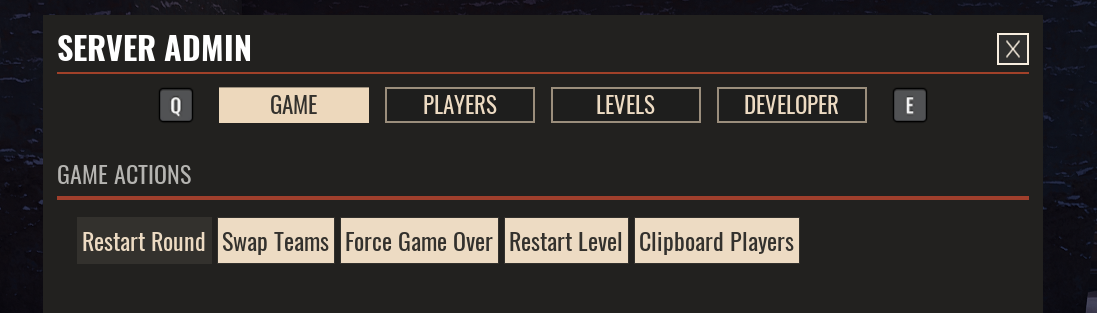
Open the in-game admin panel with the Num Pad - (Minus) key.
-
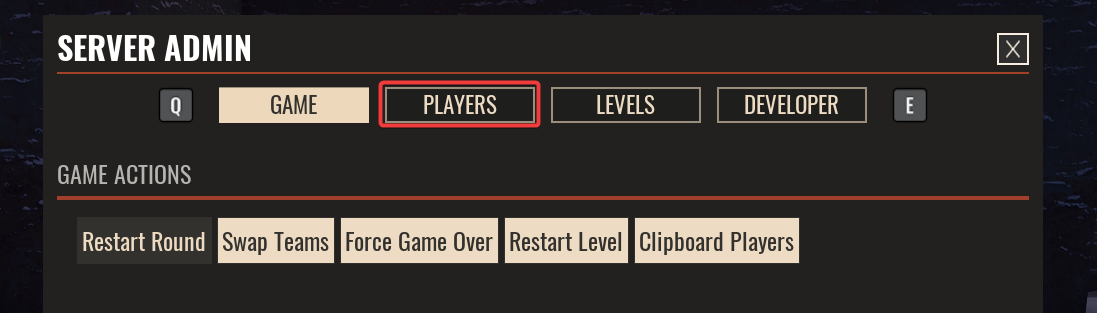
Click Players.
-
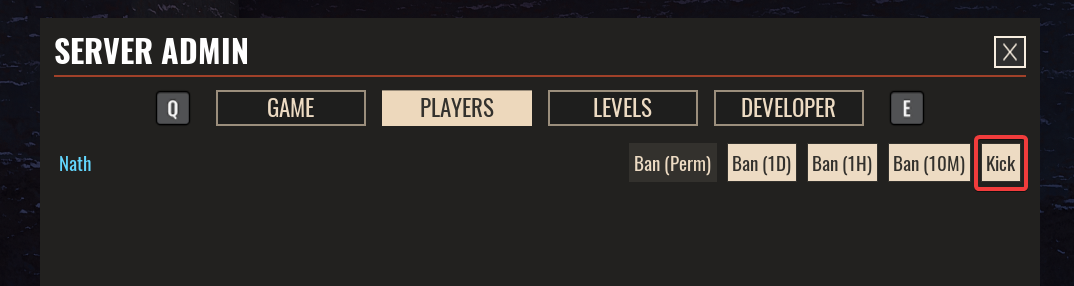
Locate the player and click Kick.
#Banning Players
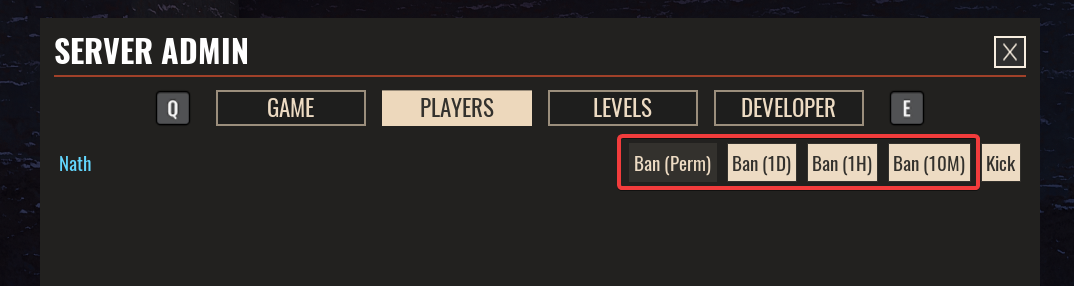
Once connected to the server, an admin can ban a player either temporarily or permanently from the server using the administrator panel.
-
Connect to your server as an Admin.
-
Open the in-game admin panel with the Num Pad - (Minus Key).
-
Click Players.
-
Locate the player and click one of the Ban buttons depending on the length of ban you wish to apply.
If you require any further assistance, please contact our support at: https://shockbyte.com/billing/submitticket.php