Still have questions?
Come chat with us and we will get back to you as soon as possible!

Shockbyte
Support Team

How To Upload a World To Your Conan Exiles Server
This guide explains how to upload a world to your Conan Exiles server. Uploading an existing world allows you to continue your progress and play your saved world with friends on a dedicated server.
To transfer your world, you will need the game.db file, which contains your world data including player progress, buildings, and other saved information. The steps below will walk you through uploading and applying this file to your server.
Note
Before uploading your world to your server, you may be required to complete the following prerequisite steps.
- Install Steam Workshop Mods you may have used on your existing world, onto your server.
- Change Your Server Map setting to the same map as the one you are uploading.
#Retrieving Single Player World
-
Open your Steam Library.
-
Right-click Conan Exiles. Navigate to
Manage > Browse Local Files.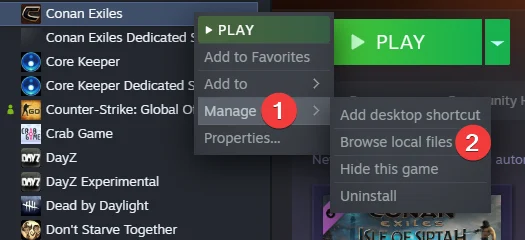
-
In File Explorer, navigate to
/ConanSandbox/Saved.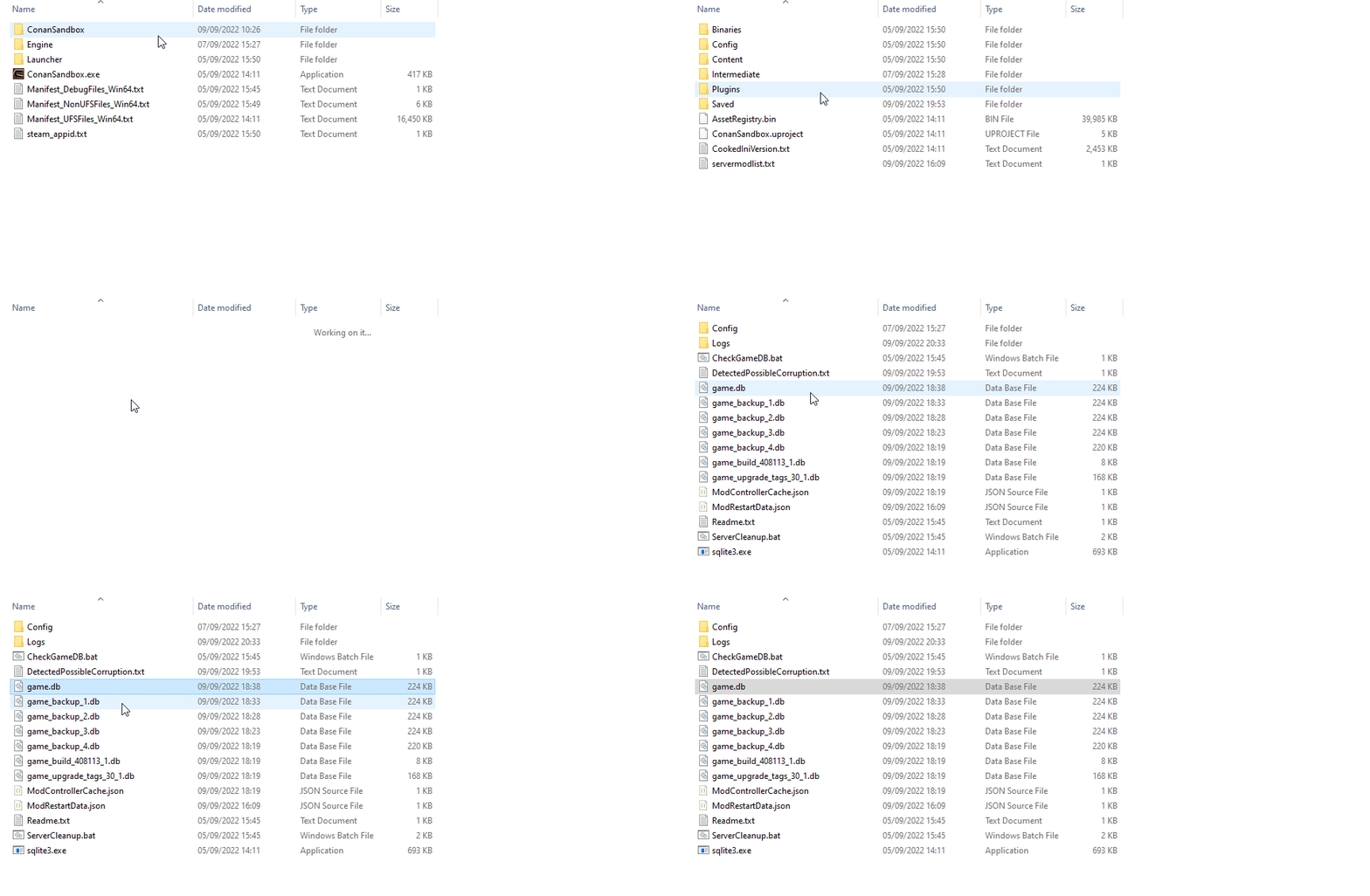
-
Copy the current file location.

#Uploading your World
-
Go to your control panel and Stop your server.
-
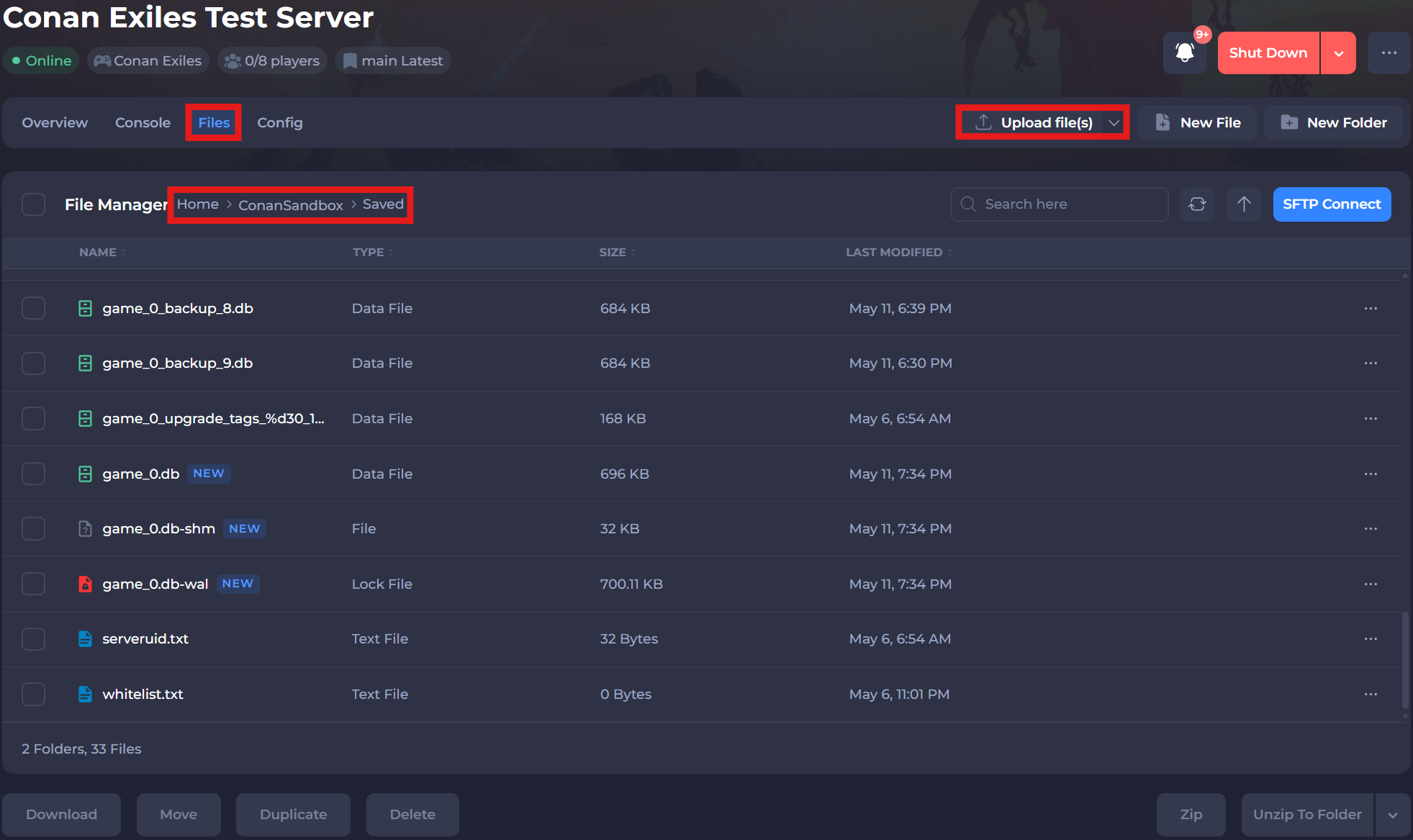
Navigate to the Files tab and locate the
/ConanSandbox/Saveddirectory. -
Select the Upload file(s) button and paste the directory we located in the above steps.
-
Restart your server to ensure the new changes apply.
If you require any further assistance, please contact our support at: https://shockbyte.com/billing/submitticket.php