Table Of Contents
Installing Forge ModsStill have questions?
Come chat with us and we will get back to you as soon as possible!

Zach Lowery
Game Experience Engineer

How to Install Forge Mods on Your Minecraft Server
There is a huge variety of mods available for Forge Minecraft servers, allowing server owners to provide players with a fresh experience. Some server owners may wish to install individual Forge mods on their server, rather than installing an entire mod pack in bulk. Fortunately, the process to accomplish this is made easy thanks to Shockbyte's panel.
#Installing Forge Mods
First, ensure you have selected a Forge server type using the How to Change your Server Type guide.
From there, you can use our built-in Modding tab to search and install mods on your Minecraft Forge server by following these steps:
-
Open your control panel and stop your server.
-
Navigate to the Modding tab and select Discover more.
-
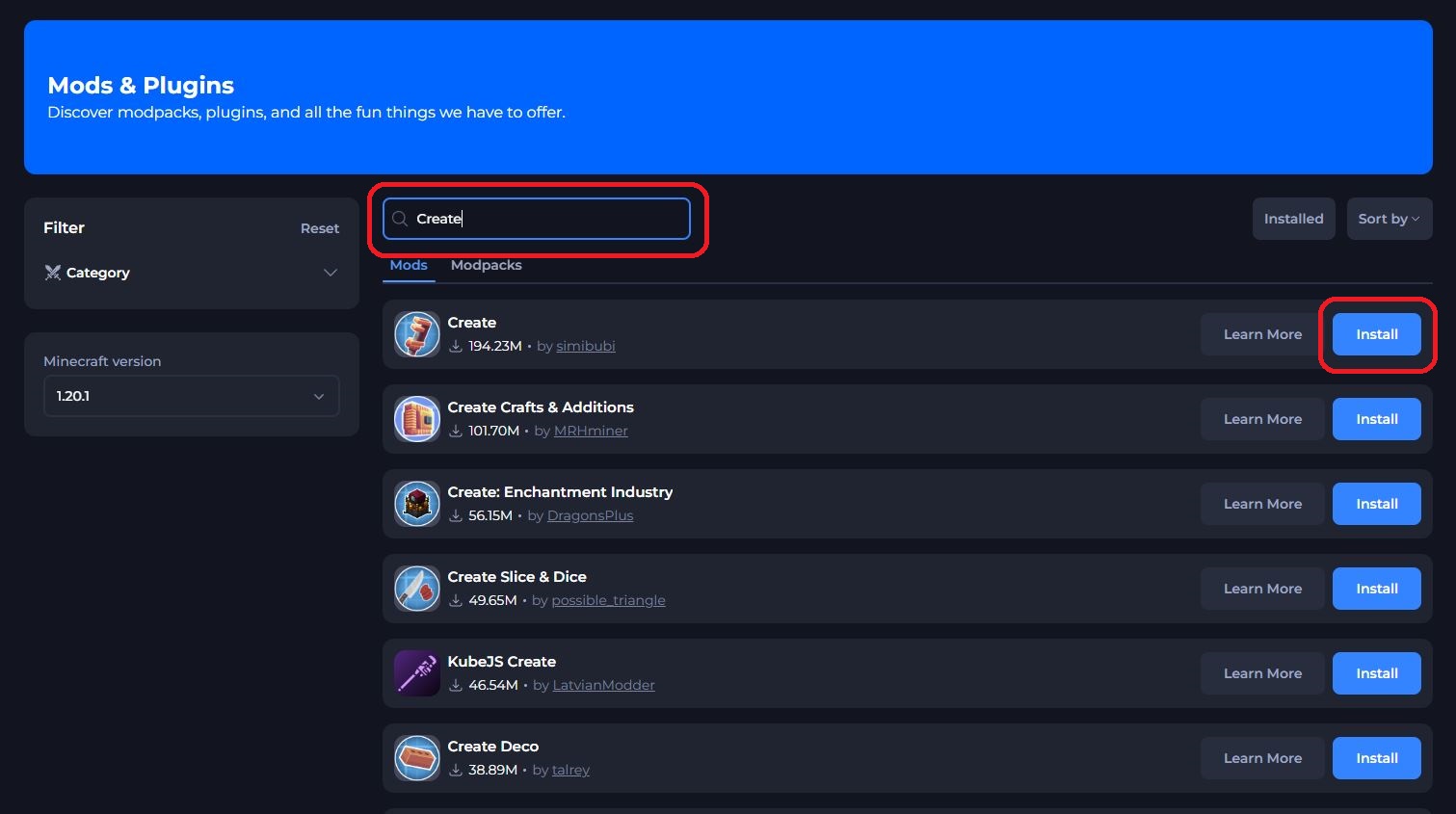
Search for your desired mods using the search box (For example, the "Create" mod) and click Install.
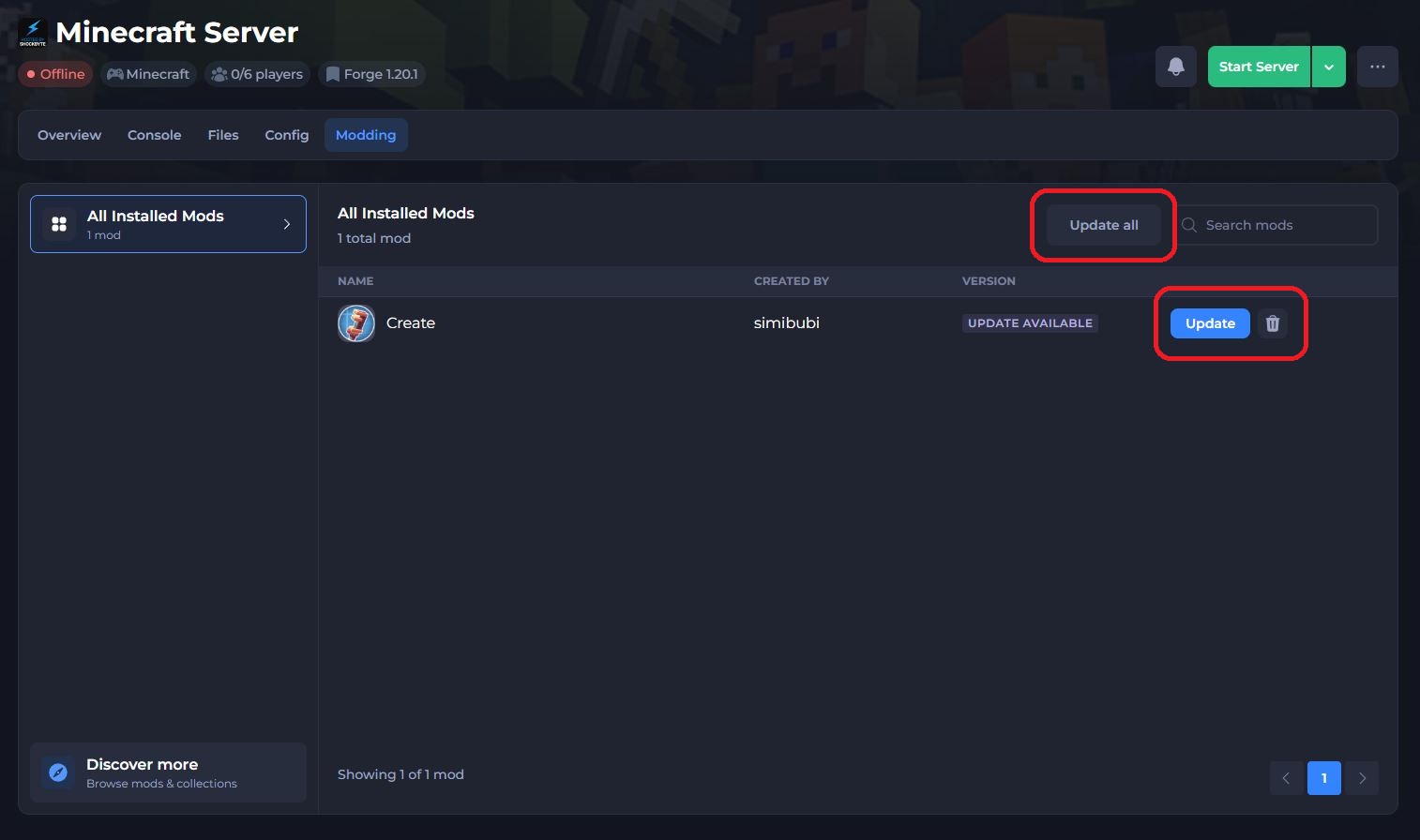
- Heading back to the Installed tab, you can manage the list of installed plugins, updating or removing mods as desired.
- Finally, restart your server to install your mods.
That's it! You've successfully installed a Forge mod on your Minecraft server. Most Forge mods will require installation on both the client and the server. You can find more information on installing Forge mods on your client here.
If you require any further assistance, please contact our support at: https://shockbyte.com/billing/submitticket.php