Still have questions?
Come chat with us and we will get back to you as soon as possible!

Jay Miller
Game Engineer

How to Use NBTExplorer to Edit Minecraft World Data
NBTExplorer is a powerful, easy-to-use editor that allows you to view and edit any attribute of your Minecraft world, including player inventories, enabling and disabling hardcore mode, and much more! It’s used for editing any file that uses the NBT file format, which is what Minecraft uses for most of its world data.
#How to Download NBTExplorer
NBTExplorer is a downloadable program available for Windows, Mac, and Linux. You can find the download link for NBTExplorer here. Once there, you can download the relevant files for your operating system and start the setup wizard.
#How to Use NBTExplorer to Modify Your Server World
Now that you’ve downloaded NBTExplorer and completed the setup process, you’re ready to modify any value you’d like in your world, such as changing your world to hardcore mode, which this guide will cover! You can do this by following these instructions.
- Access your Control Panel and Shut Down your server.

-
Backup your world before making any changes. You can manually back up your Minecraft server by following our guide here.
-
Navigate to the Files tab, and open your server's World folder.

-
Select the
level.datfile, and click Download.

-
In NBTExplorer, open the
level.datthat you downloaded. -
Make any of your desired changes, then click Save All Modified Tags.
-
Navigate back to your Control Panel's Files tab, and inside your world folder, re-upload the
level.datfile. Allow it to replace the existing file.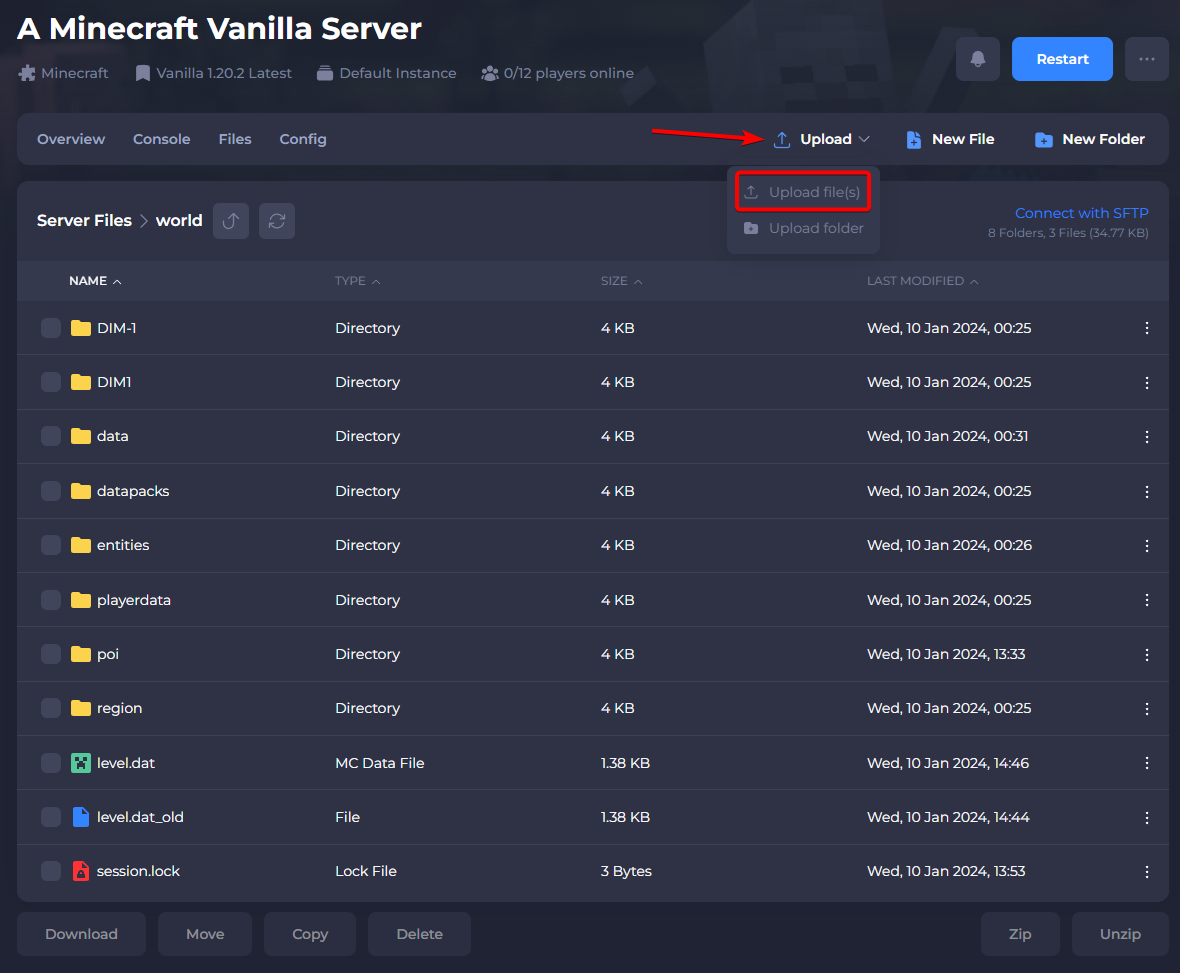
-
Start your server.
#More on NBT Editing
Now that you understand the basics, you may be interested in what else can be modified. With NBTExplorer, you can add or modify existing entity data inside specific regions in your world. It’s recommended to modify an existing single-player world as practice or to create a copy of your server before making any changes.
If you’re interested in using a web-based NBT tool instead of installing one, you can find a popular alternative here.
To learn more about the types of values you can modify and edit, check out Minecraft Wiki’s page on the NBT Format.