How to Become an Admin on your Primal Carnage: Extinction Server
Still have questions?

Shockbyte
Support Team

How to Become an Admin on your Primal Carnage: Extinction Server
This guide explains how to assign yourself or other players as administrators on your Primal Carnage: Extinction server. Administrators have access to additional permissions and commands that allow them to manage the server, moderate players, and control certain gameplay features.
The steps below will walk you through how to add an admin by updating the server’s configuration, and how to activate admin privileges in-game.
#Setting an Admin Password
- Access your Control Panel.
- Navigate to the Config tab.
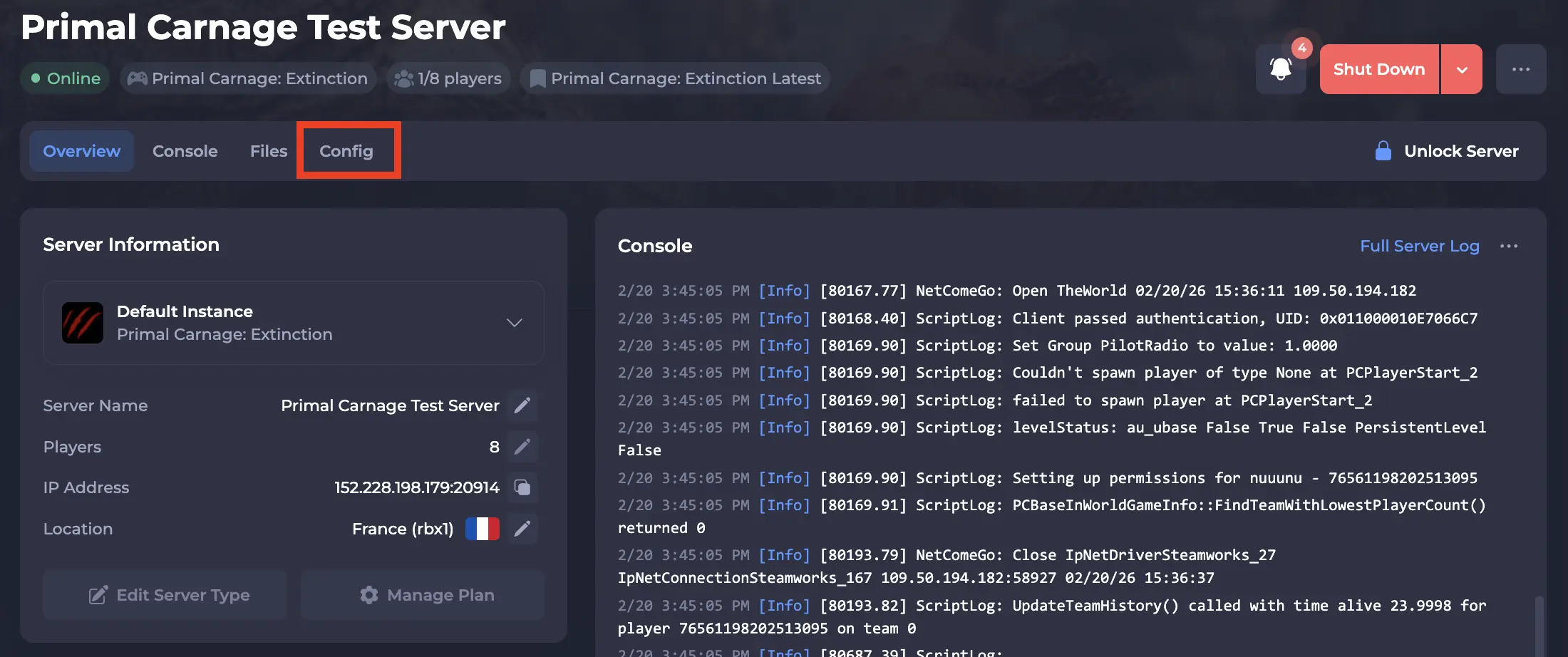
-
Locate the
Admin Passwordsetting, and set your desired password.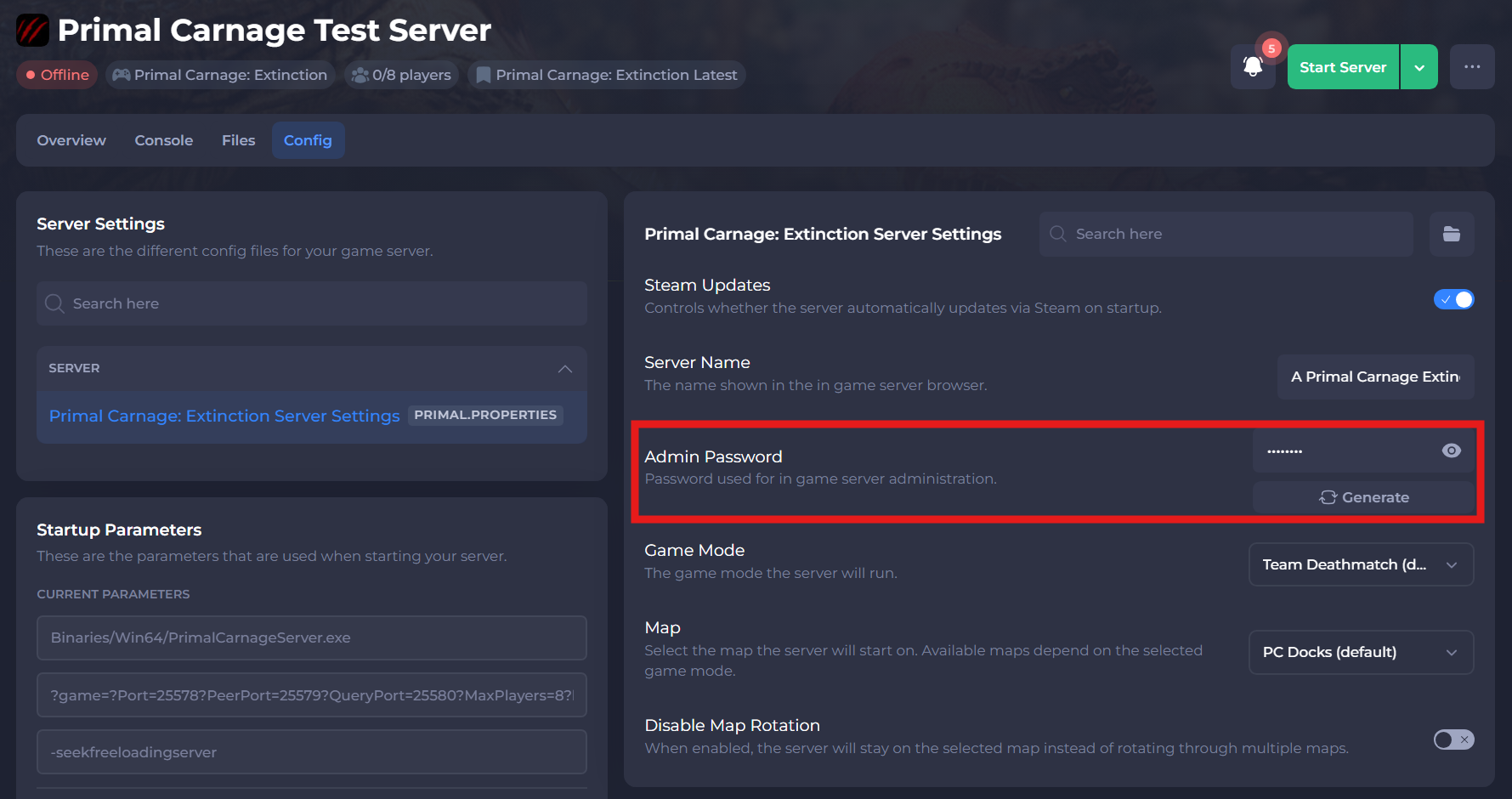
-
Save and restart your server to ensure the new changes apply.
#Using Commands In-Game
- Join your Primal Carnage: Extinction server.
- Open the console in game (
~key) and typeadminlogin password. Replace thepasswordwith the password you set earlier in this guide.
#List of Useful Commands
Some useful admin commands you can use in-game can be found below:
| Command | Description |
|---|---|
AdminPlayerList | Shows all players and their ID numbers. |
AdminKick [PlayerNumber] | Kicks a specific player. |
AdminKickBan [PlayerNumber] | Bans a specific player. |
AdminChangeMap (Map Name) | Changes the active map of the server. |
Admin EnableCheats | Enables cheats for your server. This will allow you to spawn things in. |
Admin Summon PrimalCarnageGame.PC-PlayerPawn | This will allow you to spawn in specific pawns. For example, to spawn in a NovaRaptor you would type: Admin Summon PrimalCarnageGame.PCNovaRaptorPlayerPawn |
If you need additional help, our support team is always happy to assist: https://shockbyte.com/contact