Table Of Contents
Toggling PvPStill have questions?
Come chat with us and we will get back to you as soon as possible!

Shockbyte
Support Team

How to Enable PvP on your Necesse Server
Necesse
·Nov 10, 2024
·2 min read
PvP, or player versus player combat, allows players to fight and deal damage to each other when enabled. As Necesse is primarily a PvE game, it's not required for players to use but is a great way to differentiate the game experience from the norm.
#Toggling PvP
-
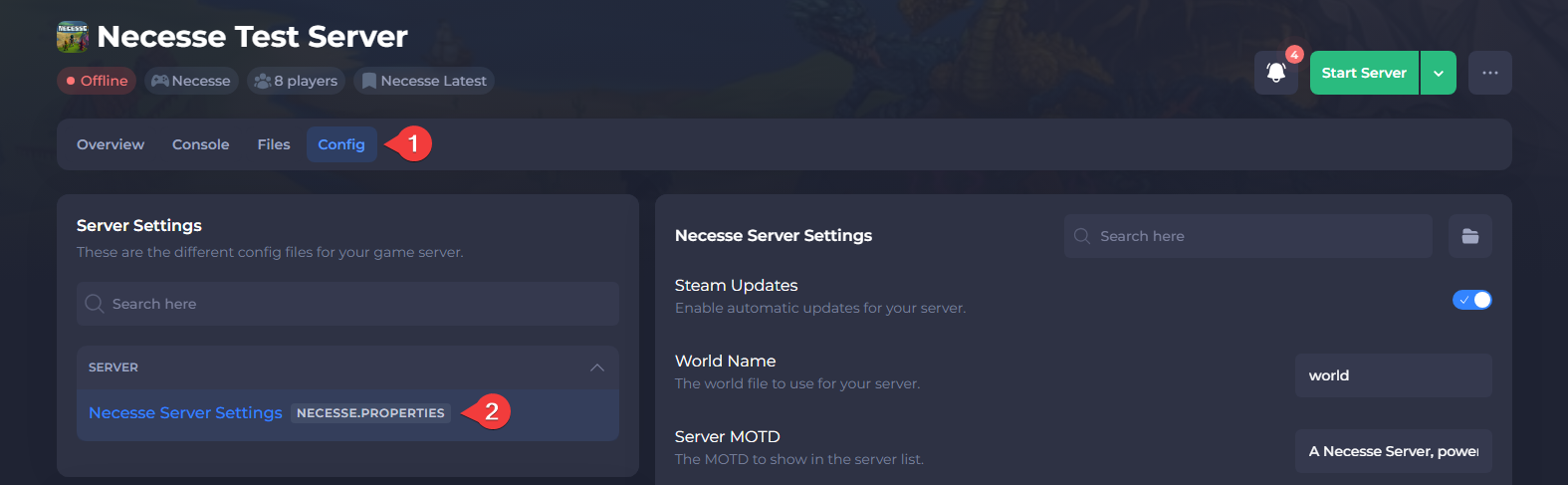
Open your Server Control Panel.
-
Navigate to Config and open Necesse Server Settings.
-
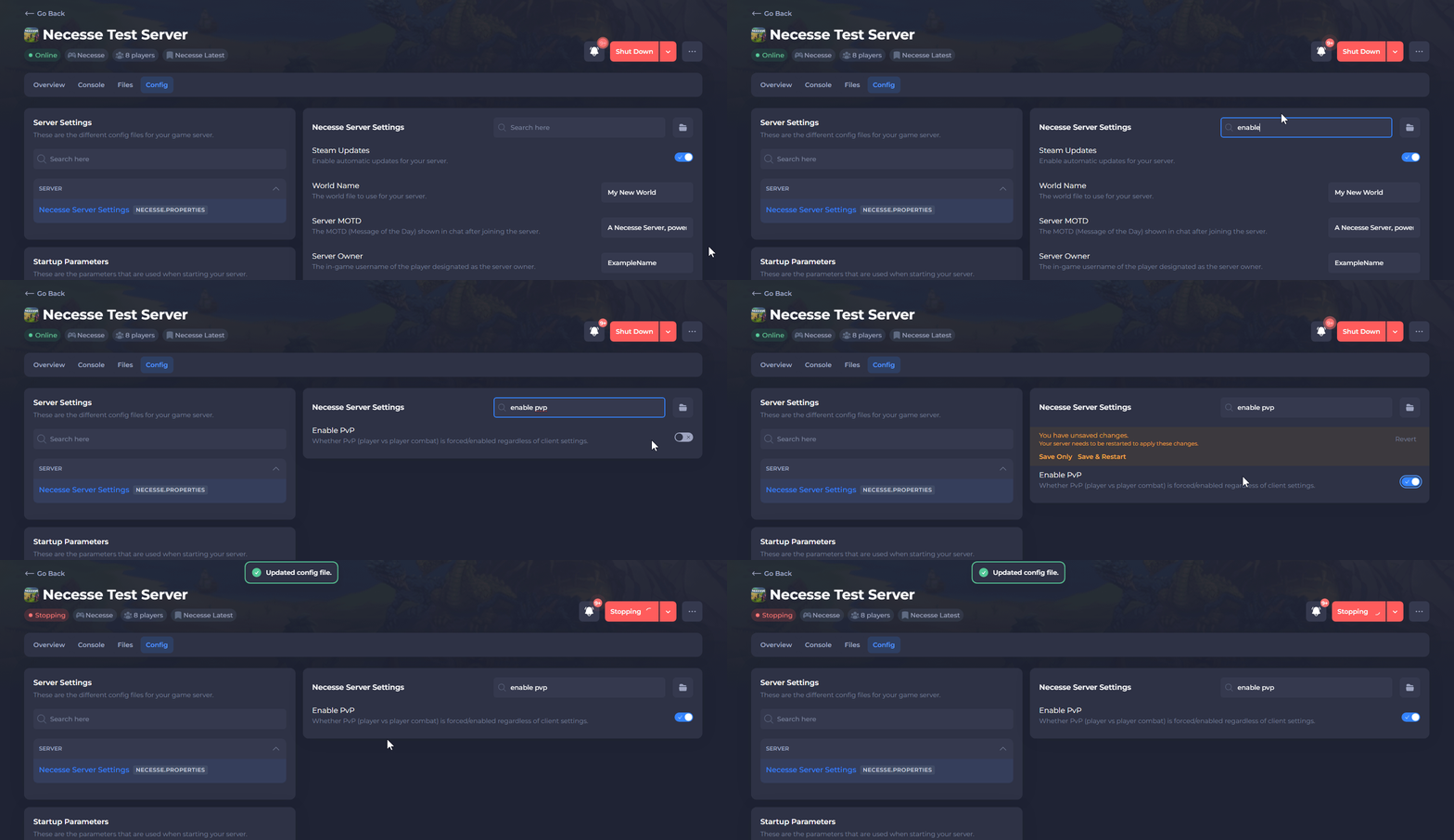
Locate Enable PvP and set it to Enabled.
-
Save the file and Restart your server.
To learn more about Necesse server hosting, you can browse our library of Knowledgebase articles here.