Still have questions?
Come chat with us and we will get back to you as soon as possible!

Shockbyte
Support Team

How to Set the Death Penalty on your Necesse Server
Necesse
·Nov 10, 2024
·4 min read
Upon dying in Necesse, players will receive a set punishment. The chosen punishment has various options to choose from, such as losing key items, losing all items, losing nothing, or permanent death.
#Death Penalty Options
| Penalty | Description |
|---|---|
| No penalty | Nothing happens on death |
| Drop materials | Drop all non equipment, combat, and special items |
| Drop main inventory | Drop everything except hotbar and equipped items |
| Drop full inventory | Drop everything on you |
| Hardcore | Character stays dead permanently |
#Configuring Death Penalty
Once you've decided which option to use, the server death penalty can be adjusted.
-
Open your Server Control Panel.
-
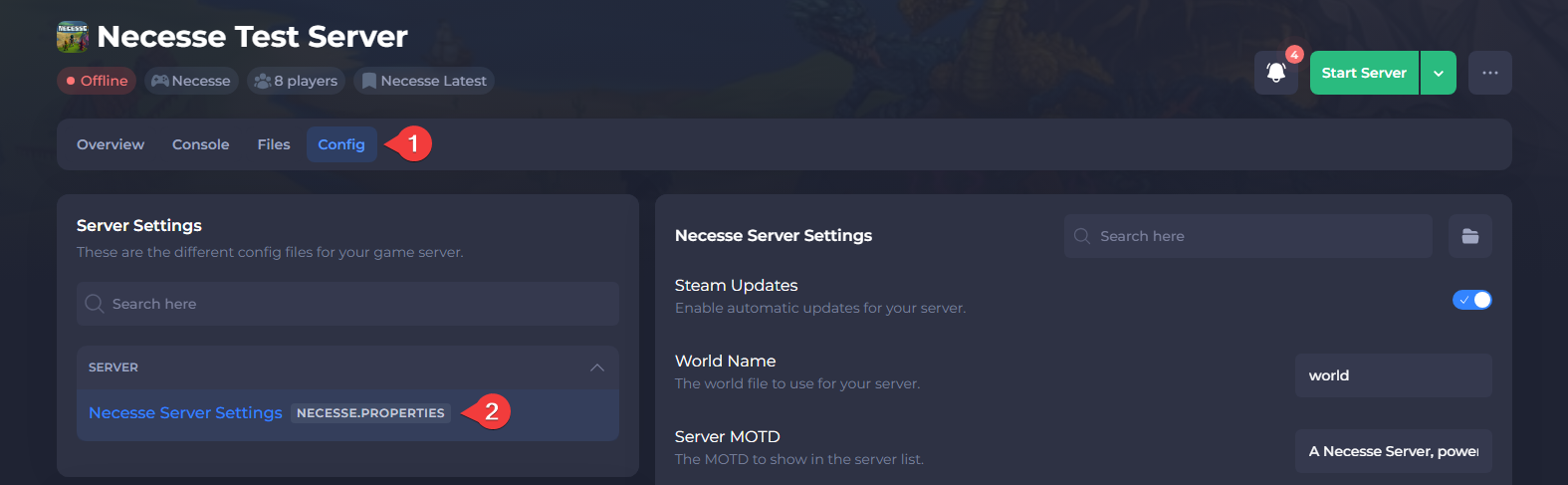
Navigate to Config and open Necesse Server Settings.
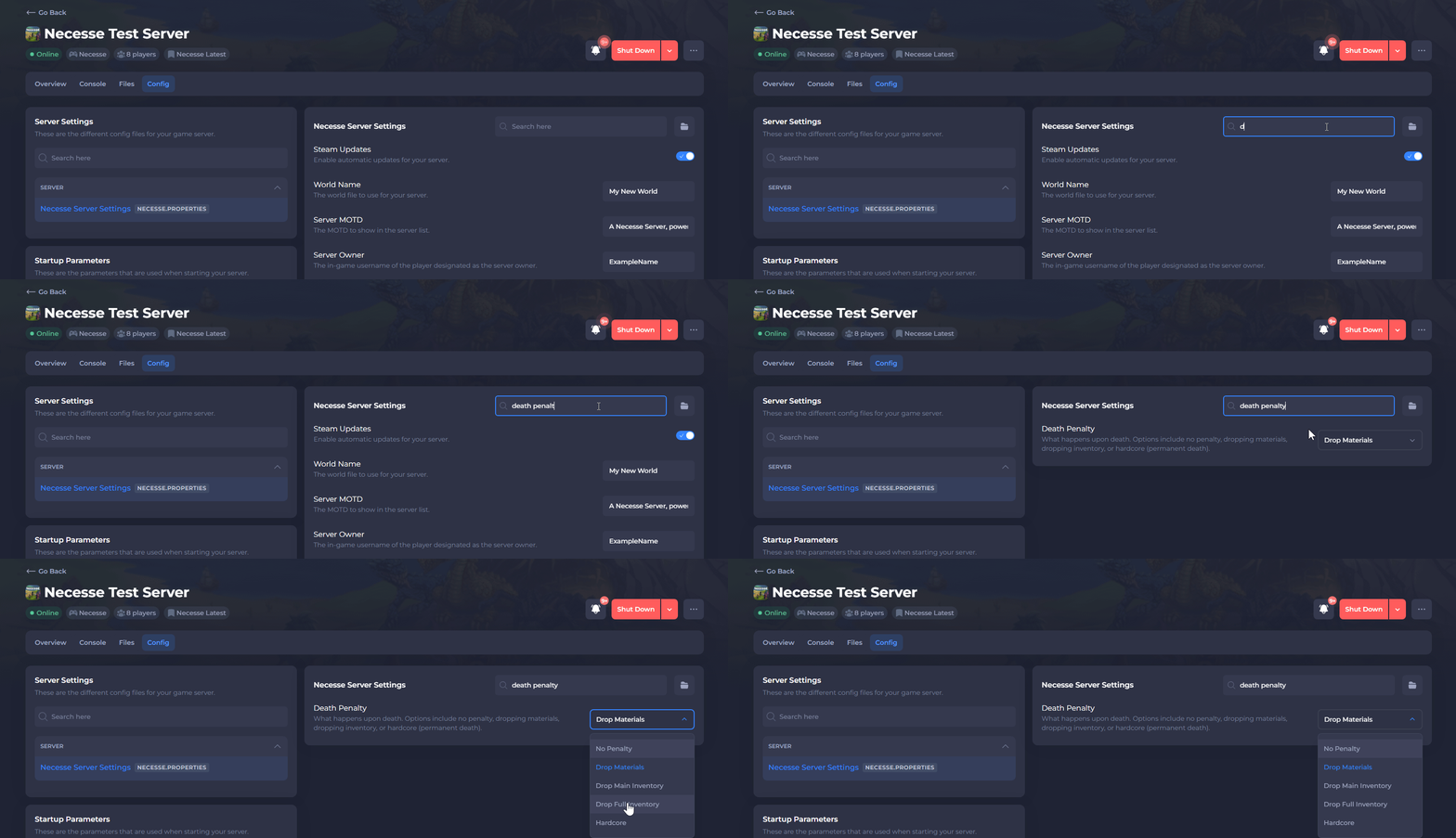
- Locate Death Penalty and set the desired value using the dropdown menu.
- Save the file and Restart your server.
To learn more about Necesse server hosting, you can browse our library of Knowledgebase articles here.