KnowledgebasePrimal Carnage: Extinction
How to Set the Game Mode on your Primal Carnage: Extinction Server
Table Of Contents
Changing your Game ModeStill have questions?
Come chat with us and we will get back to you as soon as possible!
Contact Support
Shockbyte
Support Team
How to Set the Game Mode on your Primal Carnage: Extinction Server
Primal Carnage: Extinction
·Mar 14, 2026
·2 min read
This guide explains how to change the game mode on your Primal Carnage: Extinction server. Game modes control the type of gameplay your server runs, and they can be adjusted through the server’s configuration settings.
The steps below will show you where to locate the setting and how to update it so the desired game mode loads when your server starts.
#Changing your Game Mode
- Access your Control Panel.
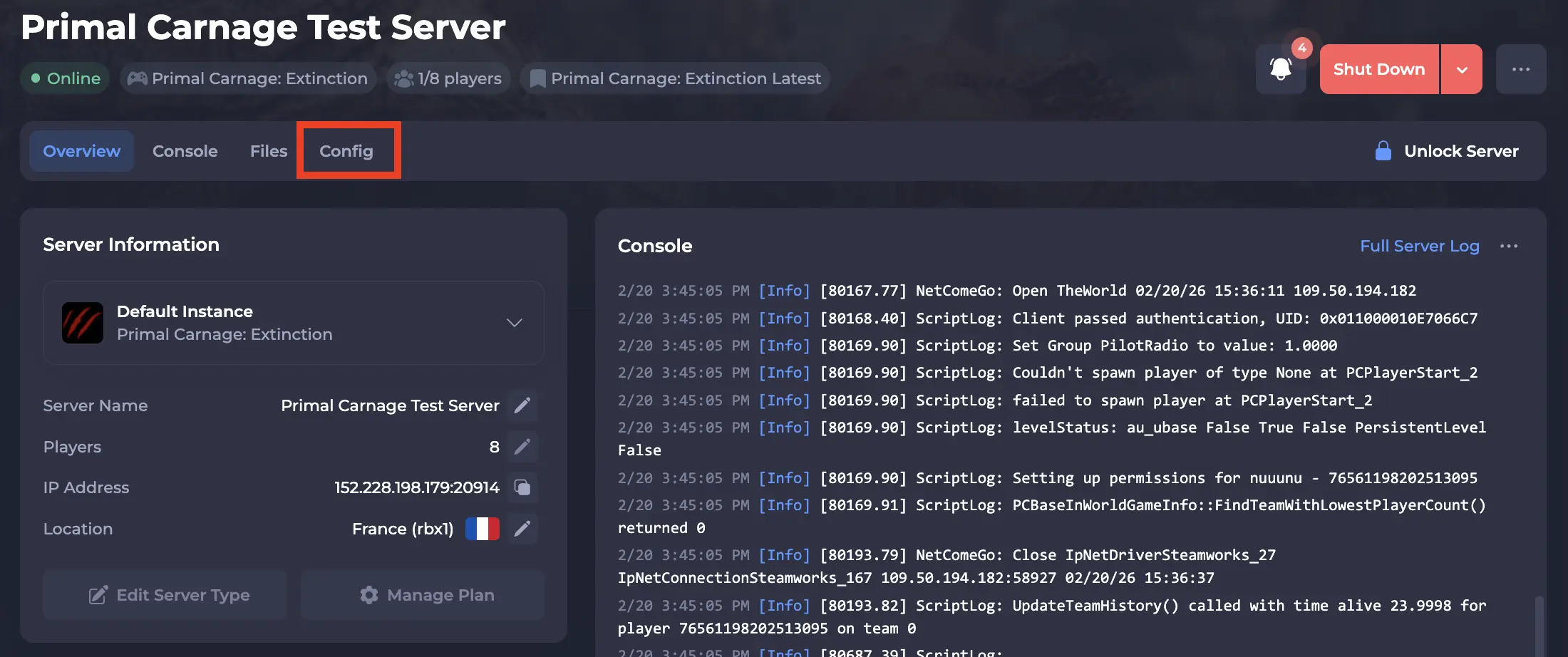
- Navigate to the Config tab.
-
Locate the
Game Modesetting, and select your desired Game Mode from the dropdown.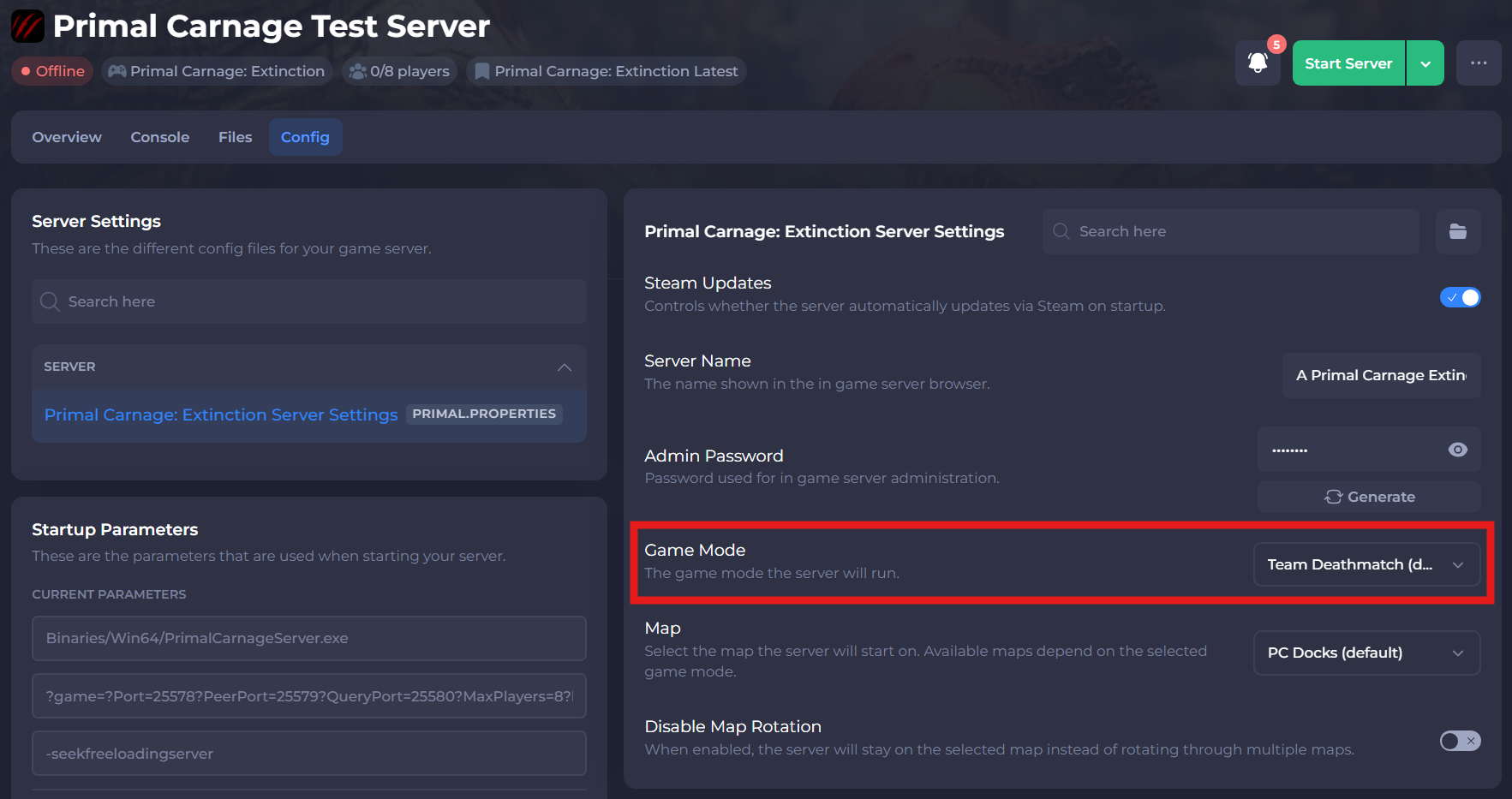
-
Save and restart your server to ensure the new changes apply.
If you need additional help, our support team is always happy to assist: https://shockbyte.com/contact