Table Of Contents
Setting the MOTDStill have questions?
Come chat with us and we will get back to you as soon as possible!

Shockbyte
Support Team

How to Set the MOTD on your Necesse Server
Necesse
·Nov 10, 2024
·2 min read
Necesse servers have a configurable MOTD (message of the day) that displays a welcome message when players join. This can be used to share information or invite players to community areas, such as listing a Discord server invite or website links.
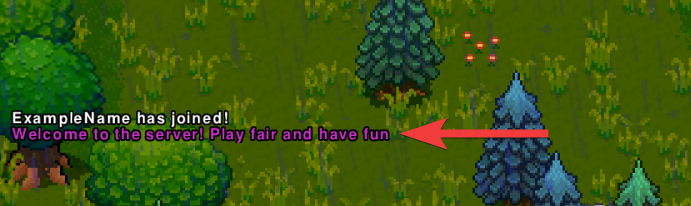
#Setting the MOTD
-
Open your Server Control Panel.
-
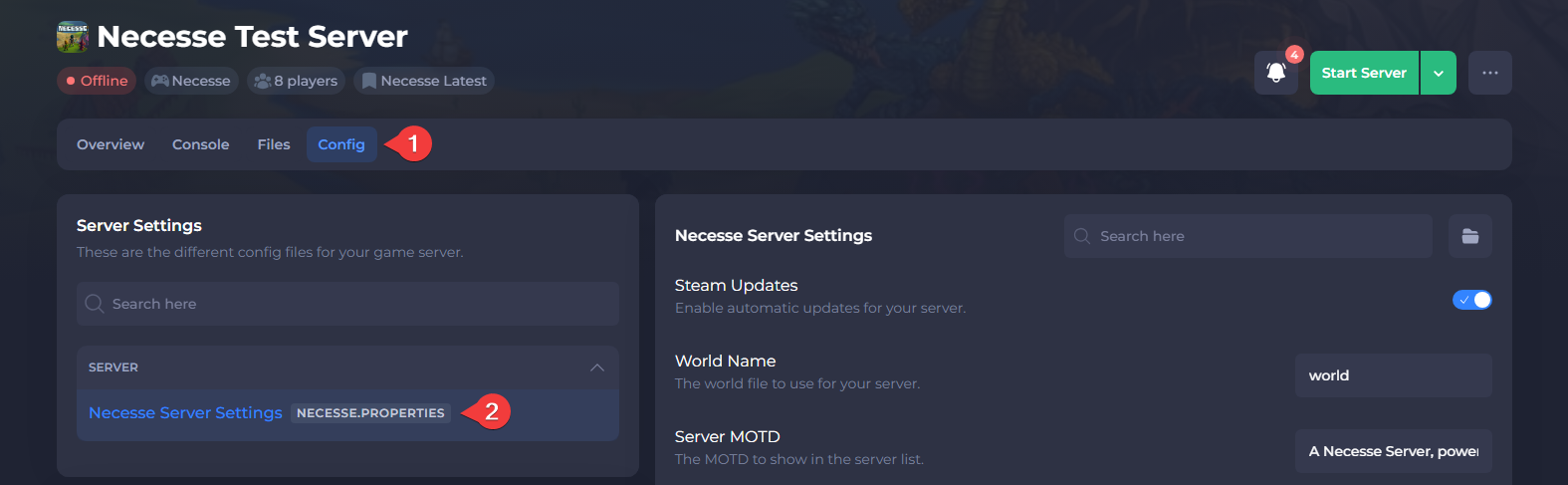
Navigate to Config and open Necesse Server Settings.
-
Locate Server MOTD and set the desired welcome message.
-
Save the file and Restart your server.
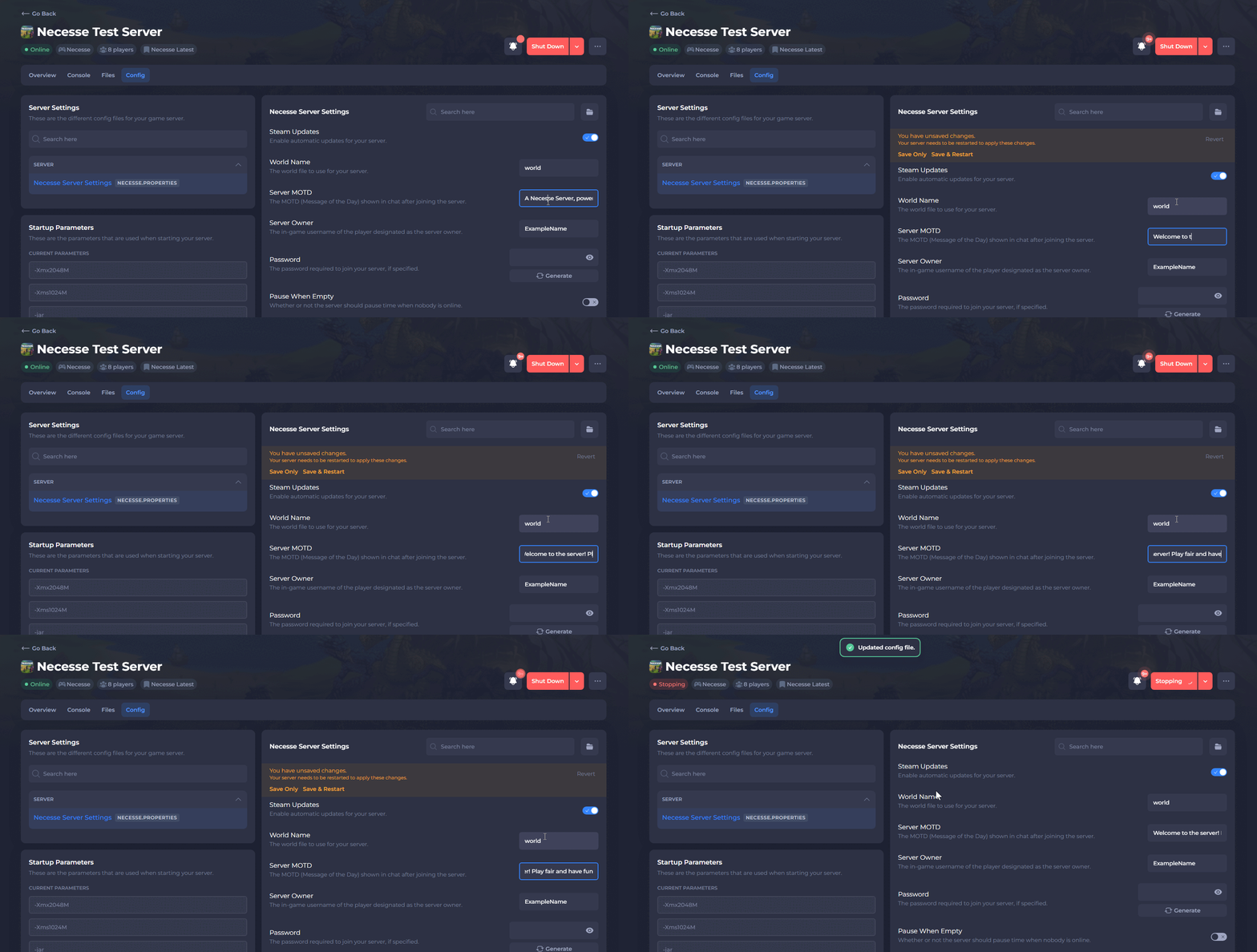
Once the server starts, players will receive the custom welcome message when they join.
To learn more about Necesse server hosting, you can browse our library of Knowledgebase articles here.