Table Of Contents
Changing the Server MOTDStill have questions?
Come chat with us and we will get back to you as soon as possible!

Ruben B
Partnership Manager
How To Set The MOTD (Welcome Message) For Your Barotrauma Server
Barotrauma
·Nov 8, 2024
·2 min read
In Barotrauma, server owners and administrators can configure a welcome message to be displayed to players on the server browser and upon joining the server. This feature enables communication of server rules, updates, and community links like Discord invites.
#Changing the Server MOTD
Your server's MOTD can be set in the Barotrauma Server Settings section of your server's control panel.
-
Access your Control Panel and Stop your server.
-
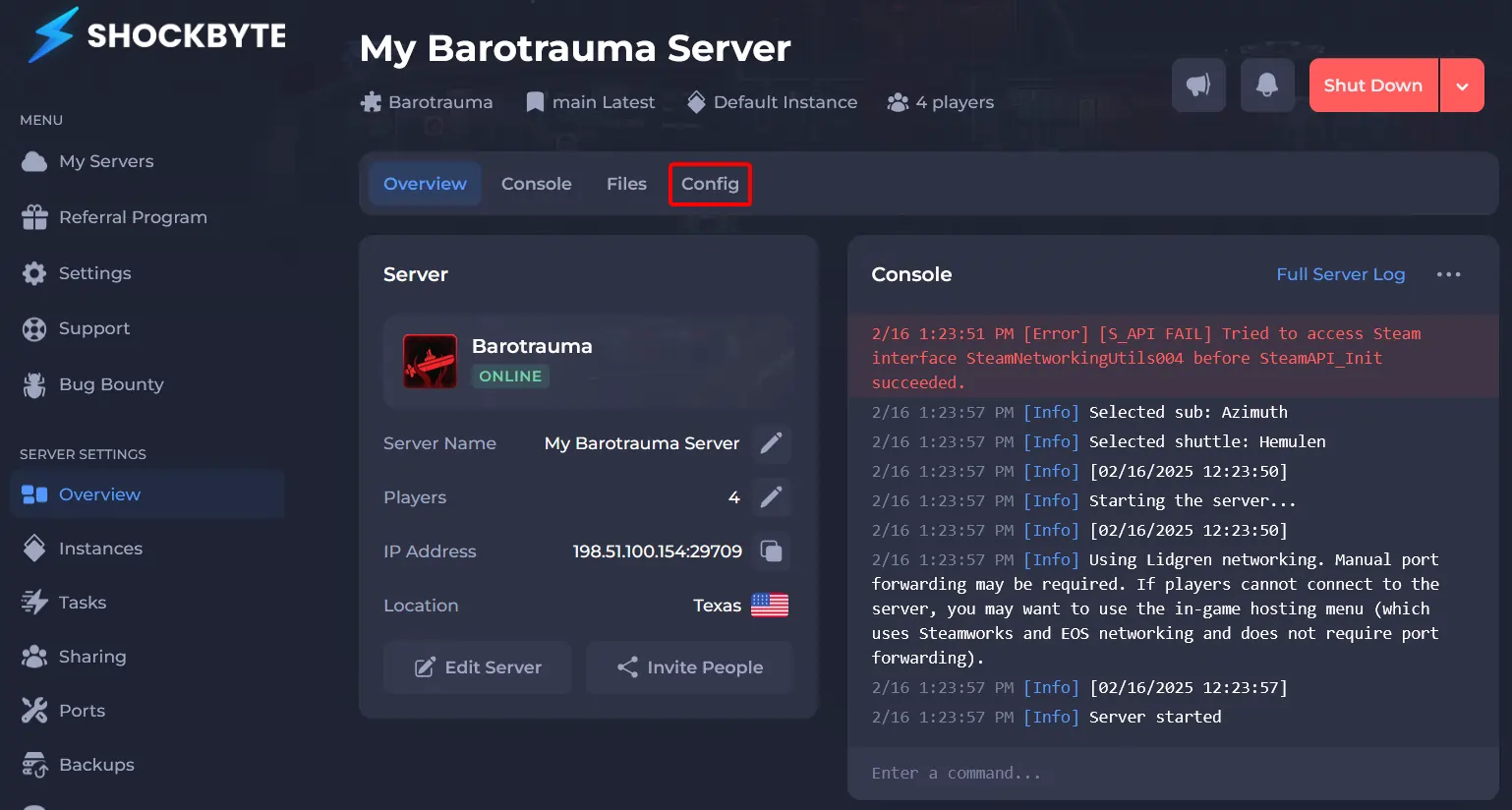
Navigate to Config.
-
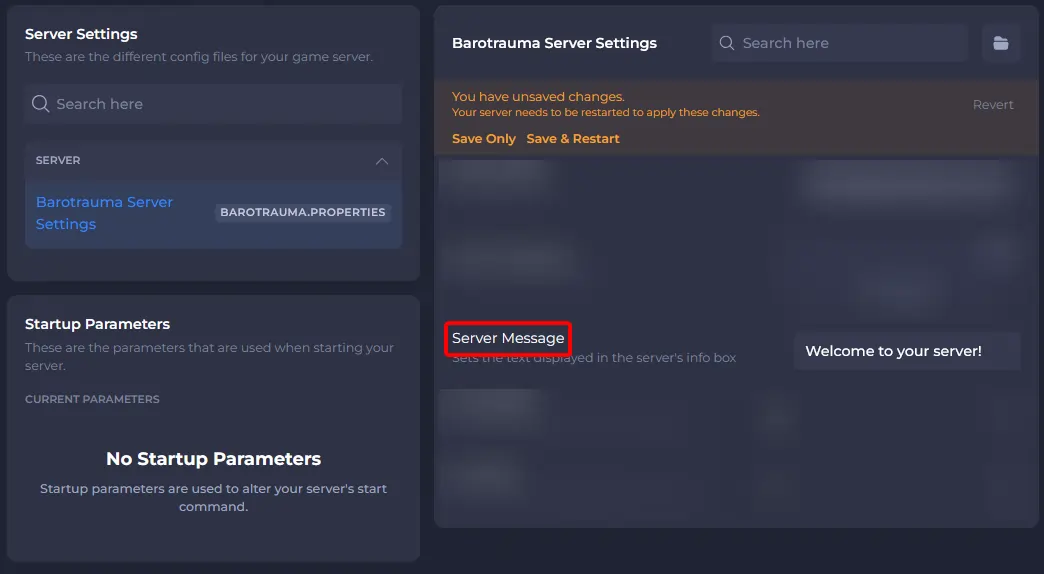
Click Barotrauma Server Settings.
-
Enter your server's MOTD in the Server Message field.
- Save and Start your server.
To learn more about Barotrauma server hosting, you can browse our library of Knowledgebase articles here.