Table Of Contents
Granting Owner RankStill have questions?
Come chat with us and we will get back to you as soon as possible!

Shockbyte
Support Team

How to Set the Owner of your Necesse Server
In Necesse, the Owner holds all control of the server. They have access to all in-game commands that are normally limited to the server console and can grant players Admin permissions.
All commands available to an Owner and Admins can be found using the /help command in-game, or on the Official Wiki Page.
Important
Many admin and owner commands can only be used if cheats are enabled on the server. You can learn how to enable cheats here.
#Granting Owner Rank
-
Open your Server Control Panel.
-
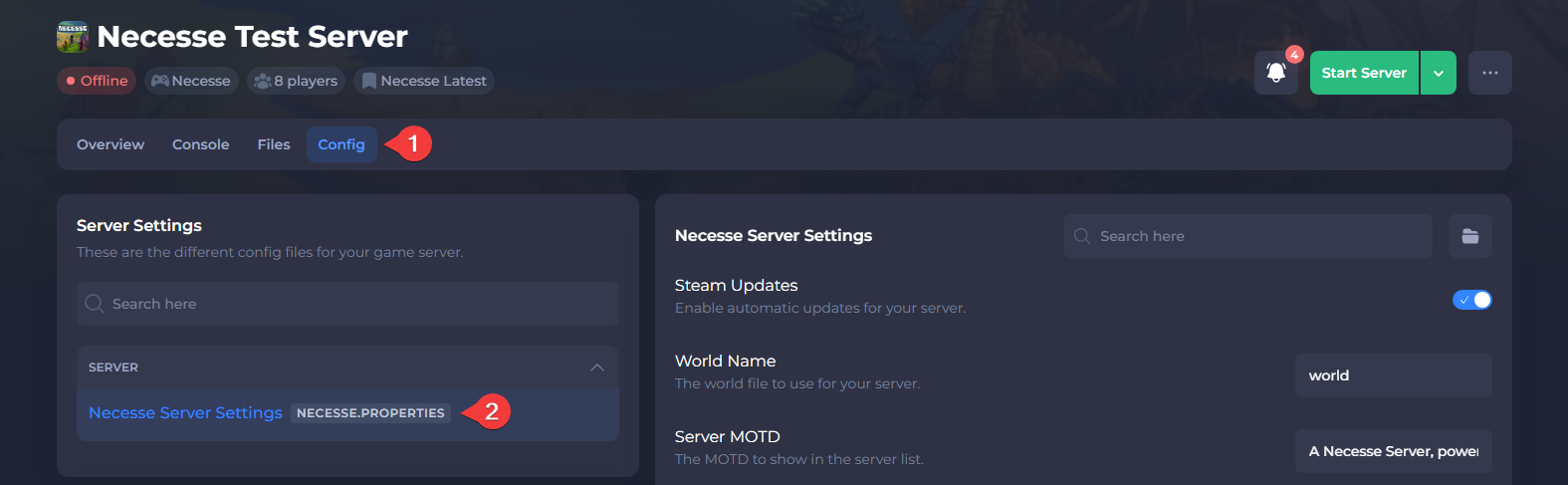
Navigate to Config and open Necesse Server Settings.
-
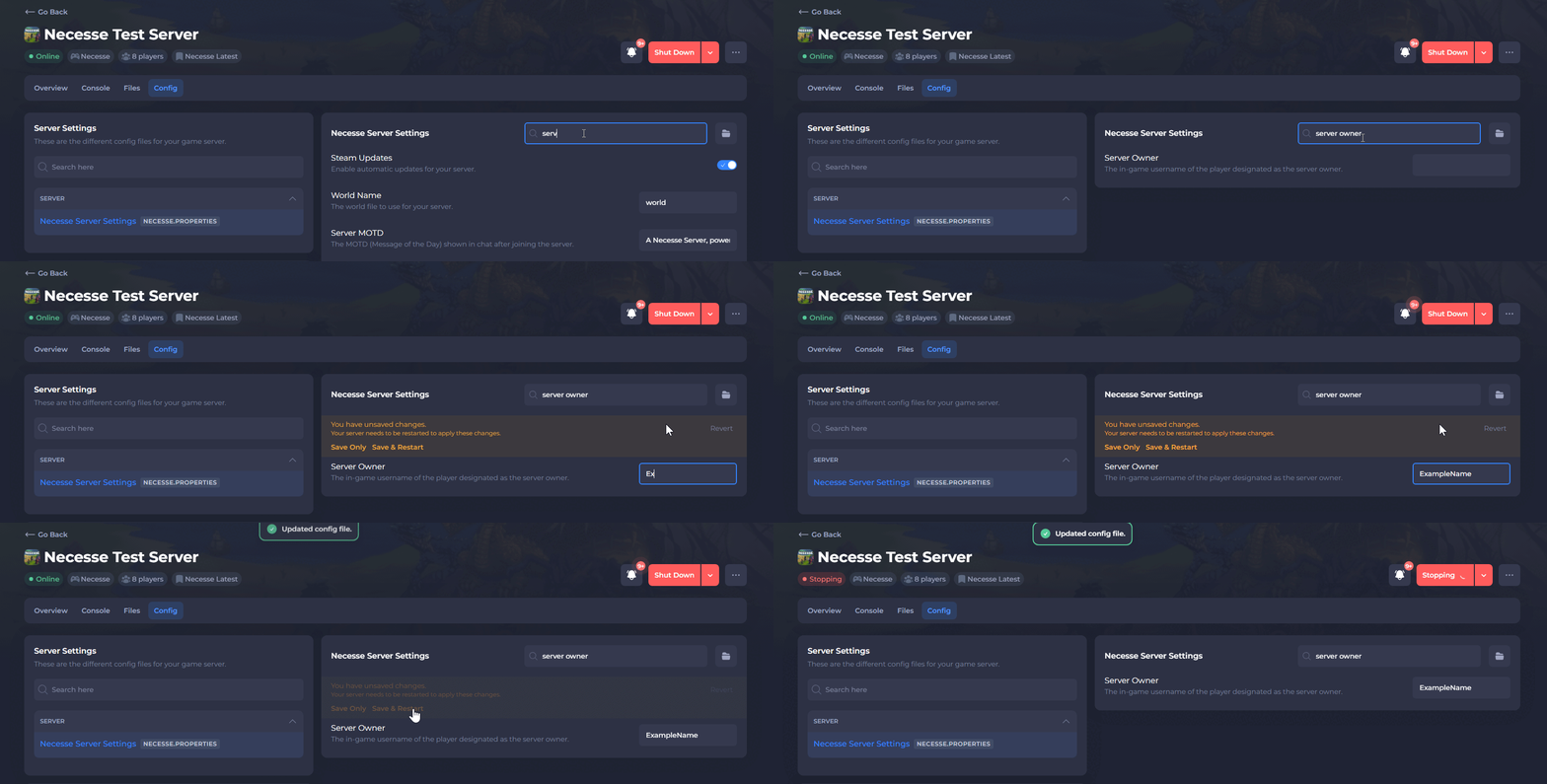
Locate Server Owner and enter the character name of the new owner.
-
Save the file and Restart your server.
To learn more about Necesse server hosting, you can browse our library of Knowledgebase articles here.