Table Of Contents
Granting Admin PermissionsStill have questions?
Come chat with us and we will get back to you as soon as possible!

Shockbyte
Support Team

How to Add an Admin to your Necesse Server
Necesse Admins have access to a variety of exclusive commands that regular players can’t use. All commands available to the Admins can be found using the /help command in-game, or on the Official Wiki Page.
Important
Many admin commands can only be used if cheats are enabled on the server. You can learn how to enable cheats here.
#Granting Admin Permissions
Players can be granted Admin with the Console in the control panel, or by the server Owner in-game.
Assigning an Admin via Console
-
Open your Server Control Panel.
-
Start your server and wait for it to go Online.
-
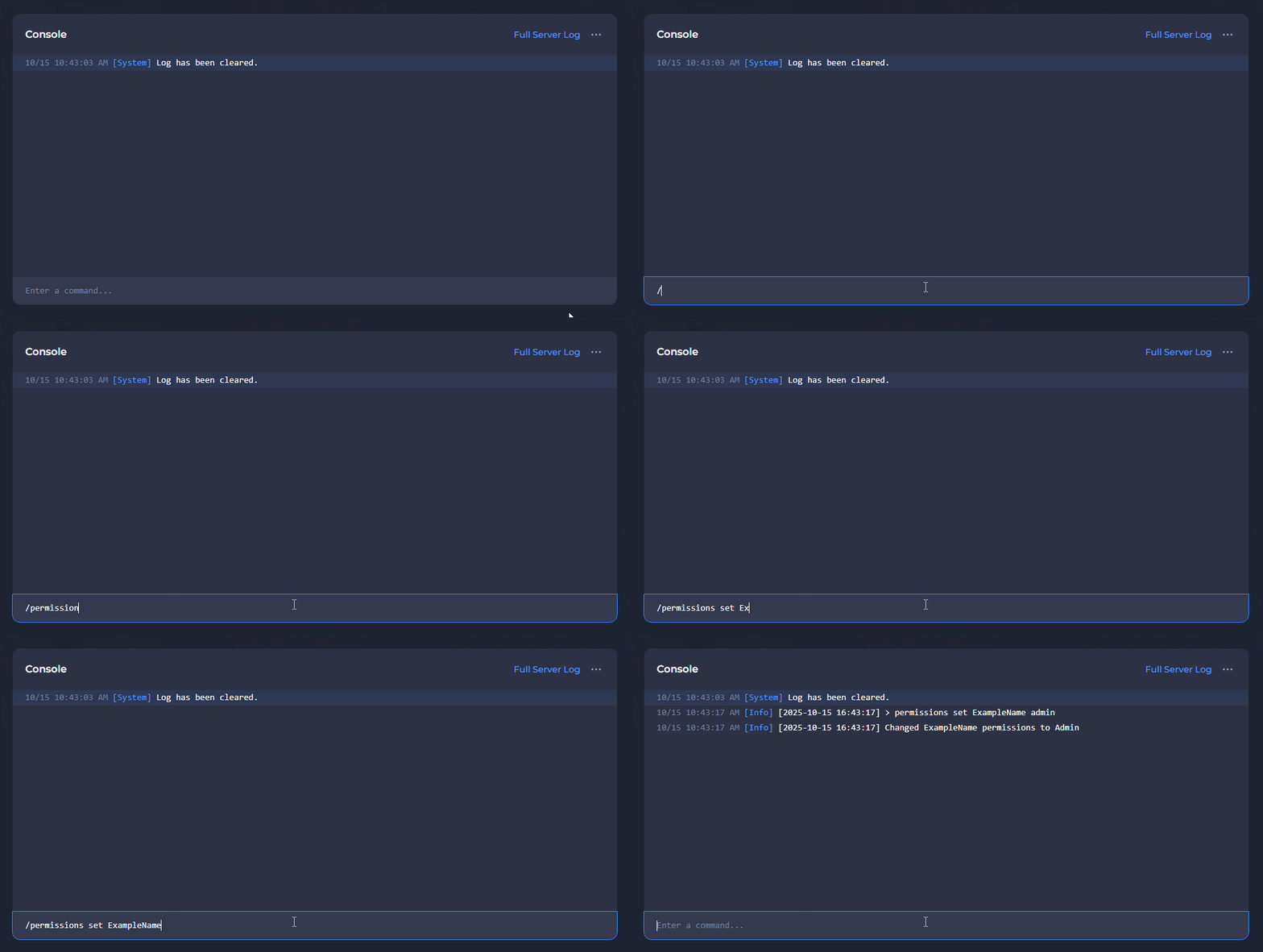
Navigate to the Console and enter
/permissions set PlayerName admin, replacingPlayerNamewith the character name of the new Admin.
If the command returns with the error "Could not find player with name", run the command again while the player is connected to the server.
Assigning an Admin as Owner
-
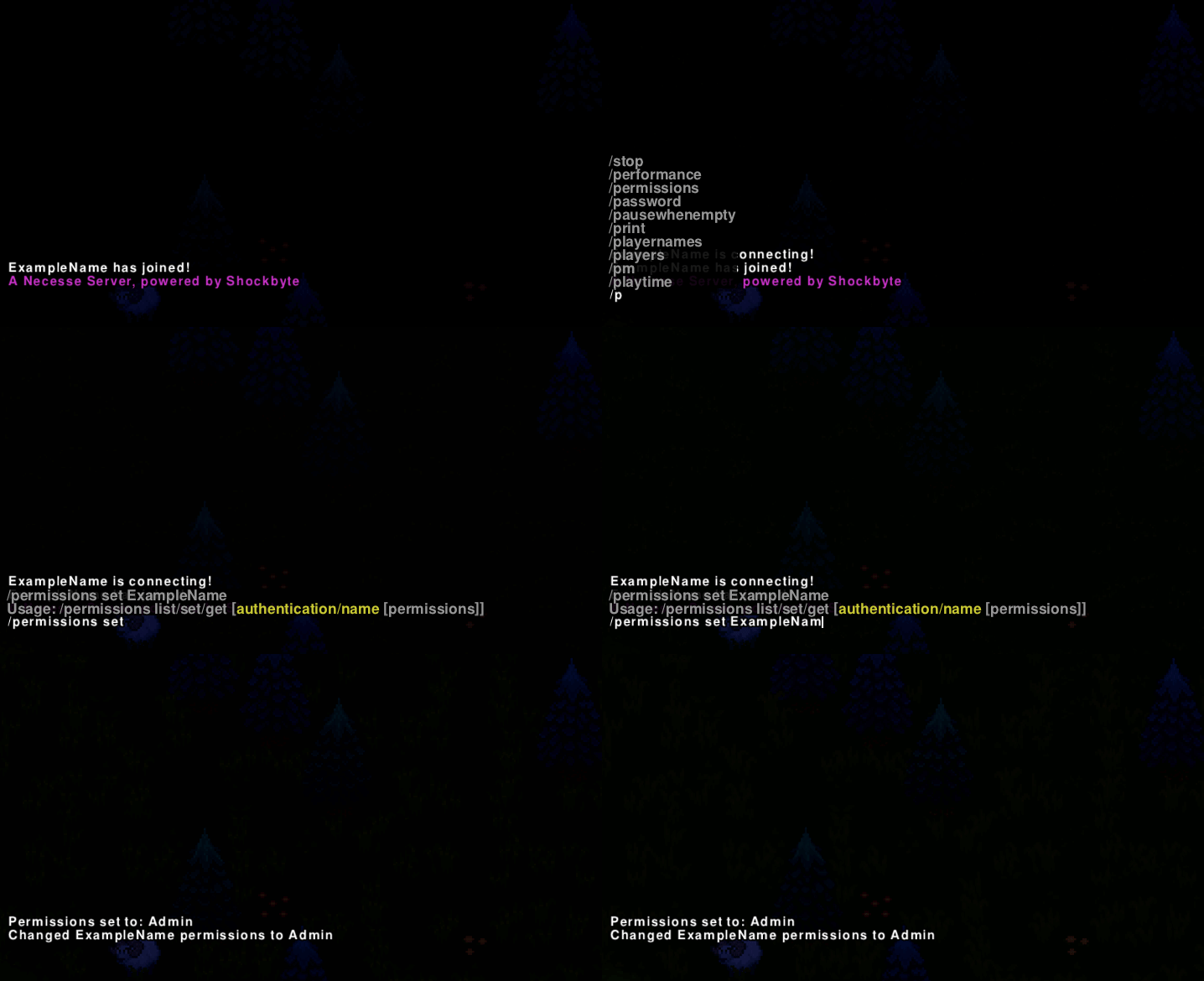
Connect to your server as an Owner.
-
Press
ENTERto open the Chat box. -
Enter
/permissions set PlayerName admin, replacingPlayerNamewith the character name of the new Admin.
If the command returns with the error "Could not find player with name", run the command again while the player is connected to the server.
To learn more about Necesse server hosting, you can browse our library of Knowledgebase articles here.