Table Of Contents
Adding an Admin to Your ServerStill have questions?
Come chat with us and we will get back to you as soon as possible!

Nuno Paiva
Game Integration Specialist @ Shockbyte

How to Become an Admin on Your SCP: Secret Laboratory Server
SCP Secret Laboratory
·Nov 10, 2024
·2 min read
Admins have full control over your SCP Secret Laboratory server. Assigning an admin is simple and is done by configuring roles in your server files.
#Adding an Admin to Your Server
- Log in to your Control Panel and Stop your server.
- Access your server Files
- Navigate to
.config/SCP Secret Laboratory/config/<ServerPortNumber>/config_remoteadmin.txt - Find the rank you want to assign and replace the placeholder number with your SteamID64.
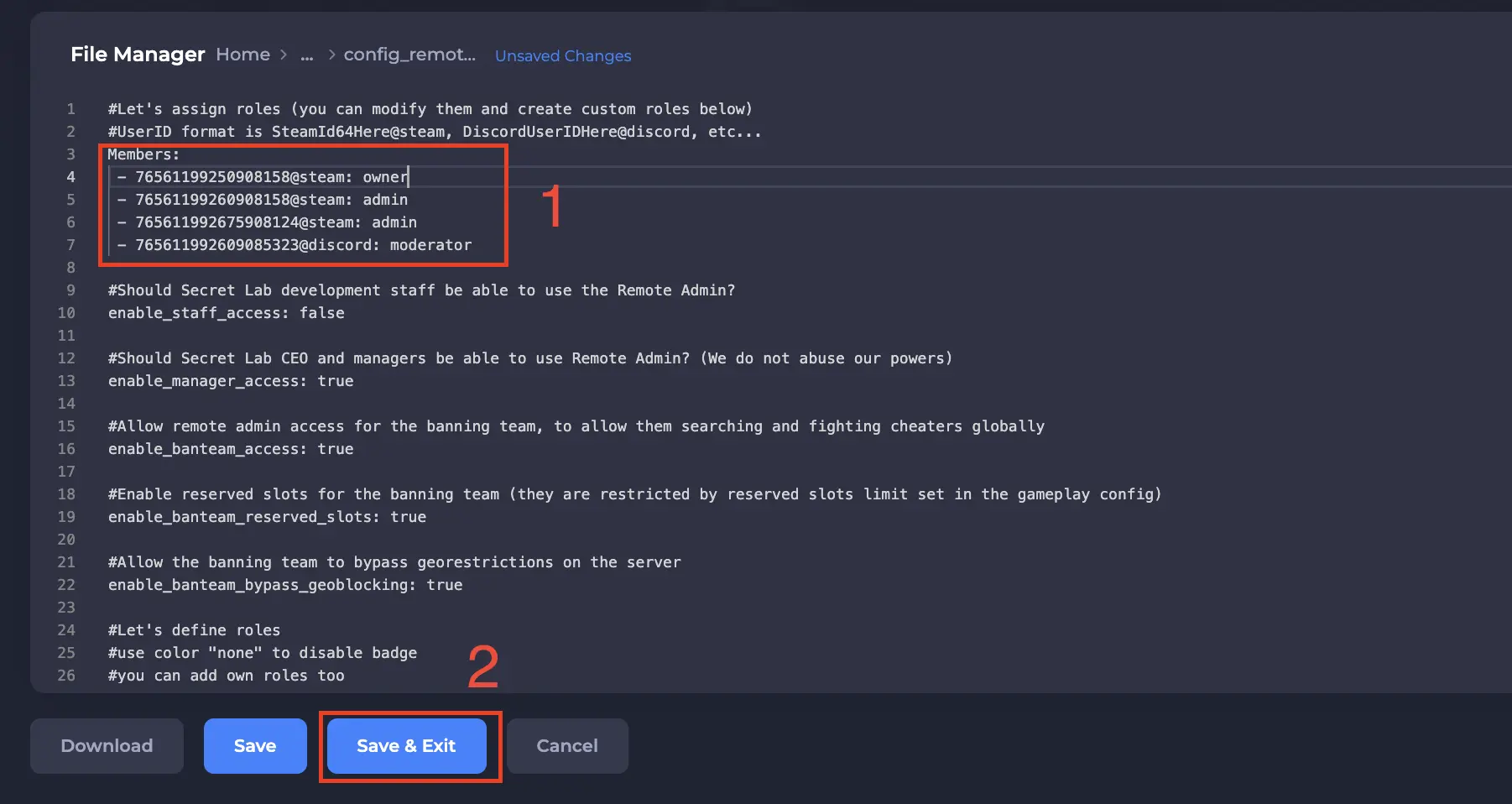
- Save your changes and restart your server.
You now have administrator access and can use the Remote Admin menu in game.
If you require any further assistance, please contact our support at https://shockbyte.com/billing/submitticket.php