
Server admins are trusted players, with granted access to a variety of useful administration commands. Admins have greater permissions that regular players on a server, which must be given with caution by the server owner.
Soulmask dedicated servers allow server owners to configure an admin password. Using this password, players can grant themselves admin permissions.
Configuring an Admin Password
You can configure an admin password in your Soulmask server settings file, located on your server's control panel.
- Access your control panel and Stop your server.
- Navigate Files > Config files.

- Click Soulmask Server Settings.

- Locate the Admin Password option, and set your desired admin password.
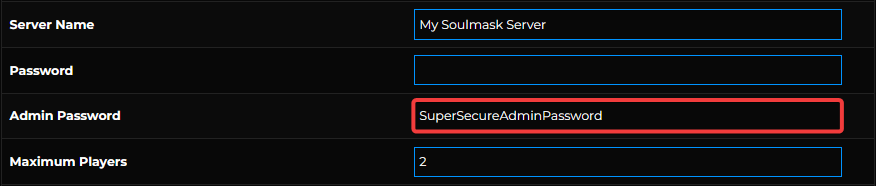
- Save and Start your server.

Logging in as an Admin
To become an admin on your server, you will need to login using your configured admin password.
- Connect to your Soulmask server.
- Press tilde (`) (Below
ESCon your keyboard) to open the in-game console.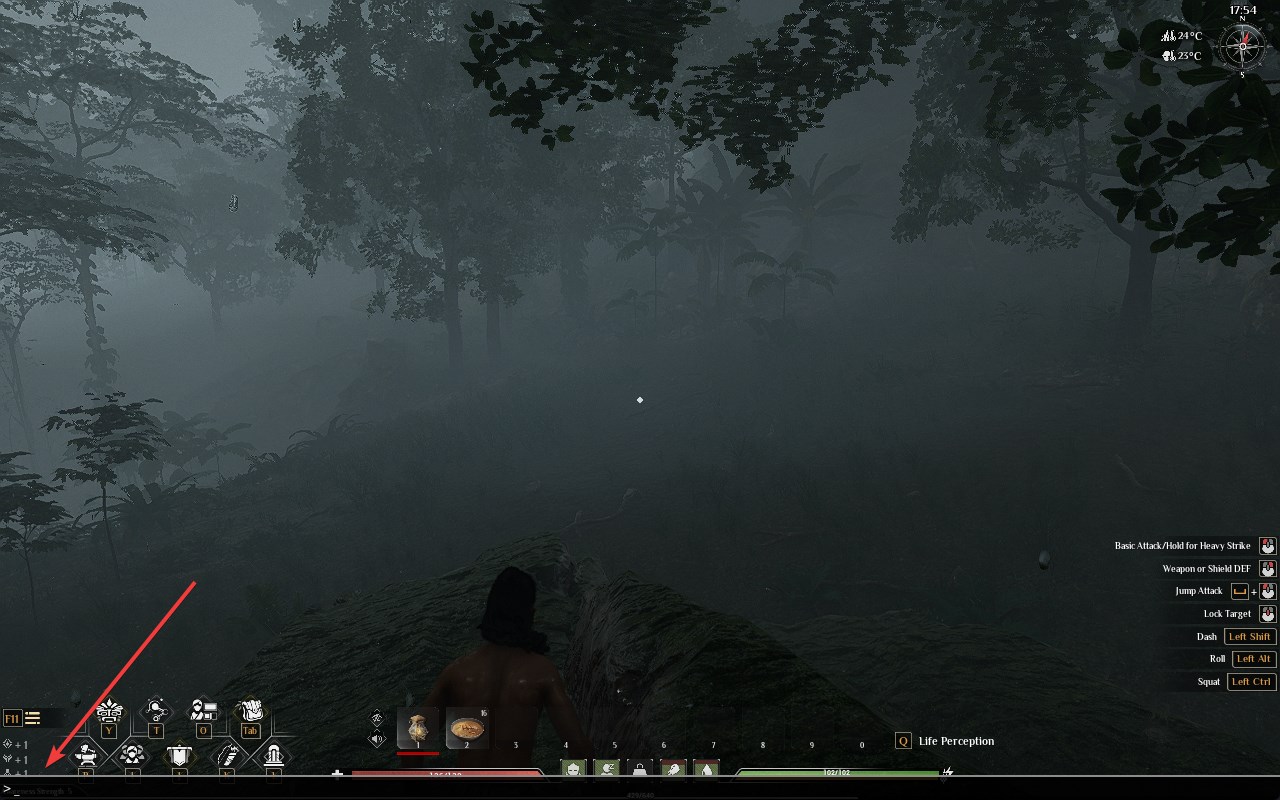
- Enter the command
gm key <Admin Password>.
After gaining admin permission, you can use any admin command by following this guide.
Interested in purchasing Soulmask servers with instant activation, easy customisation, and great & extensive Knowledgebase articles? Click the link to purchase Soulmask server hosting.
To learn more about Soulmask Server Hosting, you can browse our library of Knowledgebase articles here.
If you require any further assistance, please contact our support at: https://shockbyte.com/billing/submitticket.php