
This article will show you how to customize your Factorio server details such as name, description, tags, max players, and game password.
- Navigate to your control panel.
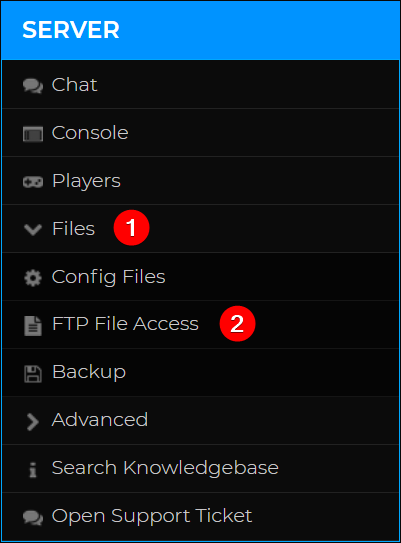
- Access your server’s FTP by clicking on Files > FTP File Access, located on the left-hand side of your panel.
- Access your server directory using your Multicraft password.
- Navigate to the
/data/directory. - Find server-settings.json, then on the right, click Edit.

- Change your server’s name, description, tags, max players, and game password to your liking.

- Admins can join full servers regardless of the
max_playersvalue. You can setmax_playersto0to allow unlimited players on your server. game_passwordassigns a password to your server that players must enter before joining.- Save, then Restart your server.
