
When hosting a Team Fortress 2 server, you may want to boost crits or allow players to fly through walls as spectators. You can check out the Official TF2 Wiki for a list of cheats.
Info: Please note that players will be unable to earn achievements on your server if cheats are enabled.
Enable cheats via config
This method allows to keep cheats enabled despite server restarts.
- Login to your server’s control panel.
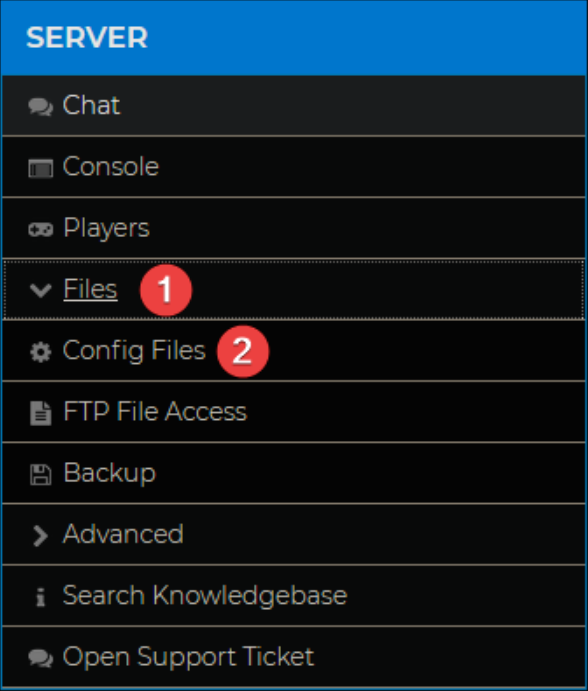
- On the left, click Files > Config Files.
- Open Team Fortress 2 Server Settings.

- Change the Cheats option from
0to1and Save.
- Restart your server for the changes to take effect.
Enable cheats via command
- Login to your server’s control panel.
- On the left, click Console.
- Enter the command
sv_cheats 1.
Cheats are now enabled on your server. Please note that this method is temporary and will only work until you restart the server.
If you wish to use cheats in-game, make sure to check out our guide on enabling RCON on your TF2 server: How To Enable RCON On Your TF2 Server
If you require any further assistance, please contact our support at: https://shockbyte.com/billing/submitticket.php